34
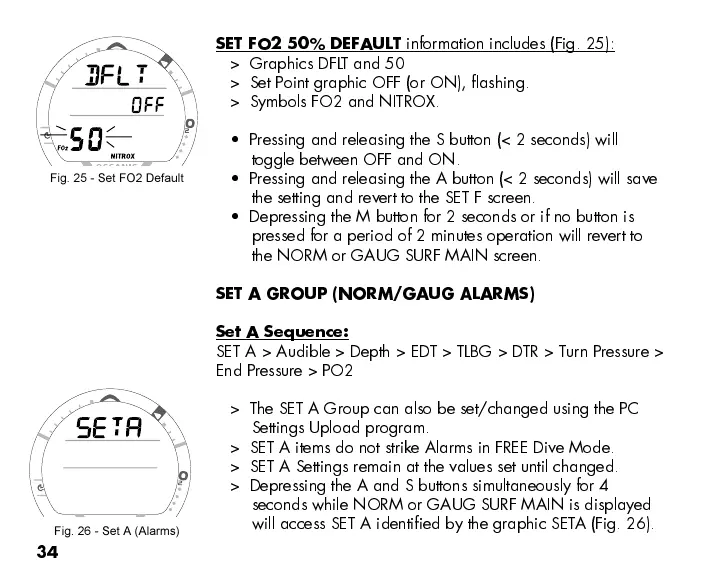
SET FO2 50% DEFAULT
information includes (Fig. 25):
> Graphics DFLT and 50
> Set Point graphic OFF (or ON), flashing.
> Symbols FO2 and NITROX.
Pressing and releasing the S button (< 2 seconds) will
toggle between OFF and ON.
Pressing and releasing the A button (< 2 seconds) will save
the setting and revert to the SET F screen.
Depressing the M button for 2 seconds or if no button is
pressed for a period of 2 minutes operation will revert to
the NORM or GAUG SURF MAIN screen.
SET A GROUP (NORM/GAUG ALARMS)
Set A Sequence:
SET A > Audible > Depth > EDT > TLBG > DTR > Turn Pressure >
End Pressure > PO2
> The SET A Group can also be set/changed using the PC
Settings Upload program.
> SET A items do not strike Alarms in FREE Dive Mode.
> SET A Settings remain at the values set until changed.
> Depressing the A and S buttons simultaneously for 4
seconds while NORM or GAUG SURF MAIN is displayed
will access SET A identified by the graphic SETA (Fig. 26).
Fig. 25 - Set FO2 Default
Fig. 26 - Set A (Alarms)



 To Next Page