59
Depressing the S button while the MINUTE Set Point is flashing will scroll through the
Set Points in 1 minute increments at a rate of 4 per second from :00 to :59.
Pressing and releasing the A button momentarily (< 2 seconds) will save the Minute
Set Point and/or advance to the SET DATE screen.
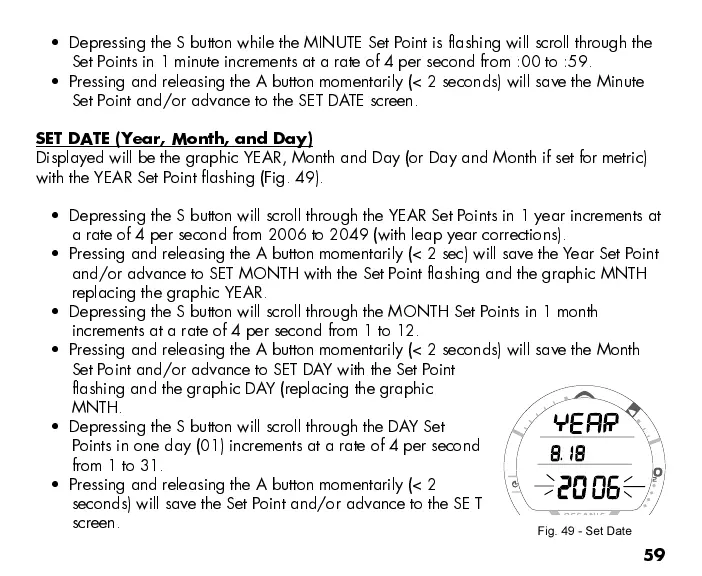
SET DATE (Year, Month, and Day)
Displayed will be the graphic YEAR, Month and Day (or Day and Month if set for metric)
with the YEAR Set Point flashing (Fig. 49).
Depressing the S button will scroll through the YEAR Set Points in 1 year increments at
a rate of 4 per second from 2006 to 2049 (with leap year corrections).
Pressing and releasing the A button momentarily (< 2 sec) will save the Year Set Point
and/or advance to SET MONTH with the Set Point flashing and the graphic MNTH
replacing the graphic YEAR.
Depressing the S button will scroll through the MONTH Set Points in 1 month
increments at a rate of 4 per second from 1 to 12.
Pressing and releasing the A button momentarily (< 2 seconds) will save the Month
Set Point and/or advance to SET DAY with the Set Point
flashing and the graphic DAY (replacing the graphic
MNTH.
Depressing the S button will scroll through the DAY Set
Points in one day (01) increments at a rate of 4 per second
from 1 to 31.
Pressing and releasing the A button momentarily (< 2
seconds) will save the Set Point and/or advance to the SE T
screen.
Fig. 49 - Set Date



 To Next Page