113
6
2
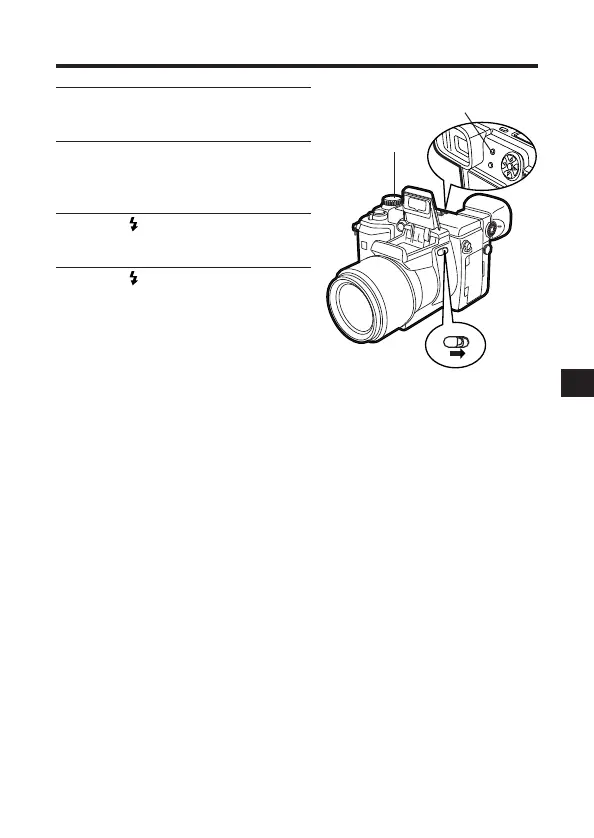
Set the Mode dial to P, A, S, M, or
S-Prg.
3
Turn on the external flash.
● The mode for the external flash is
TTL-AUTO.
4
Slide (flash switch) on the
camera to open the main flash.
5
Press (Flash mode button) to
select the camera’s flash mode.
● Auto-Flash (P.72), Red-Eye
Reduction Flash (P.107), and Fill-in
Flash (P.107) are available.
● A slow-shutter synchronization
flash can also be set (P.110).
2
5
4







 To Next Page