139
7
Recording pictures sequentially with different
exposures/white balance—Auto bracket
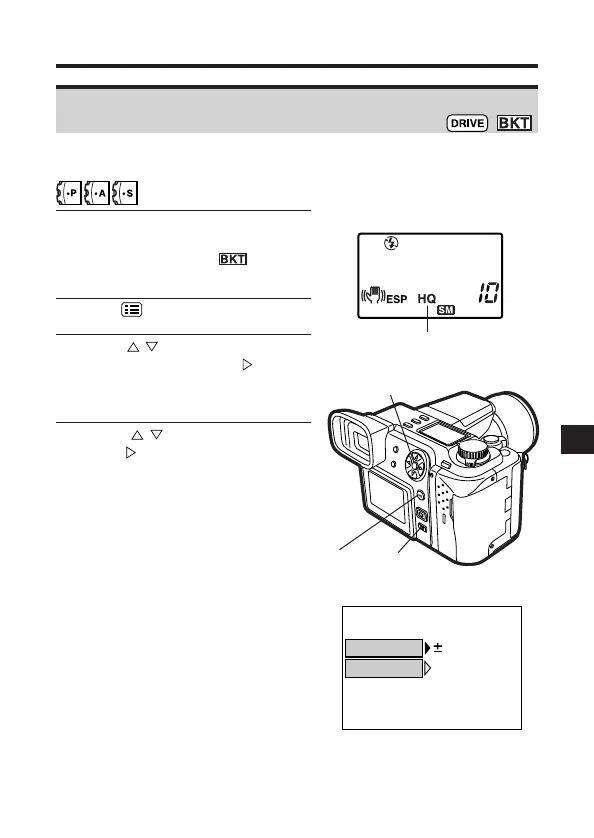
Brightness (exposure) and/or white balance is metered in each frame. Focus
is locked at the first frame. You can also specify the number of pictures.
1
Set the record mode to any mode
other than TIFF. If the record mode
is set to TIFF, is not
available. (P. 104)
2
Press to display the Menu.
3
Press on the Arrow pad to
select BKT, then press . SETUP
is displayed. Press the OK button.
● BKT setting screen appears.
4
Press to select AE, then
press .
Control panel
Record mode
3, 4
2
3
BKT setting screen







 To Next Page