33
1
This camera uses 2 CR-V3 lithium battery packs or 4 AA NiMH batteries,
NiCd batteries, alkaline batteries or lithium batteries.
Important:
Do not peel the label on a CR-V3 lithium battery pack. If an insulating sheet
covers the terminals, peel it off ONLY from the terminals.
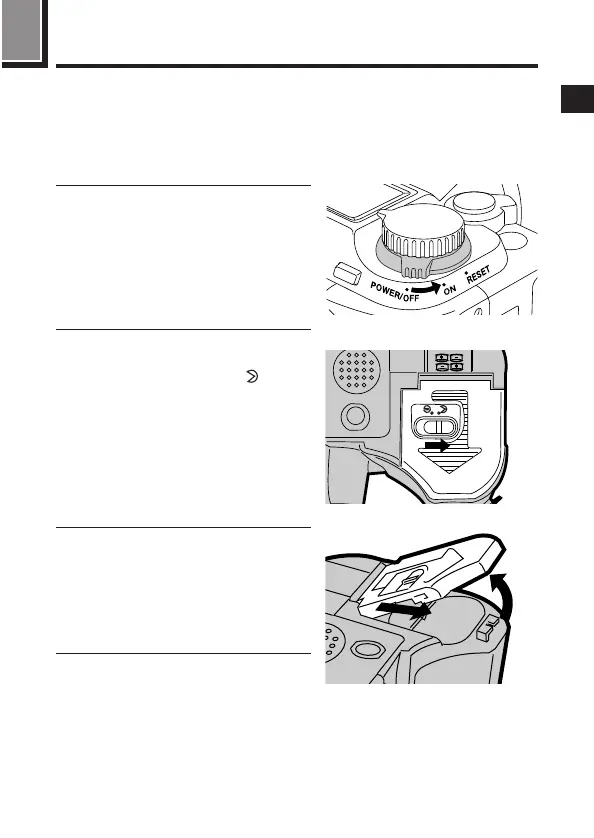
1
Make sure that the camera power
switch is in the off position.
2
Slide the battery compartment
lock on the battery compartment
cover in the direction of .
3
Slide the battery compartment
cover in the direction of the arrow
printed on it (the direction of the
lens) with your fingertip.
● Attempting to slide the cover using
a fingernail could result in injury.
4
Open the battery compartment
cover.
1
Loading the batteries
3, 4
2







 To Next Page