72
2
Recording and display (Cont.)
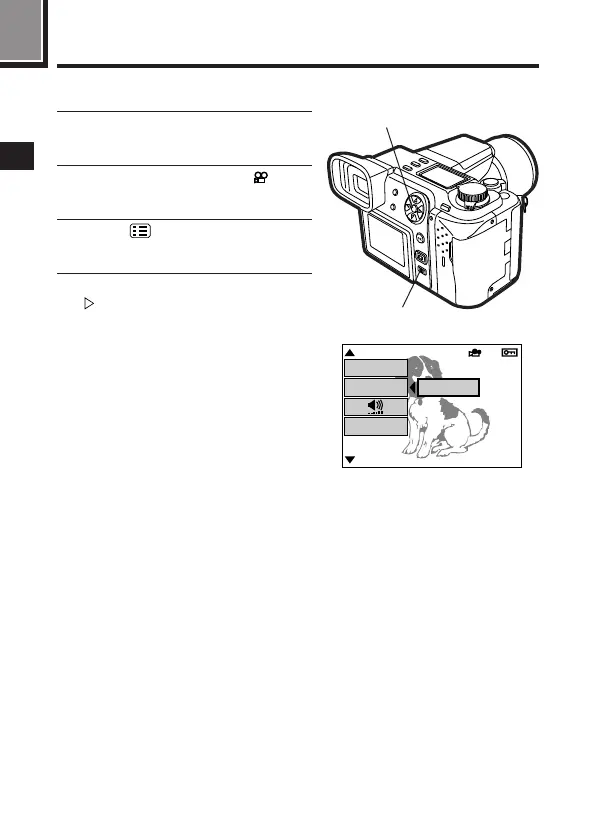
1
Use the Quick view to display a
recorded movie (P.73).
2
Select images with the mark
using the Arrow pad.
3
Press (Menu button).
● The menu screen will appear.
4
Select MOVIE PLAY, then press
to select START.
● Press the menu button to cancel.
2, 4
3
[
1 / 2
]
SM/CF
COPY
[
SM
]
MOVIE PLAY
START
m Displaying movies







 To Next Page