77
2
Telephoto/Wide-angle shooting—Zoom
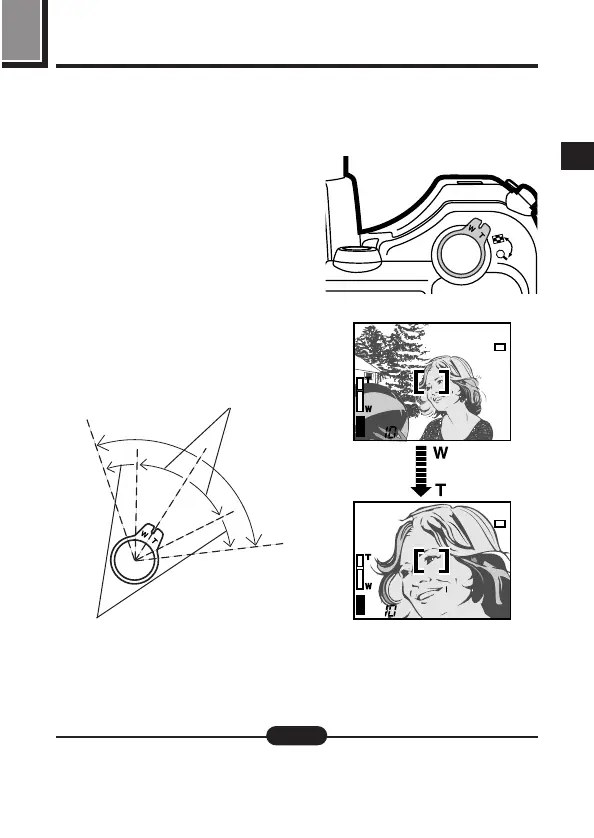
You can select telephoto or wide-angle with the 10x zoom. When SUPER
TELE in the menu is turned ON (P.98), 27x zoom is available with the 2.7x
digital zoom.
When you take a picture from a
distance (telephoto):
Press the zoom lever toward T to zoom
in.
When you take a picture at close
range (wide-angle):
Press the zoom lever toward W to zoom
out.
m The speed of the zoom-in/out can be
adjusted by changing the angle of the
zoom lever.
P F2.8 1/1000
P F2.8 1/1000
[
SM
]
[
SM
]
Slow
Quick
● When recording movies while zooming, images may become jittery.
Note:







 To Next Page