150
8
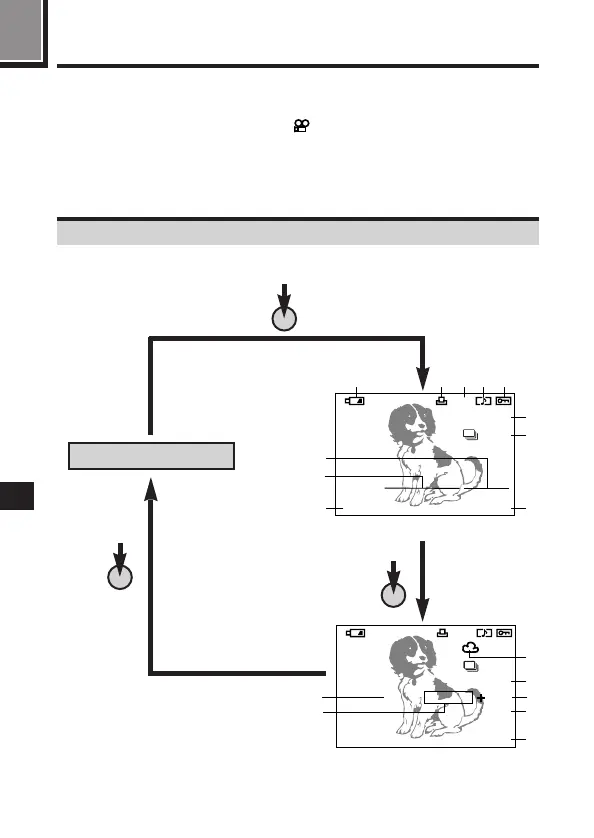
Press the INFO button to select how much information is displayed (P. 26).
The following 3 types of display are available.
No information: Only battery check, and card are displayed.
Partial information: These indications disappear after a certain amount of
time has elapsed.
Full information: All indications are displayed all the time while in the Display
mode.
Displaying picture information
No information
Partial information
Full information
Still picture information
INFO
INFO
3456
123
12.23.
,
00 21:56
HQ
x10
1
2 43 5
6
8
7
9
0
!
[
SM
]
FILE:123–34567
HQ
SIZE: 1600x1200
F2.8 1/800 2.0
ISO400
12.23.
,
00 21:56
x10
@
#
^$
%
&
*
123
[
SM
]
INFO







 To Next Page