222
Manipulating Files Section 5-2
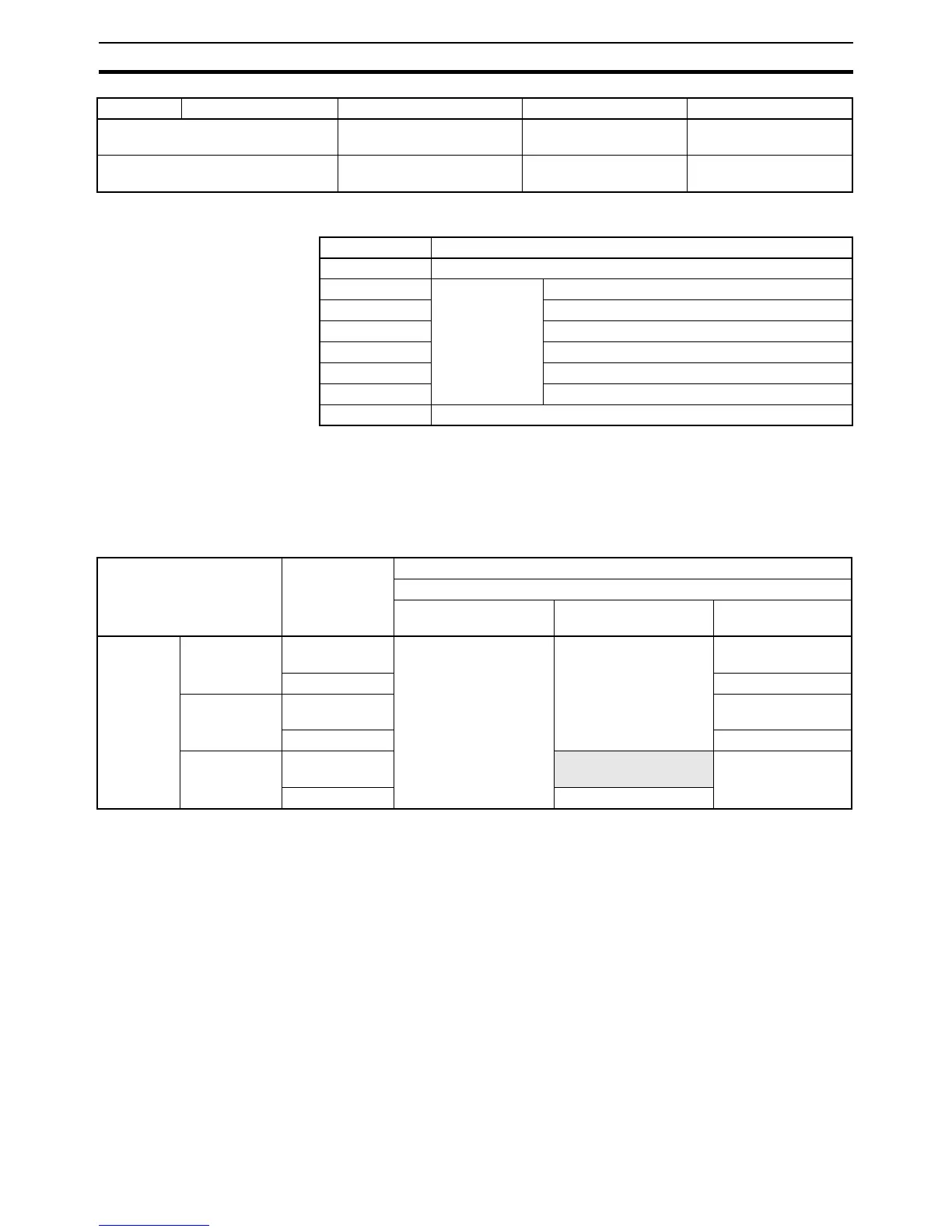
Note The file types are shown in the following table.
Precautions when
Comparing Data after
Transferring Parameter
Files
Verification errors may occur at the Programming Console when comparing
parameter data between files before transfer and the data after transfer if the
parameter files (.STD) created in one CJ-series CPU Unit are saved to the
Memory Card in another CJ-series CPU Unit with a different unit version. The
occurrence of errors for different unit version combinations is shown in the fol-
lowing table.
2: Initialize Enter 9713 (Memory Card)
or 8426 (EM file memory).
--- ---
3: Delete Select OBJ, CIO, HR, WR,
AR, DM, EM, or STD.
Media type, file name ---
Symbol File type
OBJ Program file (.OBJ)
CIO Data file (.IOM) CIO Area
HR HR Area
WR WR Area
AR Auxiliary Area
DM DM Area
EM0_ EM Area
STD Parameter file (.STD)
Item 1 Item 2 Item 3 Item 4 Item 5
Source CPU Unit Original I/O
allocation
status
Destination CPU Unit
Unit version of CPU Unit to which parameter files will be transferred
Pre-Ver. 2.0 Unit Ver. 2.0 Unit Ver. 3.0 or
later
Unit ver-
sion of the
CPU Unit
in which
the param-
eter file
were cre-
ated
Pre-Ver. 2.0 Automatic allo-
cation
Verification possible Verification possible Verification possible
User-specified Verification possible
Unit Ver. 2.0 Automatic allo-
cation
Verification possible
User-specified Verification possible
Unit Ver. 3.0
or later
Automatic allo-
cation
Verification error Verification possible
User-specified Verification possible










 To Next Page