322
Using a Scheduled Interrupt as a High-precision Timer (CJ1-H-R and CJ1M Only) Section 6-5
Example:
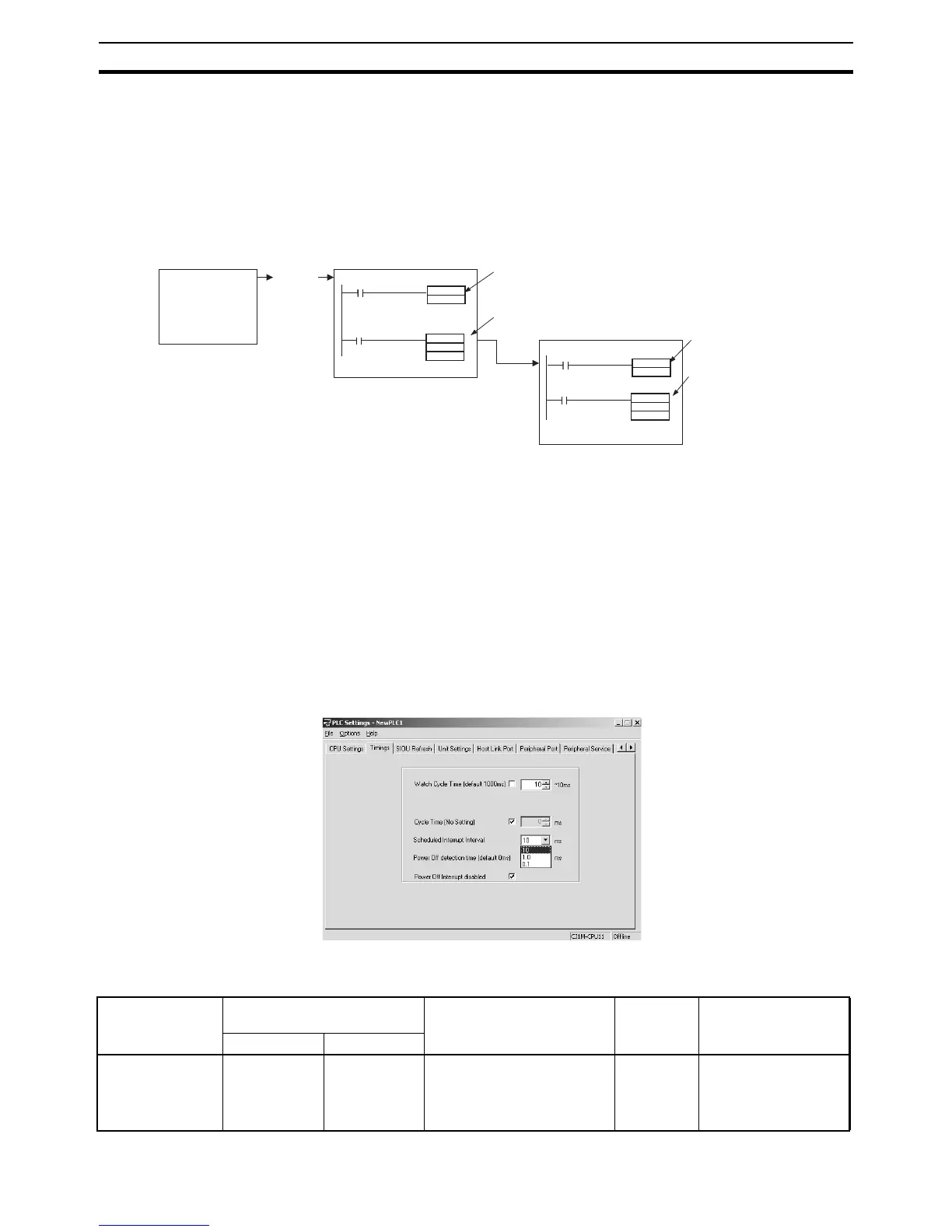
1,2,3... 1. Input interrupt task starts when the built-in input bit turns ON.
2. Output bit A turns ON in the input interrupt task, and the MSKS(690) in-
struction is executed to perform a scheduled interrupt reset start.
3. After a fixed interval, the scheduled interrupt task starts, and output bit A
in the scheduled interrupt task turns OFF, and the MSKS(690) instruction
is executed to prohibit a scheduled interrupt.
6-5-1 Setting the Scheduled Interrupt to Units of 0.1 ms
The scheduled interrupt time is set using the PLC Setup’s scheduled interrupt
unit time setting and the MSKS(690) instruction.
With CJ1-H-R and CJ1M CPU Units, the scheduled interrupt time can be set
in units of 0.1 ms.
• CJ1H-R CPU Units: When the units are set to 0.1 ms, the scheduled
interrupt time can be set between 0.2 ms and 999.9 ms.
• CJ1M CPU Units: When the units are set to 0.1 ms, the scheduled inter-
rupt time can be set between 0.5 ms and 999.9 ms.
PLC Setup
When using the CX-Programmer, make the settings on the Timings Tab Page.
The following table shows the corresponding settings when using a Program-
ming Console.
MSKS
14
#0005
MSKS
4
#000 0
SET
A
A
RESET
Input interrupt task
Scheduled interrupt task
Cyclic task
Input
interrupt
ON
Output bit A
turns ON.
Scheduled interrupt
reset start.
Fixed interval
Example:
After 0.5 ms)
Output bit A
turns OFF.
Stop due to fixed
interrupt being
prohibited.
Item Programming Console
address
Set value Default Refresh timing
Word Bit
Scheduled inter-
rupt unit time set-
ting
+195 00 to 03 0 hex: 10-ms unit
1 hex: 1-ms unit
2 hex: 0.1-ms unit (CJ1-H-R
and CJ1M CPU Units only)
0 hex When operation starts.










 To Next Page