342
Diagnostic Functions Section 6-7
6-7-6 Disabling Error Log Storage of User-defined FAL Errors
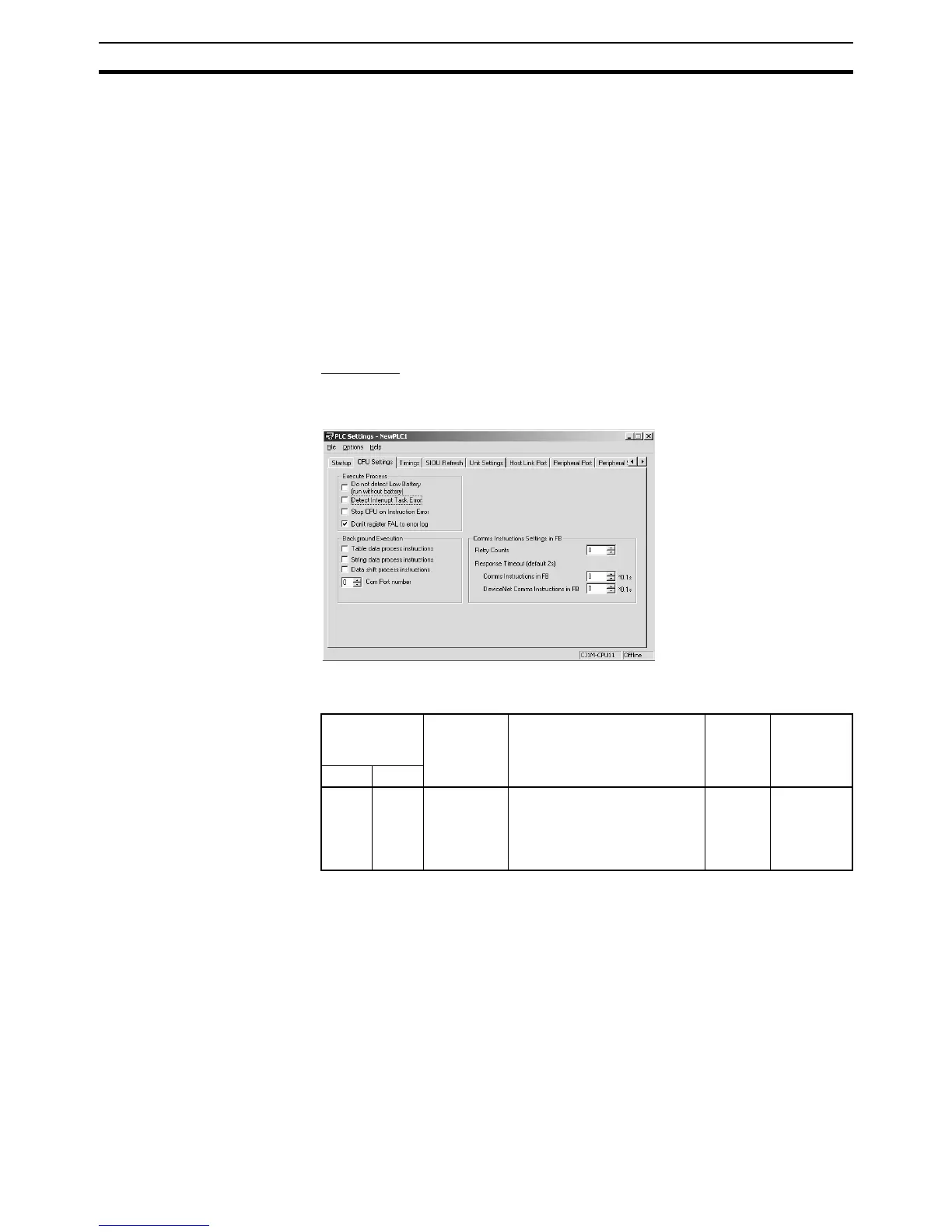
The PLC Setup provides a setting that will prevent user-defined FAL errors
created with FAL(006) and time monitoring for FPD(269) from being recorded
in the error log (A100 to A199). The FAL error will still be generated even if
this setting is used and the following information will also be output: A40215
(FAL Error Flag), A360 to A391 (Executed FAL Numbers), and A400 (Error
Code.
This function can be used when only system FAL errors need to be stored in
the error log, e.g., when there are many user-defined errors generated by the
program using FAL(006) and these fill up the error log too quickly.
Note The CS1G/H-CPU@@ (-V1) and CJ1@-CPU@@ CPU Units do not support
this function.
PLC Setup
When using the CX-Programmer, make the settings on the CPU Settings Tab
Page.
The following table shows the corresponding settings when using a Program-
ming Console.
Note The following items will be stored in the error log even if the above setting is
used to prevent user-defined FAL errors from being recorded.
• User-defined fatal errors (FALS(007))
• Non-fatal system errors
• Fatal system errors
• User-simulated nonfatal system errors (FAL(006))
• User-simulated fatal system errors (FALS(007))
Programming
Console
address
Name Setting Default CPU Unit
refresh
timing
Word Bit
+129 15 User FAL
Storage
Setting
0: Record user-defined FAL
errors in error log.
1: Don’t record user-defined
FAL errors in error log.
0:
Record
Whenever
FAL(006) is
executed
(every
cycle)










 To Next Page