235
Manipulating Files Section 5-2
5-2-5 Automatic Transfer at Startup
Automatic transfer at startup is used to read the user program, parameters,
and I/O memory data from a Memory Card to the CPU Unit when the power is
turned ON.
The following files can be read automatically to CPU Unit memory.
Note This function cannot be used to read EM file memory.
The program file name depends on whether a parameter area file is also
going to be transferred.
Transferring a Parameter
Area File
Use the following file names.
Program file: AUTOEXEC.OBJ
Parameter area file: AUTOEXEC.STD
Data files: AUTOEXEC.IOM, ATEXECDM.IOM, ATEXECE@.IOM
Note 1. If the data contained in AUTOEXEC.IOM and ATEXECDM.IOM overlap,
the data in ATEXECDM.IOM will overwrite any overlapping data trans-
ferred from AUTOEXEC.IOM since ATEXECDM.IOM is written later.
2. The program file (AUTOEXEC.OBJ) and parameter file (AUTOEXEC.STD)
must be on the Memory Card. Without these files, automatic transfer will
fail, a memory error will occur, and A40115 (Memory Error Flag: fatal error)
will turn ON. (It is not necessary for the I/O memory file (AUTOEXEC.IOM)
to be present.)
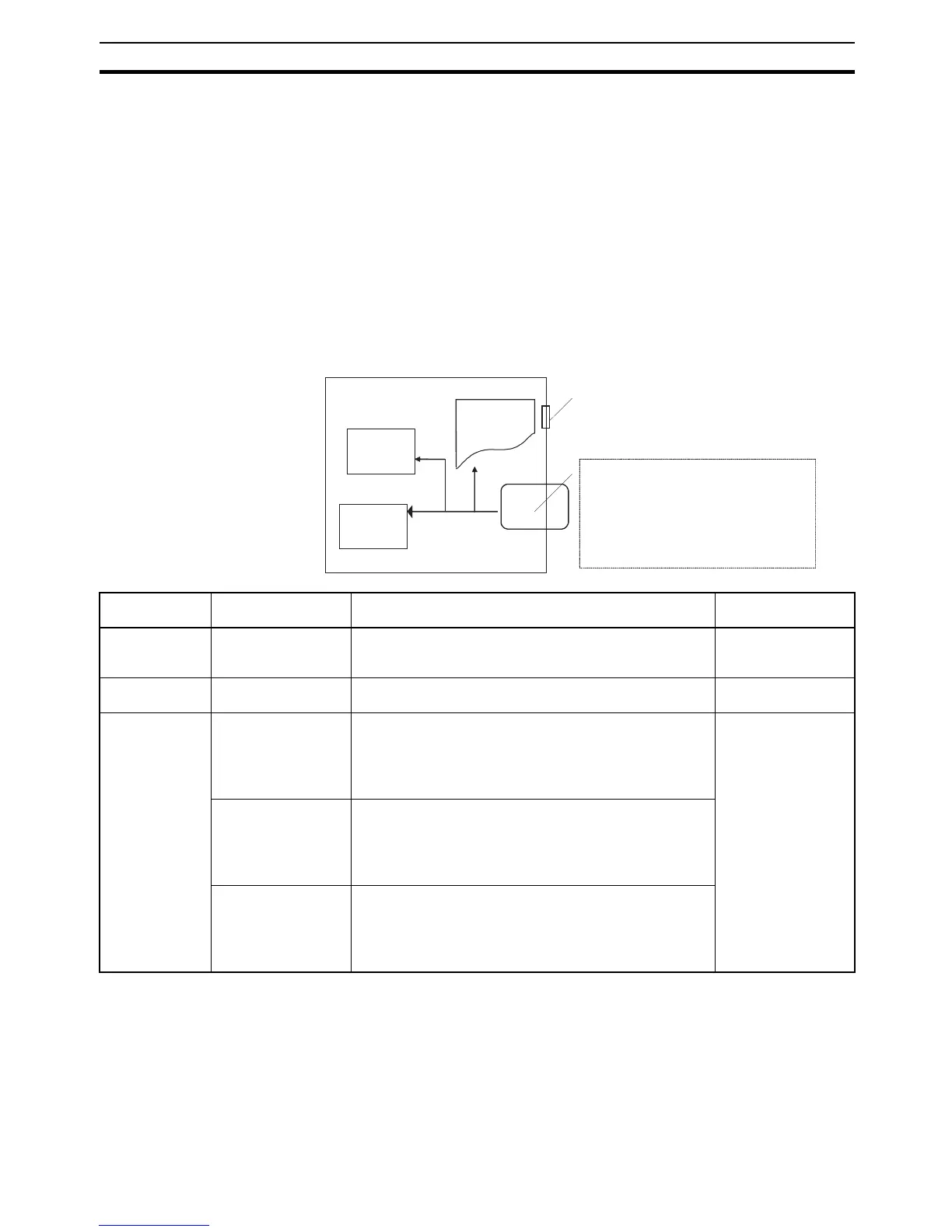
CPU Unit
I/O memory
Parameter
data
User
program
Write at startup
Front panel DIP switch pin 2 ON
Memory Card
Must contain the following:
User program file (AUTOEXEC.OBJ)
Parameter area file (AUTOEXEC.STD)
May contain the following:
I/O memory files (AUTOEXEC.IOM,
ATEXECDM.IOM, ATEXECE@.IOM)
File File name At startup Required for
automatic transfer
Program File AUTOEXEC.OBJ The contents of this file are automatically transferred and
overwrite the entire user program including CPU Unit task
attributes.
Required on Memory
Card.
Parameter Area
File
AUTOEXEC.STD The contents of this file are automatically transferred and
overwrite all initial settings data in the CPU Unit.
Required on Memory
Card.
Data File AUTOEXEC.IOM DM words allocated to Special I/O Units, CPU Bus Units,
and Inner Boards (CS Series only).
The contents of this file are automatically transferred to
the DM Area beginning at D20000 when power is turned
ON. (See note 1.)
Not required on
Memory Card.
ATEXECDM.IOM General-purpose DM words
The contents of this file are automatically transferred to
the DM Area beginning at D00000 when power is turned
ON. (Not supported by CS-series CS1 CPU Units that are
pre-EV1) (See note 1.)
ATEXECE@.IOM General-purpose DM words
The contents of this file are automatically transferred to
the EM Area beginning at E@_00000 when power is
turned ON. (Not supported by CS-series CS1 CPU Units
that are pre-EV1)










 To Next Page