253
Using File Memory Section 5-3
Precautions When
Mismatch Occurs During
Backup Comparison
When using a CJ-series CPU Unit with unit version 2.0 or earlier with a CJ-
series CPU Unit with unit version 3.0, verification errors may occur when com-
paring parameter data with the backup data restored from the simple backup
file that was created.
5-3 Using File Memory
5-3-1 Initializing Media
Memory Cards
1,2,3... 1. Use a Programming Device, such as a Programming Console, to initialize
Memory Cards.
EM File Memory
1,2,3... 1. Use a Programming Device like a Programming Console and set EM file
memory settings in the PLC Setup to enable EM file memory, and then set
the specified bank number for EM file memory to 0 to C Hex.
2. Initialize EM file memory.
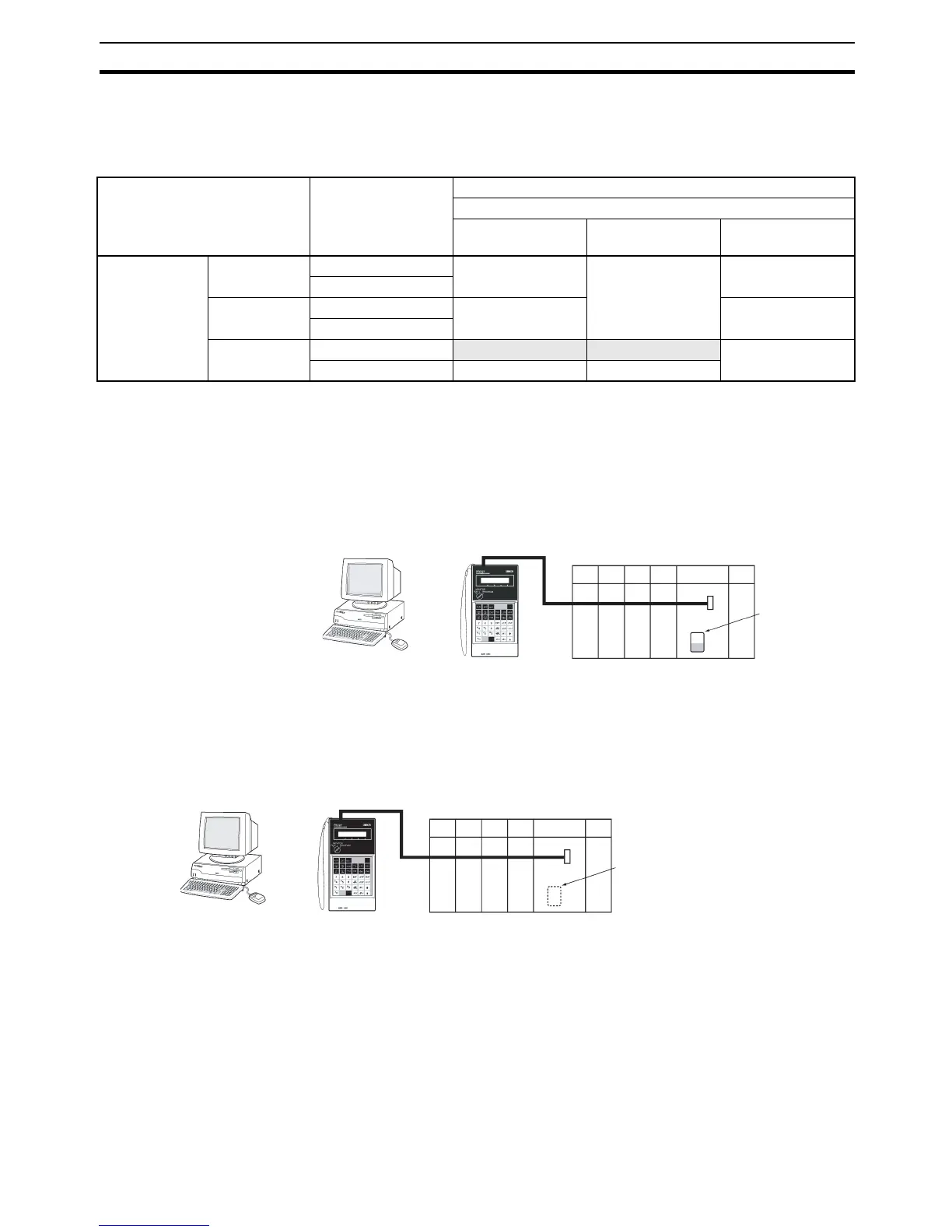
Source CPU Unit Previous I/O
allocation status
Destination CPU Unit
Unit version of CPU Unit at the backup/restore destination
Pre-Ver. 2.0 Unit Ver. 2.0 Unit Ver. 3.0 or
later
Unit version of
CPU Unit at the
backup source
Pre-Ver. 2.0 Automatic allocation Verification possible Verification possible Verification possible
User-specified
Unit Ver. 2.0 Automatic allocation Verification possible Verification possible
User-specified
Unit Ver. 3.0 or
later
Automatic allocation
Verification error Verification error Verification possible
User-specified Verification possible Verification possible
CX-Programmer
Programming
Console
Or
Memory Card
CX-Programmer
Programming
Console
Specify the starting bank
number for EM file
memory.
Or










 To Next Page