300
Serial Communications Section 6-3
6-3-2 No-protocol Communications
The following table lists the no-protocol communication functions available in
CS/CJ PLCs.
Note This function is supported by CPU Units with unit version 3.0 or later or Serial
Communications Units/Boards with unit version 1.2 or later.
Procedure
Message Frame Formats
Data can be placed between a start code and end code for transmission by
TXD(236) or TXDU(256) and frames with that same format can be received
by RXD(235) or RXDU(255). When transmitting with TXD(236) or TXDU(256),
just the data from I/O memory is transmitted, and when receiving with
RXD(235) or RXDU(255), just the data itself is stored in I/O memory. Up to
256 bytes (including the start and end codes) can be transferred in no-proto-
col mode.
Transfer direction Method Max. amount
of data
Frame format Other
functions
Start code End code
Data transmission
(PLC → External device)
Execution of TXD(236)/
TXDU(256) in the pro-
gram*
256 bytes Yes: 00 to FF
No: None
Ye s :
00 to FF or CR+LF
No: None
Send delay
time (delay
between exe-
cution and
sending data
from specified
port): 0 to
99,990 ms
(unit: 10 ms)
Data reception
(External device → PLC)
Execution of RXD(235)/
RXDU(255) in the pro-
gram
256 bytes ---
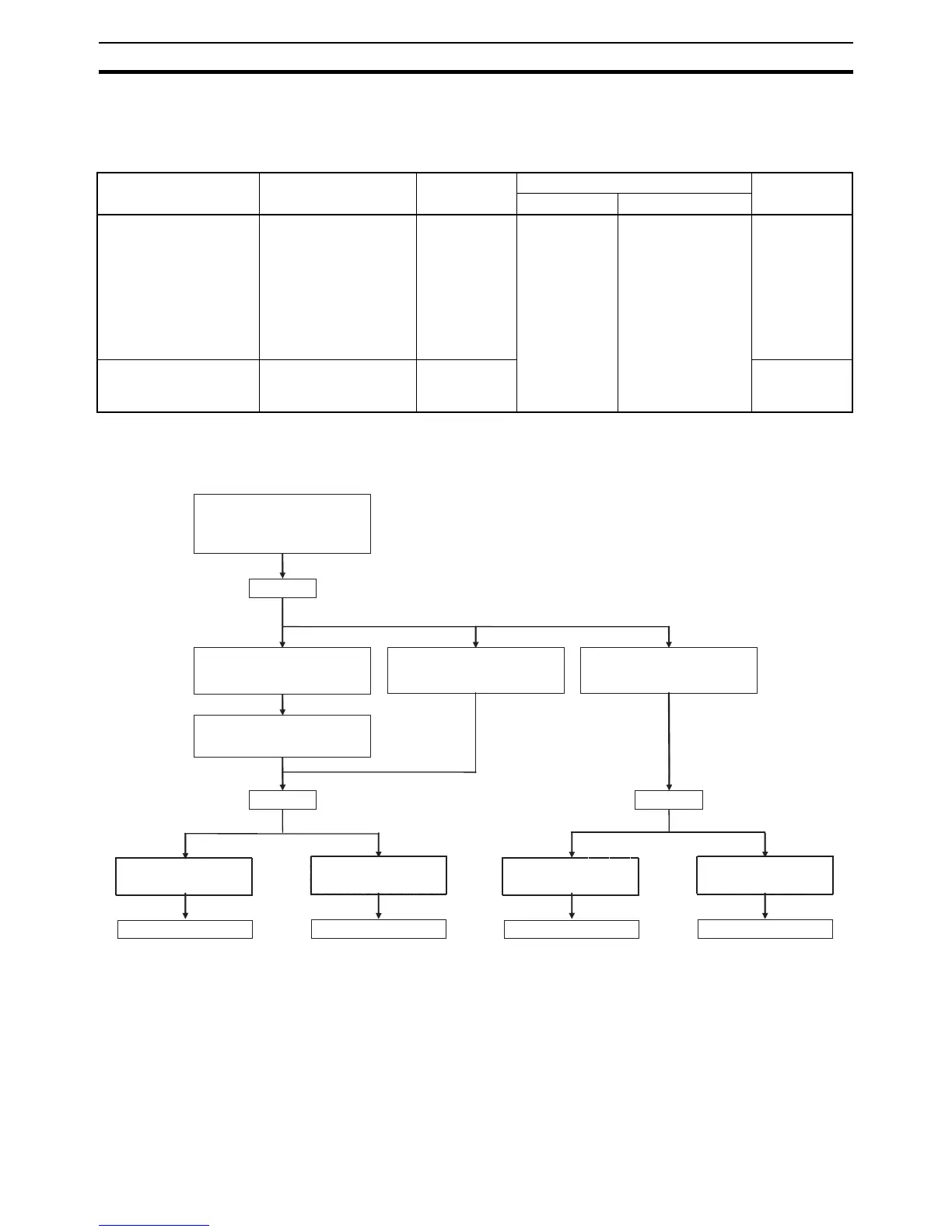
Set the PLC Setup from a Programming
Device.
(Set the communications to no-protocol
mode and make other communications
settings.)
Connect the external device to the CPU
Unit's built-in RS-232C port with an RS-
232C cable.
Connect the external device to the Serial
Communications Board with an RS-
232C cable.
Connect the external device to the Serial
Communications Unit with an RS-232C
cable.
Power OFF.
Power ON. Power ON.
Set the DIP switch on the front of the
CPU Unit. (Turn pin 5 OFF.)
Data transfer
(PLC → External device)
Execute TXD(236).
Data transfer
(PLC → External device)
Execute TXDU(256).
Data reception
(External device → PLC)
Execute RXD(235).
Data reception
(External device → PLC)
Execute RXDU(255).
● Using the CX-Programmer
Refer to the CX-Programmer Operation Manual.
● Using the Programming Console
Set addresses 160, 161, 162, 164, and 165. (Set the no-protocol
communications mode and set the start code, end code, data length
to send/receive, and delay.)










 To Next Page