243
Manipulating Files Section 5-2
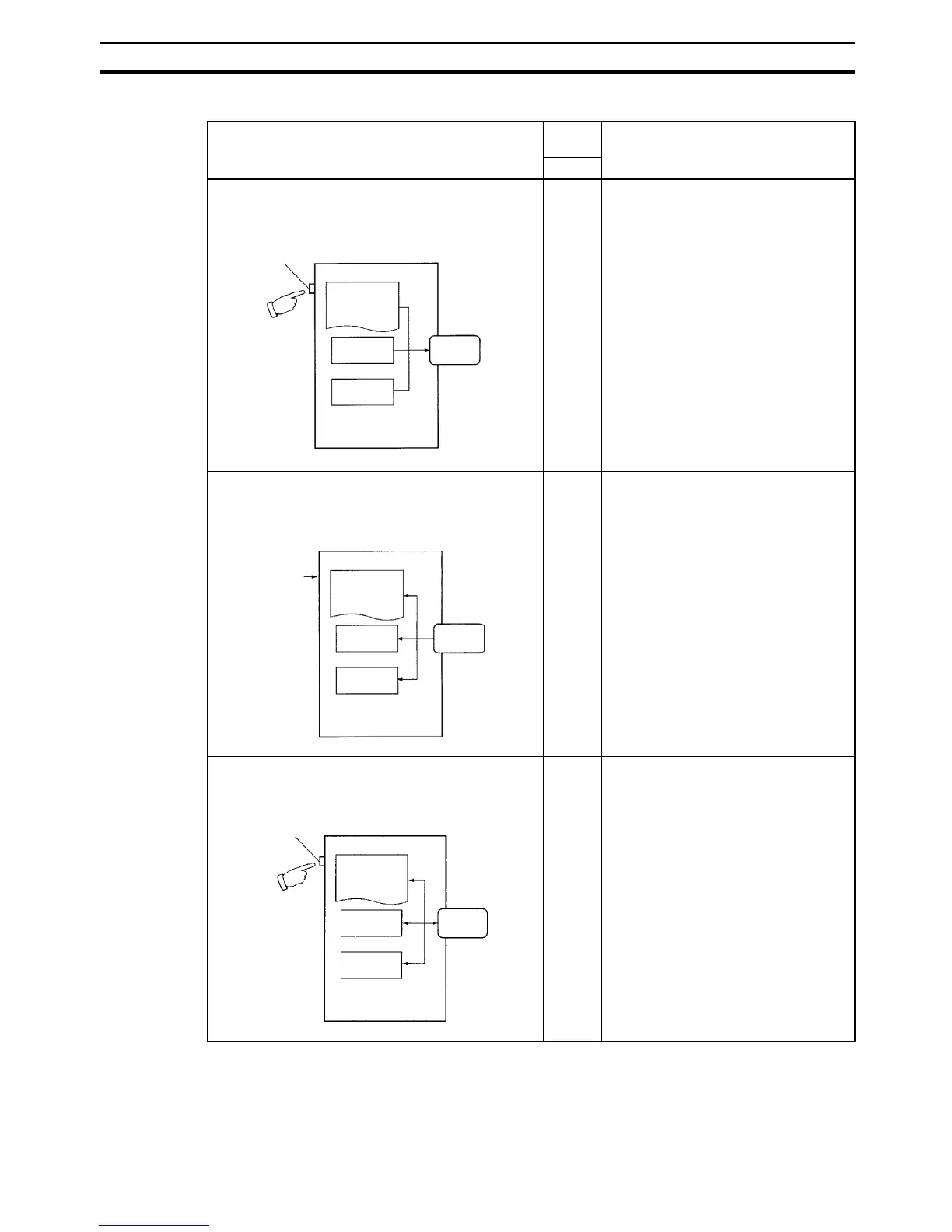
The following table provides a summary of the simple backup operations.
Note 1. Refer to Verifying Backup Operations with Indicators on page 246 for de-
tails on the results of read, write, and compare operations.
2. Refer to 5-3-2 Operating Procedures for guidelines on the time required for
Memory Card backup operations.
Backup operation Pin
status
Procedure
Pin 7
Backing up data from the CPU Unit to the Memory
Card
ON Press and hold the Memory Card
Power Switch for three seconds.
Restoring data from the Memory Card to the CPU
Unit
ON Turn the PLC OFF and ON again.
(See note 1.)
Comparing data between the CPU Unit and the
Memory Card
OFF Press and hold the Memory Card
Power Switch for three seconds.
Backing up data to the Memory Card
Memory Card
Power Switch CPU Unit
Program
I/O memory
Parameter
area
Memory
Card
Pin 7: ON
Pin 7: ON
Restoring data from the Memory Card
CPU Unit
Power ON
Program
I/O memory
Parameter
area
Memory
Card
Pin 7: OFF
Comparing data to the Memory Card
Memory Card
Power Switch
CPU Unit
Program
Memory
Card
I/O memory
Parameter
area
Compare










 To Next Page