335
Startup Settings and Maintenance Section 6-6
Note 1. The CS1G/H-CPU@@ (-V1) and CJ1@-CPU@@ CPU Units do not support
this function.
2. The BKUP indicator on the front of the CPU Unit will light while data is be-
ing written to flash memory. Do not turn OFF the power supply to the CPU
Unit until the backup operation has been completed (i.e., until the BKUP
indicator goes out) after transferring data from the a Programming Device
or file memory, or performing online editing. The data may be lost.
Only for online editing and only when there is a Battery in the CPU Unit,
the CPU Unit will restart in the previous condition (e.g., with the BKUP in-
dicator lit) even if the power supply is turned OFF after the backup opera-
tion has been completed. Note the following precautions:
a) More time will be required to start the CPU Unit.
b) Even if there is a Battery in the CPU Unit, always be sure that the back-
up operation has been completed before turning OFF the power sup-
ply if the CPU Unit will be left unpowered for an extended period of
time.
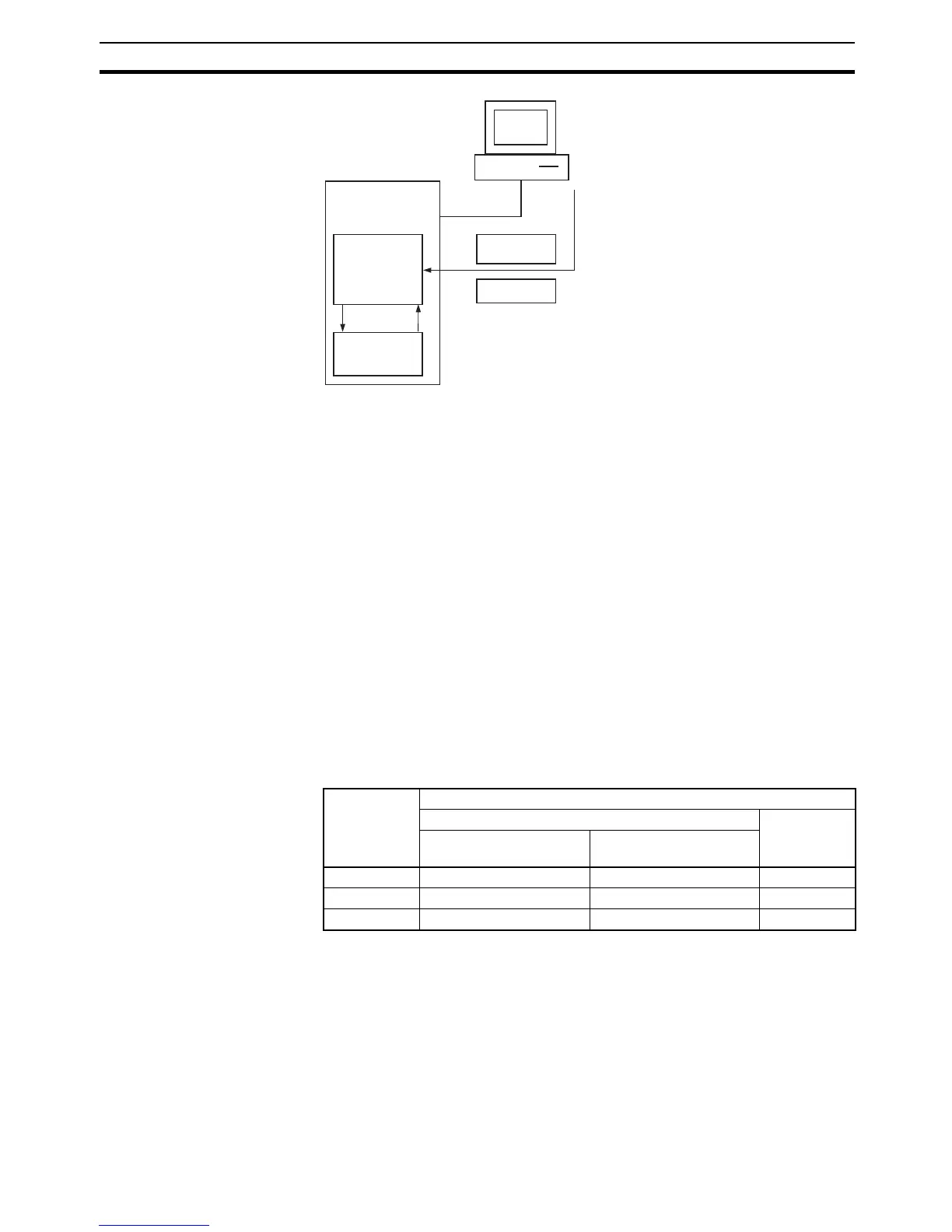
The amount of time required to back up data (the time the BKUP indicator will
be lit) will depend on the size of the user program, as shown in the following
table.
Note 1. The BKUP indicator will be lit when power is supplied to the CPU Unit.
2. Depending on the type of online editing that was performed, up to 1 minute
may be required to backup data.
CPU Unit
User memory
Automatic
backup
Flash memory
Automatically restored
when PLC is turned ON.
Parameters
User
program
Write operation
Data transfer from CX-
Programmer
Write from Programming
Console
Write from file memory
Online editing from CX-
Programmer
User
program size
Backup processing time
MONITOR mode PROGRAM
mode
Cycle time of 0.4 ms
(example)
Cycle time of 10.0 ms
(example)
10 Ksteps 2 s 8 s 1 s
60 Ksteps 11 s 42 s 6 s
250 Ksteps 42 s 170 s 22 s










 To Next Page