17
Description of Tasks Section 1-6
When creating modular programs, addresses can be specified by symbols to
facilitate standardization.
Executable and Standby
Status
The TASK ON and TASK OFF instructions (TKON(820) and TKOF(821)) can
be executed in one task to place another task in executable or standby status.
Instructions in tasks that are on standby will not be executed, but their I/O sta-
tus will be maintained. When a task is returned to executable status, instruc-
tions will be executed with the I/O status that was maintained.
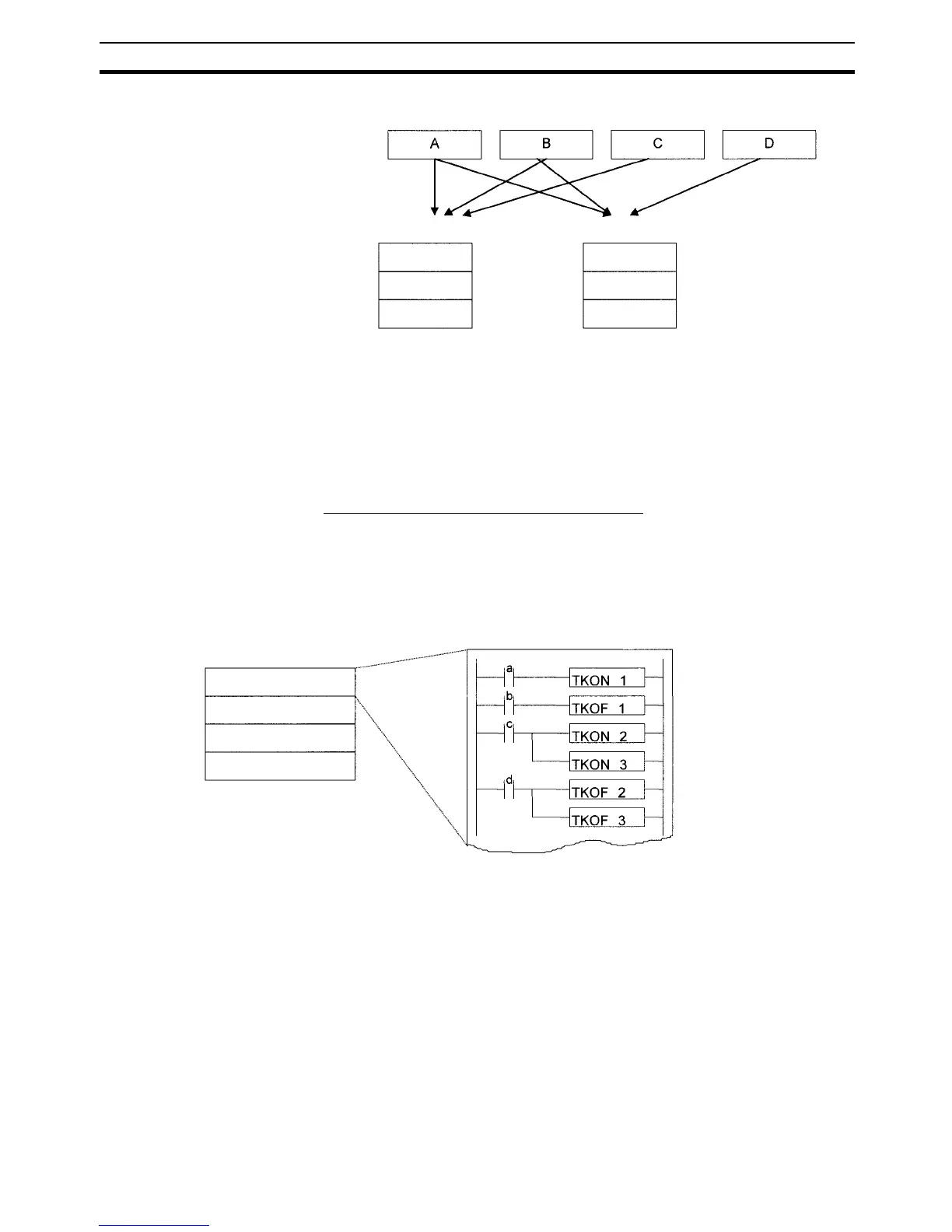
Example: Programming with a Control Task
In this example, task 0 is a control task that is executed first at the start of
operation. Other tasks can be set from the CX-Programmer (but not a Pro-
gramming Console) to start or not to start at the beginning of operation.
Once program execution has been started, tasks can be controlled with
TKON(820) and TKOF(821).
User program ABC User program ABD
Task 1 (A)
Task 2 (B)
Task 3 (C)
Task 1 (A)
Task 2 (B)
Task 3 (D)
Standard subroutine programs
Example:
Program
Task 0 (control task)
Task 1
Task 2
Task 3
Task 0
Task 0 is set to be executed at the start of operation
(set in the program properties from the CX-Programmer).
Task 1 is executable when a is ON.
Task 1 is put on standby when b is ON.
Tasks 2 and 3 are executable when c is ON.
Tasks 2 and 3 are










 To Next Page