EasyManua.ls Logo

Omron S8AS - User Manual

Omron S8AS
146 pages
Print Icon
To Next Page IconTo Next Page
Loading...
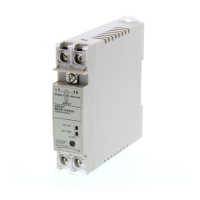
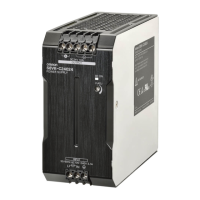
S8AS
Smart Power Supply
USER'S MANUAL
Cat. No. Z269-E1-05

Table of Contents

Questions and Answers

  • D
    dianaknoxAug 19, 2025
    Why can't I establish communication after changing parameters on my Omron Power Supply S8AS?
    • M
      Mitchell HuertaAug 19, 2025
      If communications cannot be established with the Omron Power Supply S8AS after changing the communication parameters, it may be because the updated parameters are not applied until the power is cycled. Turn the power OFF, and then turn it ON again.
  • J
    John MonroeAug 21, 2025
    What to do if the set value isn't accepted after changing it on Omron Power Supply S8AS?
    • A
      Aaron AllenAug 22, 2025
      If the set value was changed on the Omron Power Supply S8AS, but the change wasn't accepted, it is possible that the new setting was not saved. After using the Up and Down Keys to change the set value, press the ENT Key and ensure that the setting flashes to confirm that the setting is saved.
  • S
    Stacy MullenAug 25, 2025
    How to clear an alarm on Omron Power Supply S8AS after fixing the cause?
    • G
      gomezrobertAug 25, 2025
      If an alarm was output by the Omron Power Supply S8AS and the cause of the alarm was eliminated, but the alarm display was not cleared, it could be because the S8AS maintains the display and output even after the cause is resolved. Clear the alarm by pressing the Reset Key.
  • M
    Melissa ThompsonAug 26, 2025
    What to do if the Omron Power Supply S8AS output is immediately cut off again after resetting?
    • T
      Tyler VasquezAug 26, 2025
      If the output was reset on your Omron Power Supply S8AS, but it was immediately cut off again, it is possible that the original cause of the cut-off was not eliminated. You should eliminate the problem that caused the cutoff and then press the Reset Key.
  • W
    Walter ChavezAug 28, 2025
    Why does Omron Power Supply S8AS output cut off immediately when power is supplied?
    • C
      Cheryl McfarlandAug 28, 2025
      If the output of Omron Power Supply S8AS was not designed for a current that high, but the output is cut off as soon as power is supplied, it's possible that the abnormal current tripping type is set to “instantaneous.” Change the abnormal current tripping type from instantaneous to standard or increase the current tripping threshold.
  • J
    John JosephAug 30, 2025
    Why can't I reset the Omron Power Supply S8AS connection immediately after a cutoff?
    • W
      walkerjenniferAug 30, 2025
      If the connection of the Omron Power Supply S8AS cannot be reset immediately after it is cut off (RST) is displayed, it is because at least 15 seconds must pass before a cut-off output can be reset to protect the S8AS's internal circuits. Press the Reset Key for at least 3 seconds. “RST” should be displayed, and the cut-off output can be reset after 15 seconds have passed since the cutoff.
  • J
    Joseph ColeSep 1, 2025
    Why is the Omron Power Supply S8AS display flashing 'ON' in Test Mode but no power is supplied?
    • D
      dwolfeSep 1, 2025
      If the display is flashing “ON” in Test Mode on your Omron Power Supply S8AS, but power is not being supplied by the outputs, a flashing “ON” display indicates that the S8AS is waiting to turn ON the outputs. If the ENT Key is pressed, the output will be connected and power will be supplied. When power is being supplied, “OFF” will flash on the display to indicate the S8AS is waiting to turn OFF the output.
  • G
    Gloria WilkinsonSep 3, 2025
    What to do if Omron Power Supply S8AS output cuts off immediately in Test Mode?
    • K
      Kent WhiteSep 3, 2025
      If the output of the Omron Power Supply S8AS is connected in Test Mode, but it is cut off immediately and can't be connected again, check whether the status indicator is lit red. The current may be higher than the abnormal current tripping threshold. Check for problems such as output wiring and load connection problems. If no problems are found, press the Reset Key.
  • L
    Lisa ShawSep 5, 2025
    Why were all outputs connected after initializing parameters on my Omron Power Supply S8AS?
    • K
      Kiara MendozaSep 5, 2025
      If all of the outputs were connected when the parameters were initialized on your Omron Power Supply S8AS, it is because initializing parameters returns all settings to their default values. The S8AS will be in Run Mode after initializing the parameters. Change to Test Mode and reset the required branch outputs to ON (connected) or OFF (disconnected).
  • N
    Nicholas LeachSep 8, 2025
    What happens if too many devices are connected to Omron Power Supply S8AS output?
    • M
      melissaandrewsSep 8, 2025
      If there may be a large number of devices connected to the output of your Omron Power Supply S8AS, it is because the more devices that are connected, the higher the operating current. You can connect the devices to different branch outputs and use the S8AS's startup sequence to offset the connections to the devices.

Summary

SECTION 1 Features and Functions

SECTION 2 Specifications and Functions

2-3 Specifications

Lists detailed electrical and environmental ratings, characteristics, and performance specifications for S8AS models.

2-4 Basic Function Details

Explains key functions such as voltage monitoring, over-current protection, maintenance forecast, and over-temperature output.

SECTION 3 Installation and Wiring

3-1 Installing the S8 AS

Provides precautions and guidelines for selecting an installation site and installing the S8AS.

3-2 Installation

Covers mounting the S8AS in a panel using a DIN Rail and provides dimensional information.

3-3 Power Supply and Input;Output Wiring

Details wiring precautions, wire selection, and connection procedures for power and I/O terminals.

SECTION 4 Parameter Settings

4-1 Parameter Table

Presents a comprehensive table of all S8AS parameters, their settings, default values, and access levels.

4-5 Individual Branch Output Settings

Details how to set individual branch output parameters like current tripping threshold and type.

SECTION 5 Trial Operation to Actual Operation

5-4 Run Mode

Covers operating the S8AS in Run Mode, monitoring parameters, and clearing peak output currents.

SECTION 7 Error Processing

7-1 Troubleshooting

Offers a table of common observed problems, their possible causes, and remedies.

7-2 Seven-segment Error Codes

Lists all seven-segment display error codes, their meanings, and probable causes/remedies.

7-3 Clearing Errors

Explains methods for clearing errors, including using the Reset Key and power cycling.

Omron S8AS Specifications

General IconGeneral
BrandOmron
ModelS8AS
CategoryPower Supply
LanguageEnglish

Related product manuals