Omron TM Collaborative Robot: Conveyor Tracking User’s Manual 21
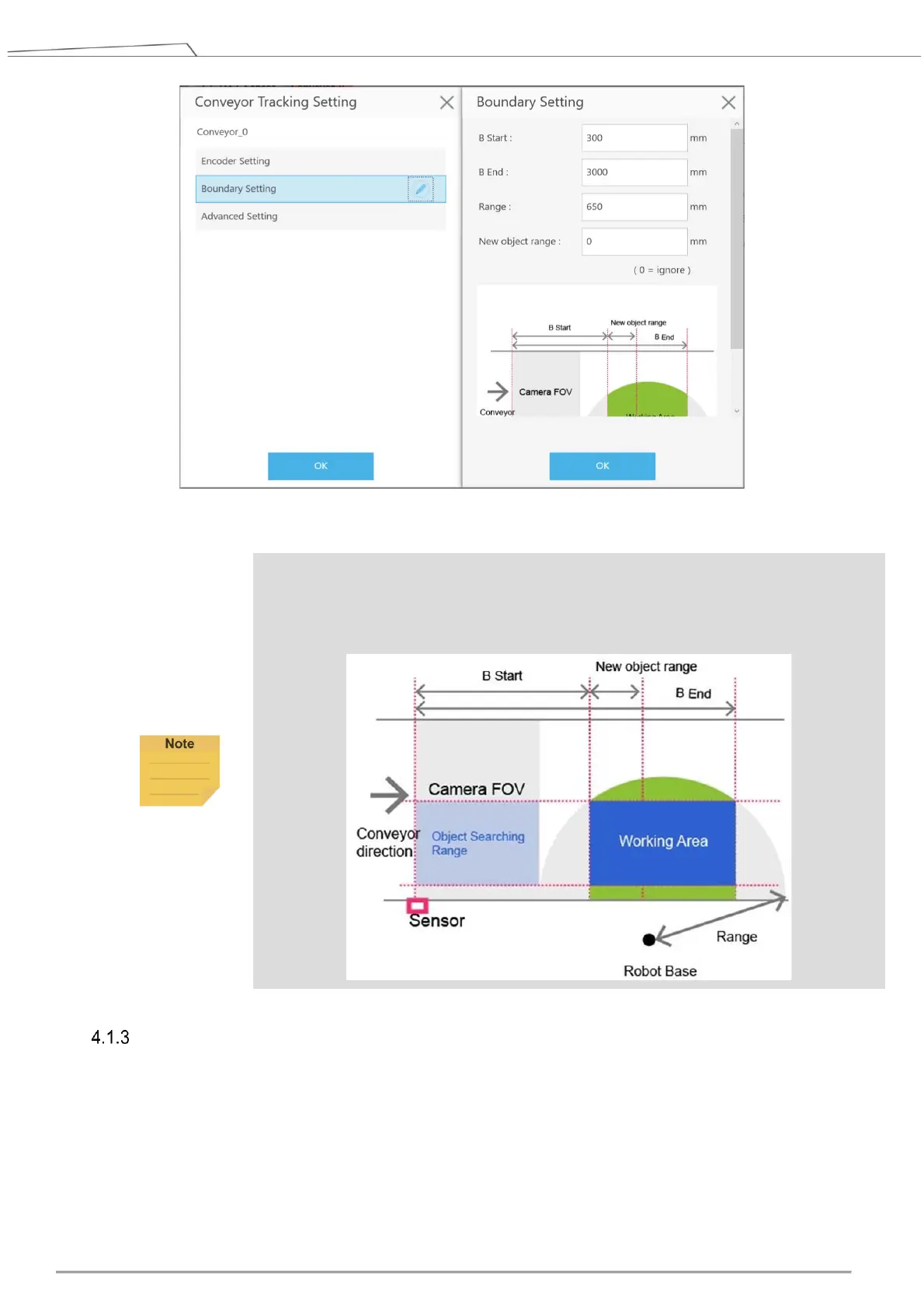
Figure 8: Boundary setting
NOTE:
In ETH mode, user can use “Set Search Range” on ETH camera vision job “Find”
to limit the width of working area on the conveyor belt, which constitutes an rectangular
robot working area.
Advanced Setting
Advanced Setting is used for setting conveyor object compensation. Description is as follows:
Conveyor Vector Compensate
(Calibration Point 2)
X offset (㎜): when adjusting calibration, compensate the calibration plate x direction offset
Y offset (㎜): when adjusting calibration, compensate the calibration plate y direction offset









 To Next Page