Omron TM Collaborative Robot: Conveyor Tracking User’s Manual 45
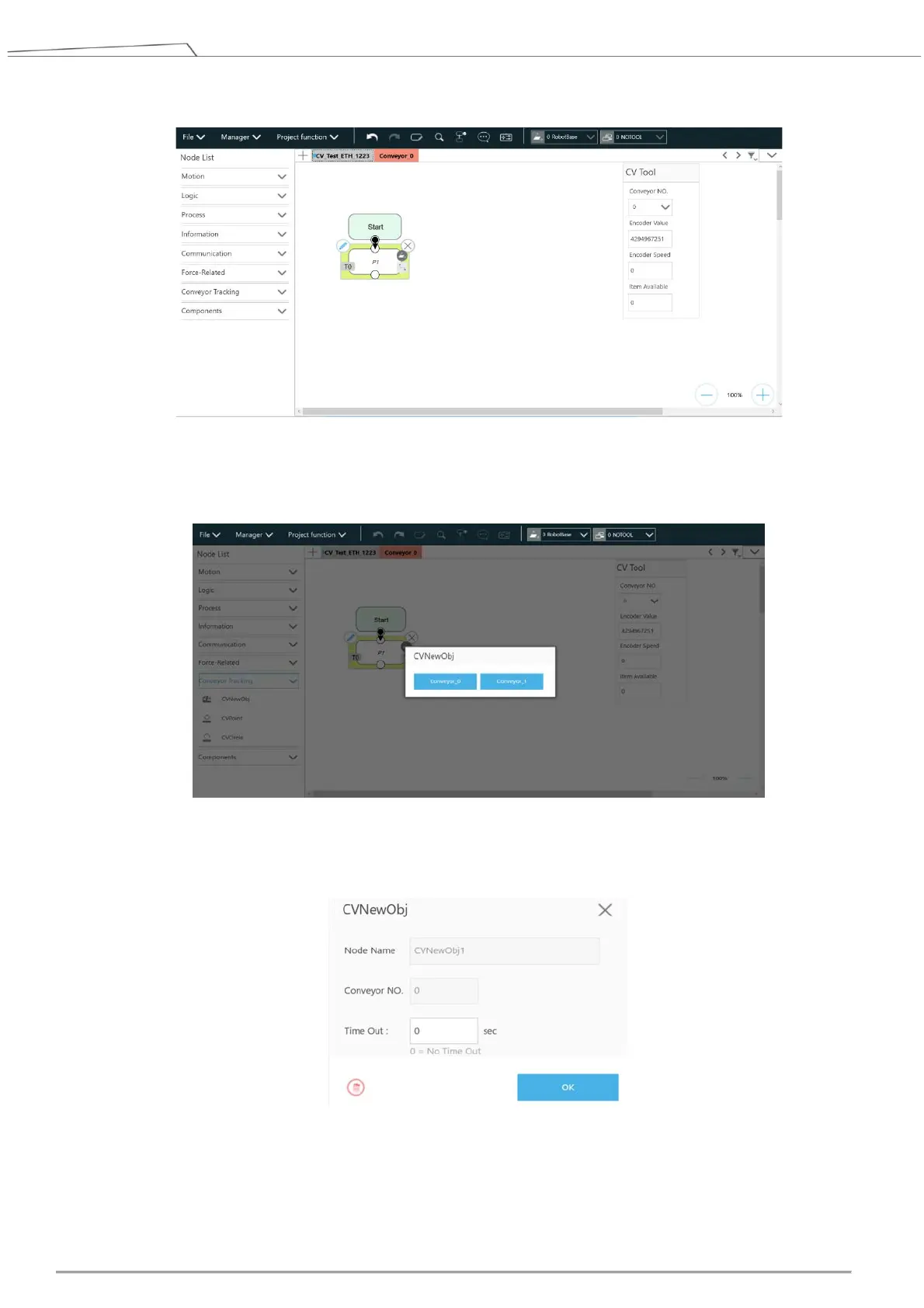
14. Drag a point node in the project editing page to set as the robot’s initial work point.
Figure 43: Point Node
15. Drag a CVNewObj node in the project editing page and choose the conveyor number.
Figure 44: Select conveyor
Click the pencil icon of the CVNewObj node for the Time Out setting. For details, refer to 4.3.1.
Figure 45: Set CVNewObj
16. Drag a CVPoint node in the project editing page and choose the conveyor number.









 To Next Page