Omron TM Collaborative Robot: Conveyor Tracking User’s Manual 44
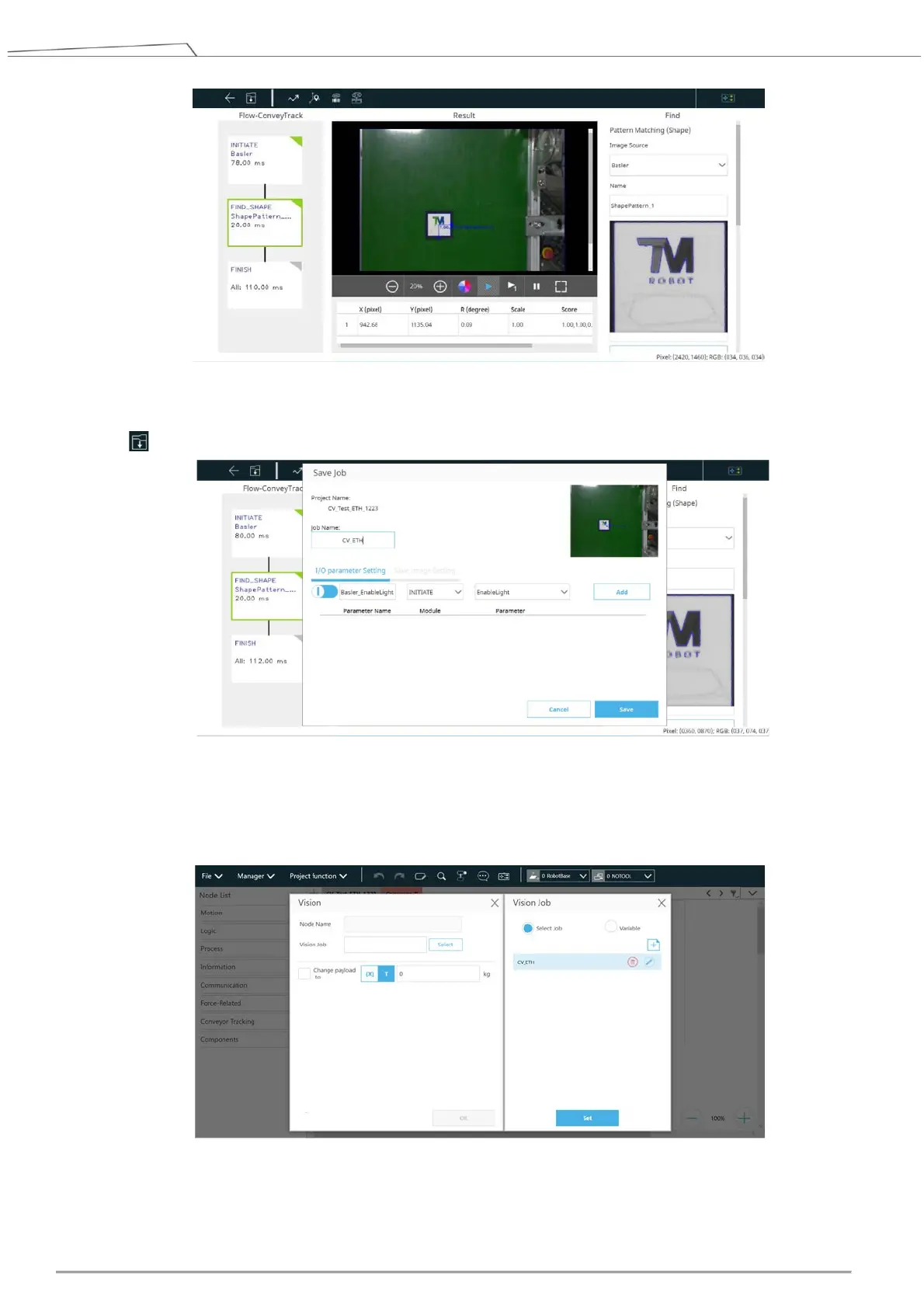
Figure 40: Confirm “FIND” pattern
11. Click to save visual task, and input a name for the visual job.
Figure 41: Save vision task
12. Back to TMflow and make sure the vision job edited just now is in the list of Vision Job. Click Set > OK
to complete the setting.
Figure 42: Check vison job on list
13. Switch to the main thread and select a tool for the project.









 To Next Page