Omron TM Collaborative Robot: Conveyor Tracking User’s Manual 40
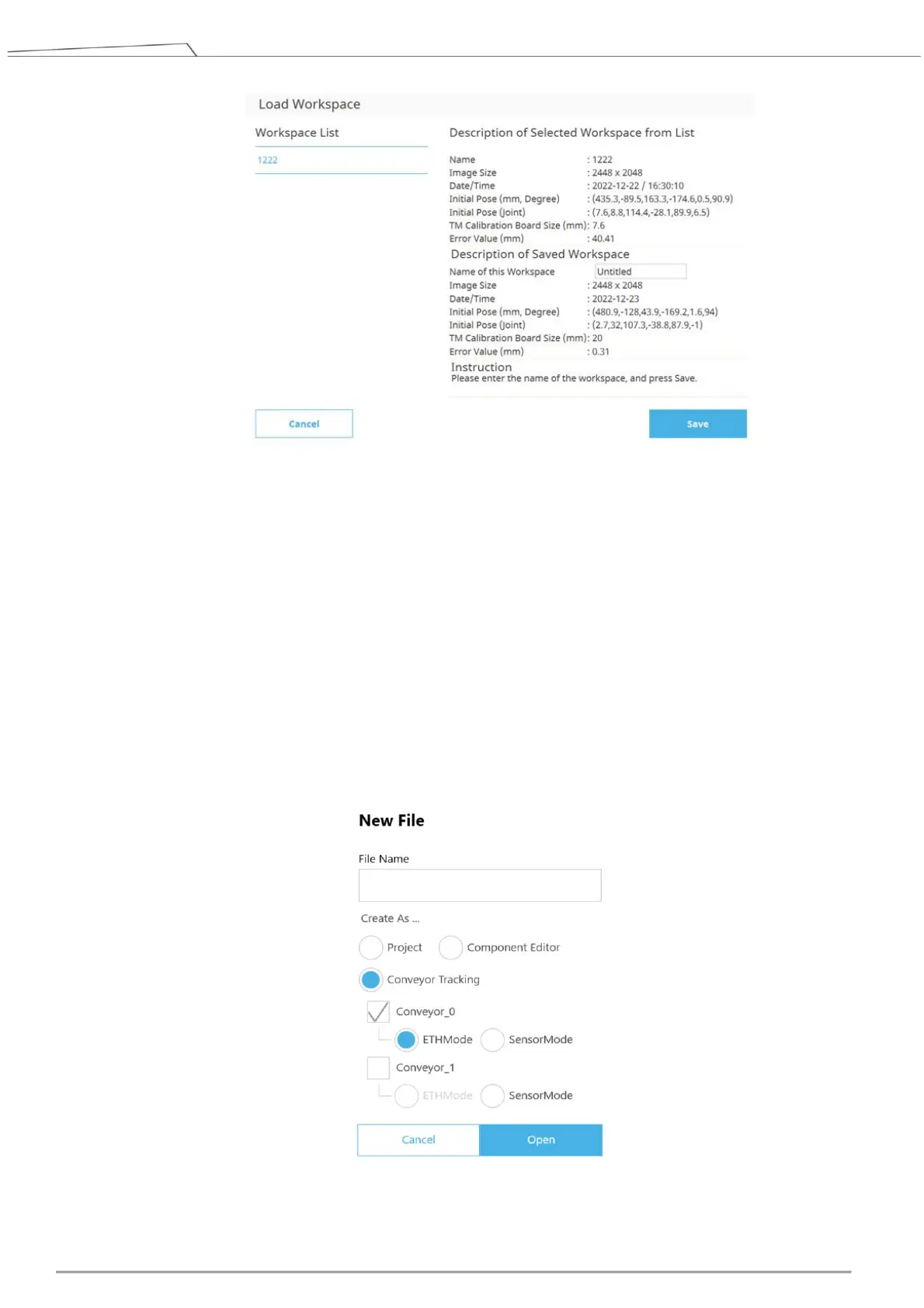
Figure 33: Save calibration result
3. Create a new Conveyor Tracking project
A. Insert the TM Dongle into the control box before activating TMflow.
B. Start a new project by clicking New > New Flow from the Project page in TMflow
C. Check the Conveyor Tracking box
D. Select the conveyor
Choose Conveyor_0 if 1 conveyor is used
Choose Conveyor_1 if 2 conveyors are used
E. Select ETH Mode
Enter project name and click Open.
Figure 34: Open new project









 To Next Page