Omron TM Collaborative Robot: Conveyor Tracking User’s Manual 33
Figure 21: Sensor calibration
6. Calibration
A. When the conveyor is stopped as instructed in the last step, click NEXT.
B. Activate the conveyor again to set it in motion. Stop the conveyor when the part is in the robot's
working area.
C. Click Finish to set Calibration Point 2.
7. Switch back to main thread to select the tool to use during the application
8. Drag a Point Node to the project editing page and set it as the robot’s initial work point.
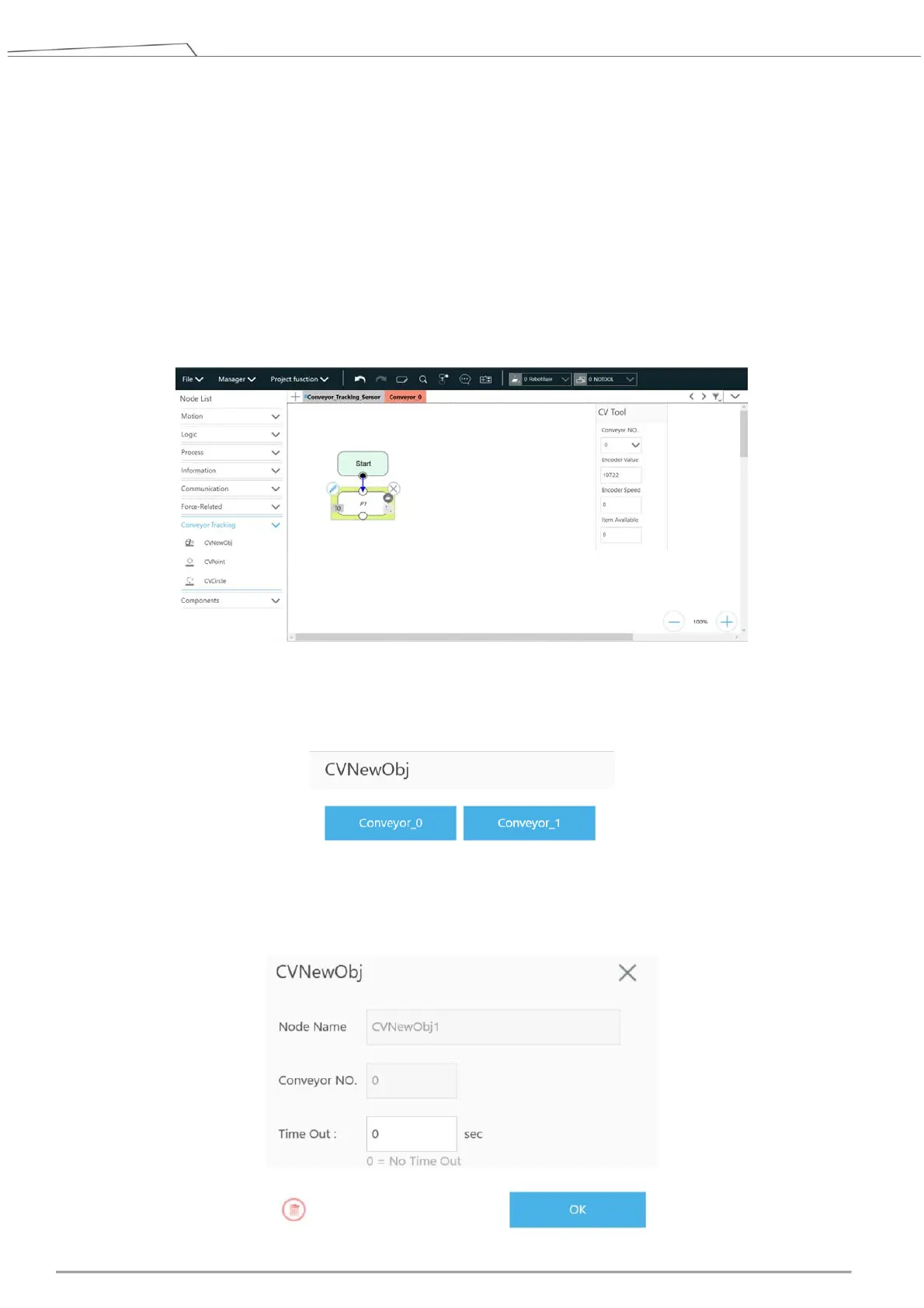
Figure 22: Point Node
9. Drag a CVNewObj Node to the project editing page and select the conveyor number.
Figure 23: Select conveyor number
10. Click the pencil icon of the CVNewObj node for the Time Out setting. For details, refer to 4.3.1.









 To Next Page