Omron TM Collaborative Robot: Conveyor Tracking User’s Manual 27
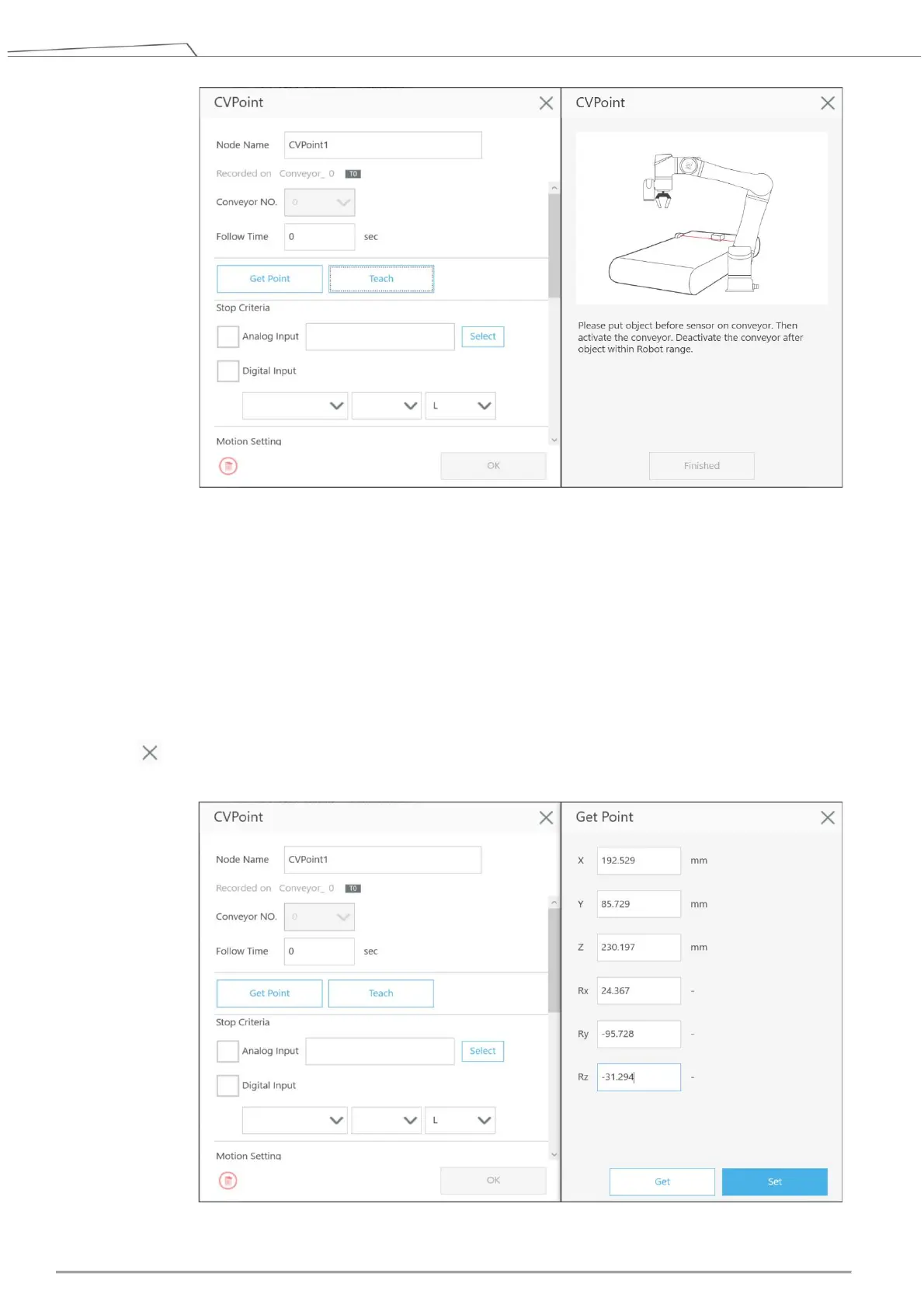
Figure 14: Teach
Get: Automatically obtain the relative position values of the identification points on the tool and
the object. Click OK after clicking Get. (Note: Please reset when the values of X, Y, and Z are
unreasonable.)
Set: Save result and return to the previous page. (Note: If the project comes with a value
obtained CVPoint node, users can directly edit the values in the newly added CVPoint node and
click OK.)
: Go back to the previous page without making any changes.
The other setting of the CVPoint node is the same as the parameters of the Point Node.









 To Next Page