Omron TM Collaborative Robot: Conveyor Tracking User’s Manual 34
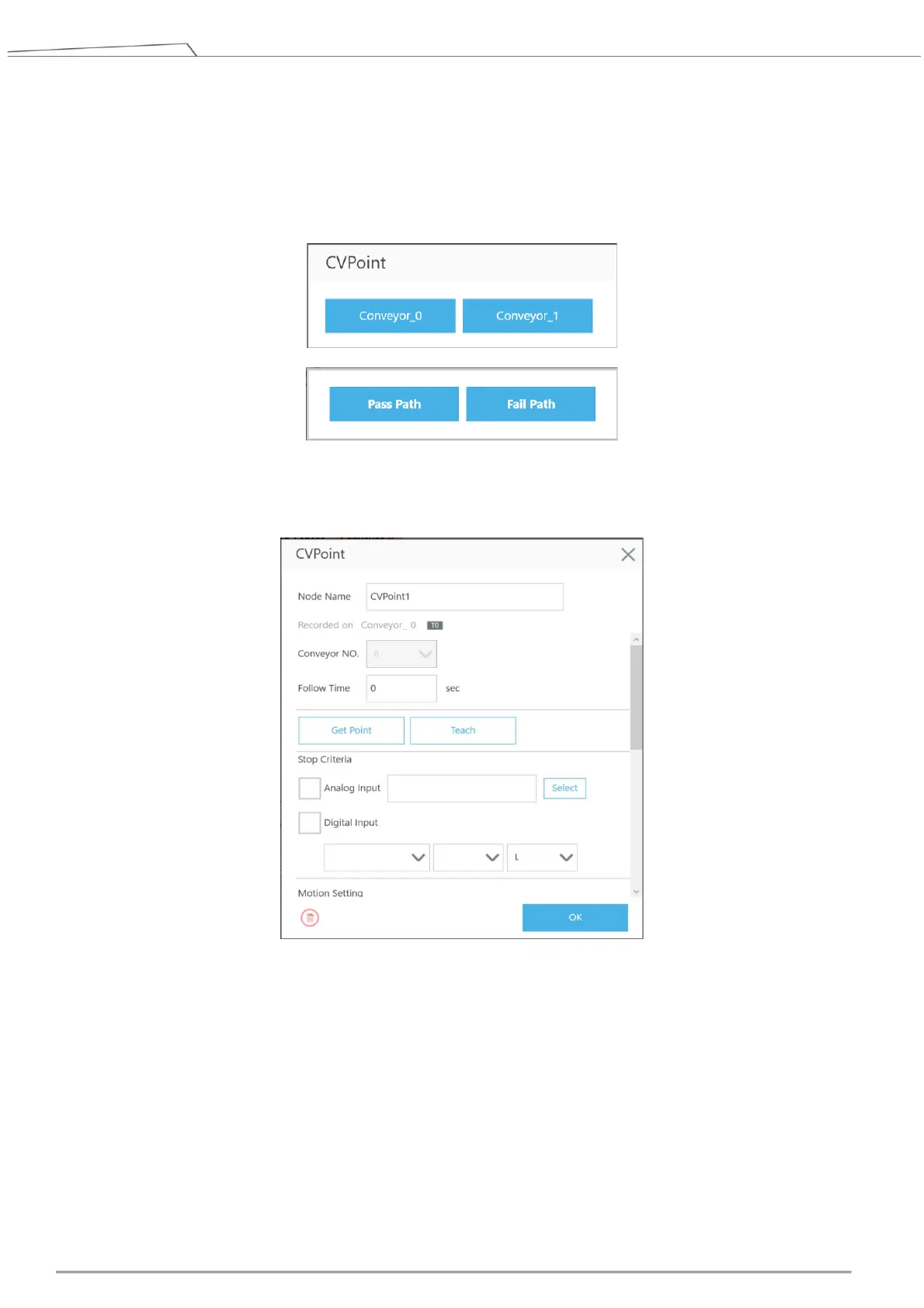
Figure 24: Set CVNewObj
11. Drag a CVPoint Node to the project editing page, select the conveyor, and set Pass Path or Fail Path.
For details of the path setting, refer to 4.3.2.
Figure 25: Select conveyor number and path
12. Click the pencil icon of CVPoint’s, and click Teach.
Figure 26: CVPoint
When the teaching instruction appears, use the conveyor belt to flow the object through the sensor.
After the sensor has detected the object, click the Finish button under the teaching instruction so that
the relative relationship between the robot and the object can then be established for conveying.









 To Next Page