Omron TM Collaborative Robot: Conveyor Tracking User’s Manual 26
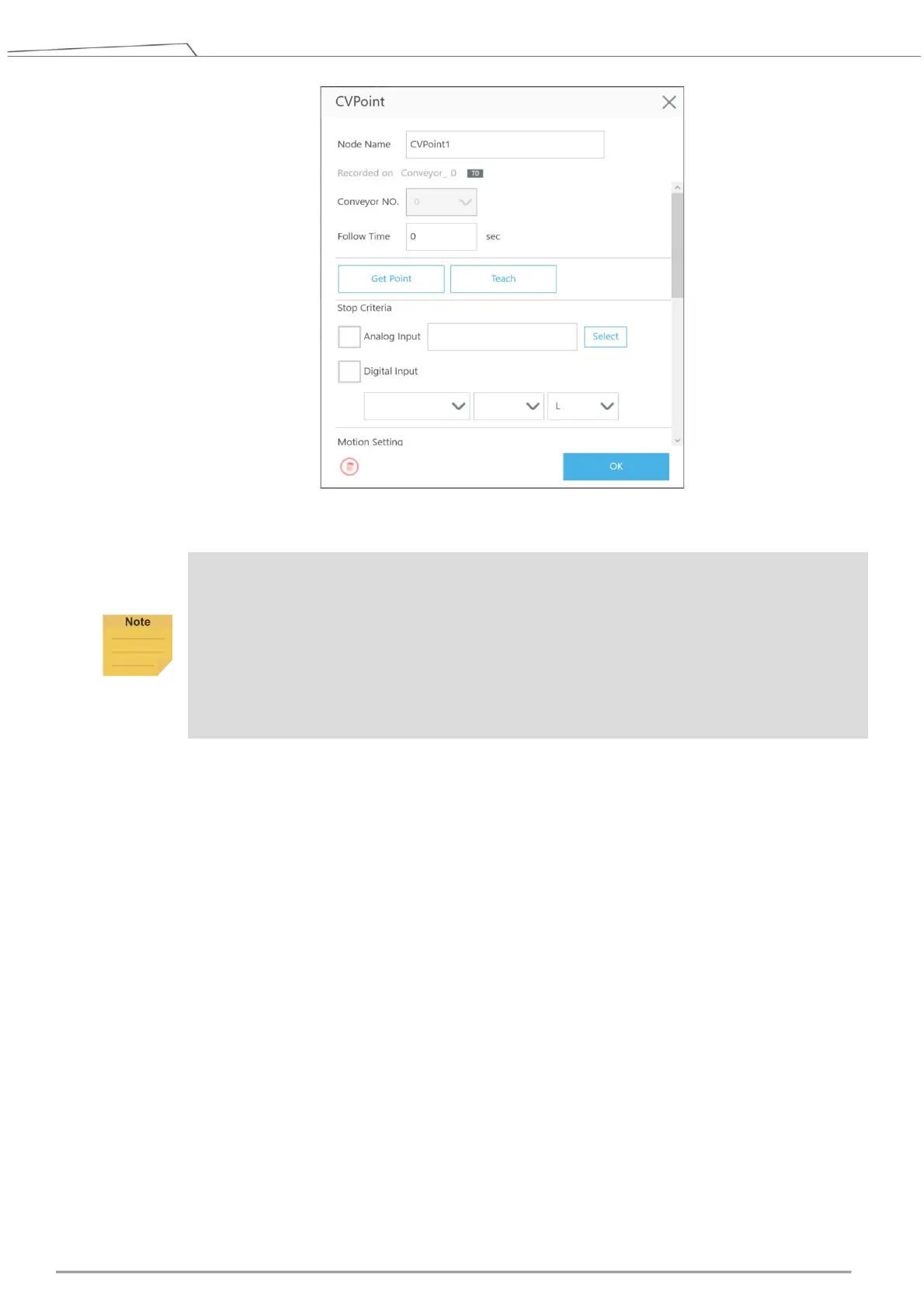
Figure 13: CVPoint
NOTE:
1. If the object remains in its original position, users do not have to re-teach the robot in
sensor-setting nodes CVPoint and CVCircle.
2. Methods to reset corresponding relations between the robot and the object:
Sensor Mode: redo 5.1 Step. 12. If the Encoder device has been replaced, resume to
the thread with CVSensor1 to reset the sensor.
ETH Mode: redo 5.2 Step. 9 to Step. 17. If the Encoder device has been replaced,
create new vision job in sub-thread.
The following provides instructions about Teach and Get Point under CVPoint Node.
When entering “Teach”, follow the instruction to place object on the conveyor and in front of the
sensor. Activate the conveyor. When the object is within robot working area, deactivate the
conveyor.









 To Next Page