Omron TM Collaborative Robot: Conveyor Tracking User’s Manual 32
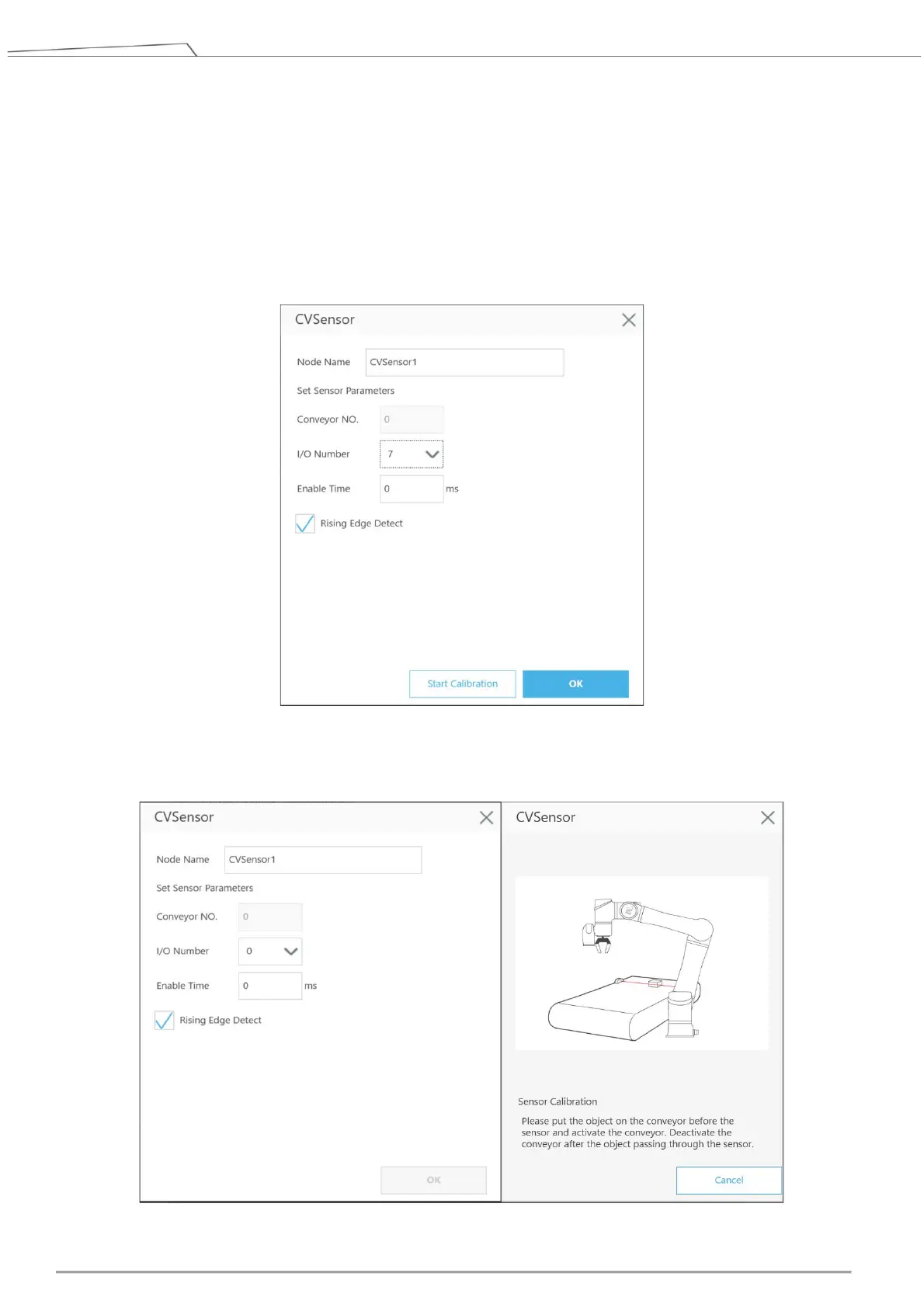
Set IO parameters based on the sensor’s IO position and the sensor trigger signal.
Conveyor NO.: it’s a fixed number for the selected conveyor number
I/O Number: The number of DI (Digital Input) on the control box connected to sensor. The
number ranges from 0 to 15.
If the trigger signal is high, select Rising Edge Detect.
For details about I/O Number and Enable Time settings, refer to 4.2.
Then click Start Calibration for the sensor.
Figure 20: CVSensor
Upon entering calibration, follow the instructions shown in the image (Figure 21).









 To Next Page