Omron TM Collaborative Robot: Conveyor Tracking User’s Manual 43
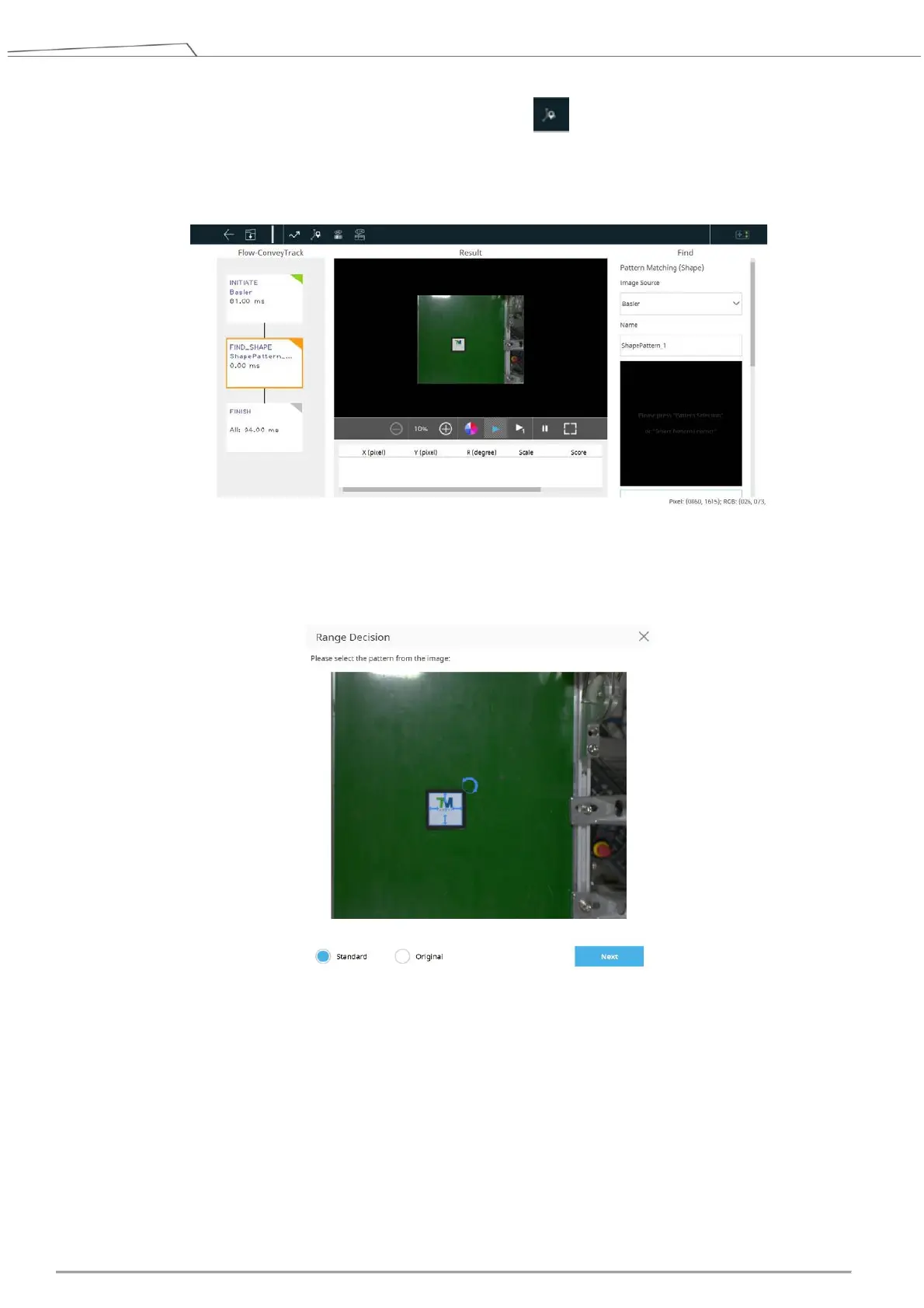
9. Place an object in the center of the vision area. Then go to > Pattern Matching (Shape), and the
robot will recognize the pattern and its range.
Click Select Pattern and select Standard. Hover the mouse cursor on the object in the image to
decide the range of the pattern.
Figure 39: Pattern matching
10. Confirm the editing procedure
A. Once the pattern recognition is completed, a set of positioning values is shown.
B. The FIND shown in the editing procedure at the left is supposed to come with a triangle in green
at top right. If the triangle is in orange, the pattern recognition is not completed.









 To Next Page