110 The Information Company
5. The next step is to determine which files and folders should be acquired. Start this
process by tapping the 3 or Files to Acquire heading in the job setup stepper
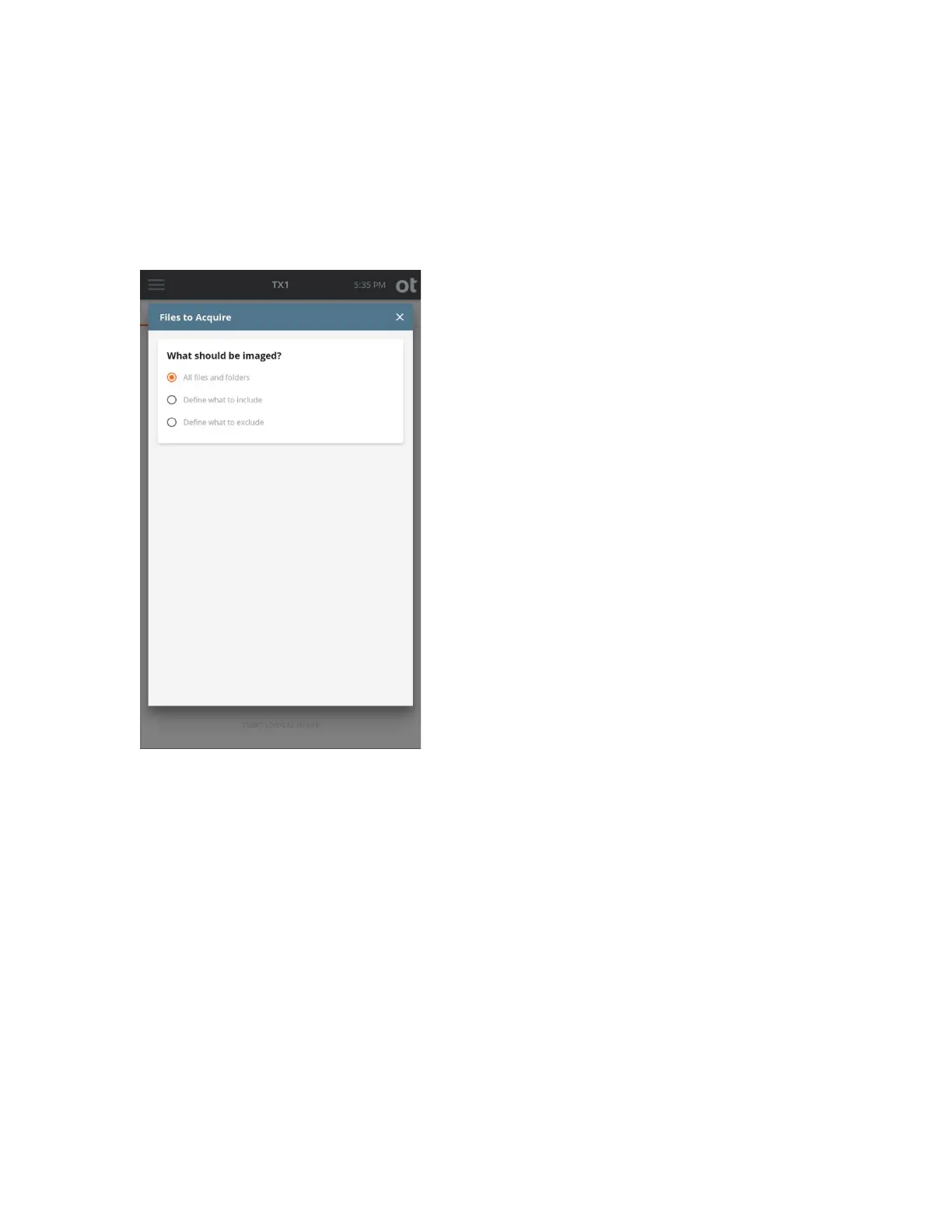
(resulting in the screen shown below). The default setting is to acquire all files and
folders. Use the default setting if your job does not benefit from targeted down-
selection of source files/folders and skip to the Destination(s) selection step below.
As s
hown in the screenshot above, the default setting of All files and folders is
initially selected. If no source file or folder down-selection is desired, simply exit this
step by closing the Files to Acquire modal window by tapping the X in the upper
right corner or by tapping outside of the modal.
If down-selection of the source dataset is desired, there are two different starting
points, as follows:
• Define what to include – This setting assumes that NO files and folders will be
acquired, which requires defining which ones to INCLUDE.
• Define what to exclude – This setting assumes that ALL files and folders will be
acquired, which requires defining which ones to EXCLUDE.
Note: The instructions in this section focus on the Basic mode of searching for files
and folders to be acquired. This Basic mode search provides a powerful yet simple
and straightforward way to focus on forensically valuable file-based evidence. See
Copyright © 2022 Open Text. All rights reserved. Trademarks owned by Open Text.



 To Next Page