Operator’s Manual – OPTI CCA-TS2 8-19
8 DIAGNOSTICS AND TROUBLESHOOTING
8.2.2 Checking System Temperatures
In the main menu, press <System Manager ->
Diagnostics>.
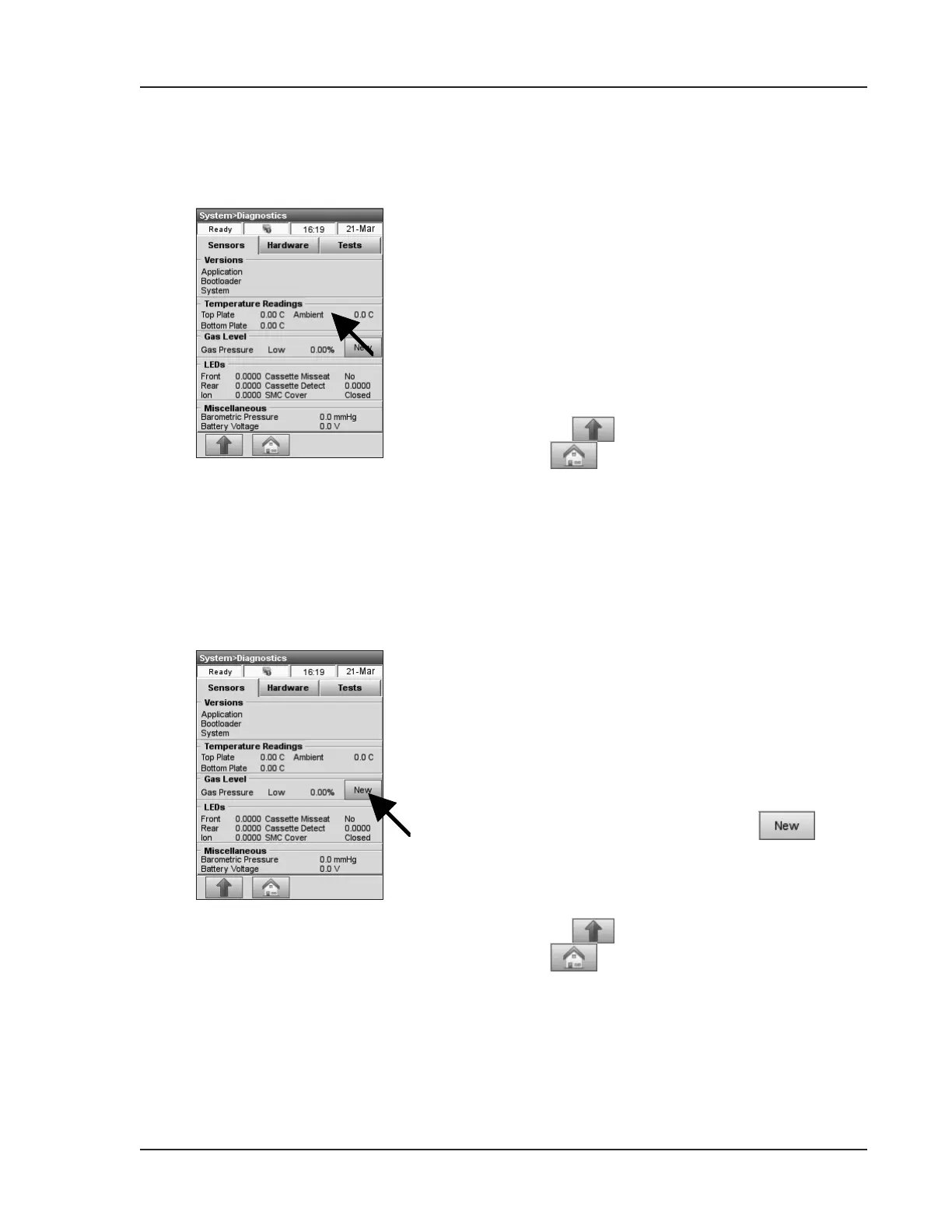
The <Temperature Readings> option lets you
check the various system temperatures:
<Top Plate>, <Bottom Plate> and <Ambient>
(Fig. 8-3).
NOTE: Iftoporbottomplatetemperaturesare
outofrange,thetemperaturedisplaywill
changetored.
• Press to return to the <System> screen
or
to return to the main menu.
Fig. 8-3 Temperature
8.2.3 Checking Gas Pressure
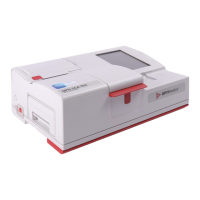
Fig. 8-4 Gas Pressure
The <Gas Level> option allows you to check the
percent remaining of the gas bottle (Fig. 8-4).
With a new gas bottle in place, the pressure should
be approx. 99%, with the bottle removed, the
pressure should be 00%.
In the main menu, press <System Manager> and
<Diagnostics>.
• To install a new gas bottle, press
.
• Scan the gas bottle bar code located on the insert
sheet to install a new gas bottle (see Section
7.5.1 “Changing Gas Bottle”) .
• Press
to return to the <System> screen
or
to return to the main menu.


 To Next Page