Operator’s Manual – OPTI CCA-TS2 3-27
3 CUSTOMIZATION
Reinitializing the system returns all programmed
options to their factory-set (default) values and
deletes all patient and QC values. Please make sure
that all valuable data has been backed up before
reinitialization. The OPTI analyzer conguration
may be downloaded and then reloaded after
reinitialization to restore user IDs, groups and other
setup options.
1. In the main menu, select <System Manager>
and <Setup>.
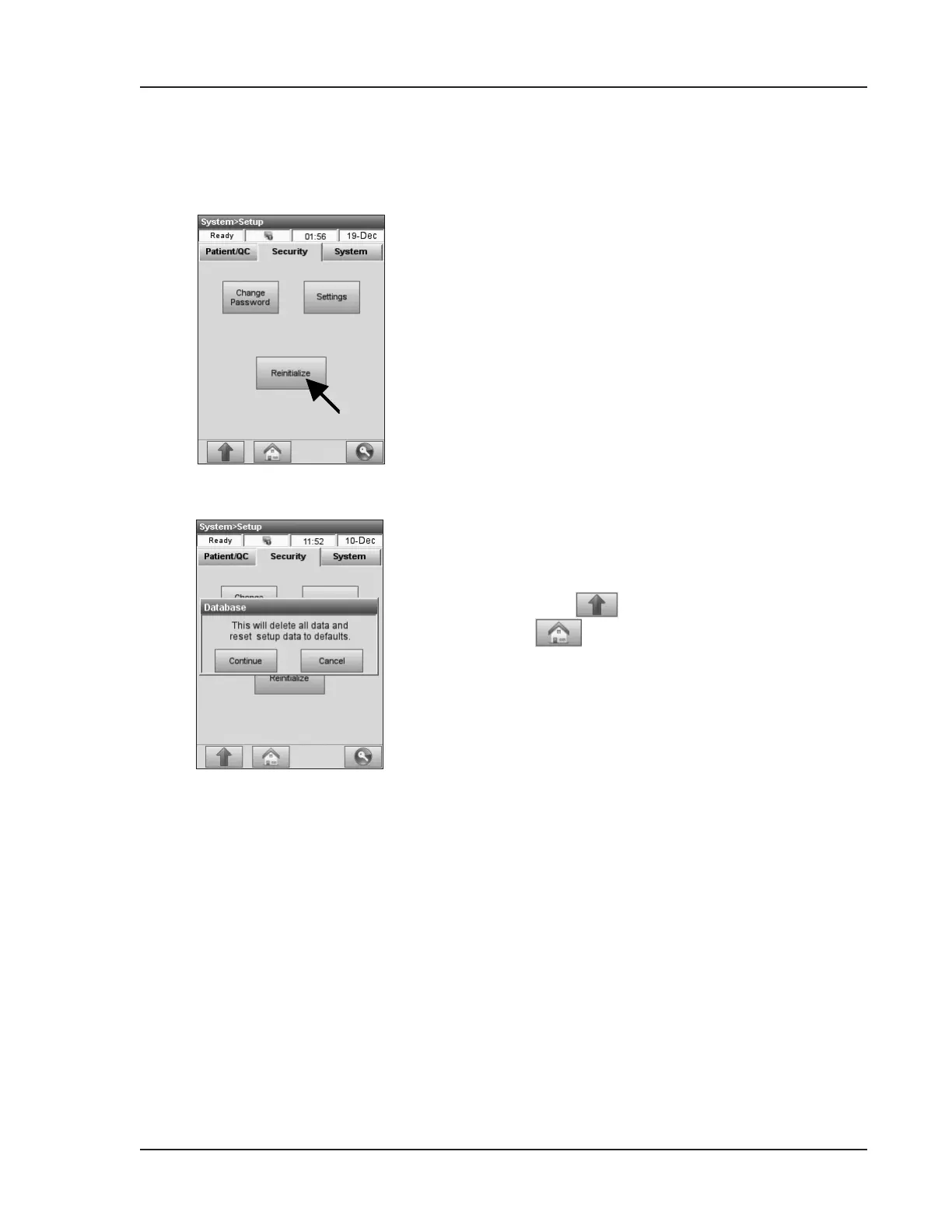
2. In the <System Setup -> Security> menu,
press <Reinitialize> (Fig. 3-62).
3. Enter ADMIN user ID and password.
4. A message will be displayed asking you to
conrm your choice (Fig. 3-63).
5. Press to return to the <Setup> screen or
to return to the main screen.
3.2.3.3 System Reinitialization
Fig. 3-63 Reinitialize
Fig. 3-62 Reinitialize


 To Next Page