Function
−27−
Retrun to the
"speed reduction ratio"
JOG
operation
Execute∗2
Test modeParameter mode
Speed reduction
ratio
Speed increasing
ratio
Prevention of
operation at
power-on
alarm
The motor rotates at 300 r/min in the
forward direction while is pressed.
Data
setting
Data
setting
Data
setting
External speed
command
input
Data
setting
Lowest digit
display
fixing
Data
setting
External speed
command voltage
selection
Data
setting
Plus/minus sign
setting
External speed
command
offset
Data
setting
To the monitor mode
Speed upper and
lower limit
Speed
upper limit
Speed lower
limit
Data
setting
∗2
Data
setting
∗2
Input function
selection
Return to the
"input 0"
Input 0
Input 5
Function
selection
∗2
Function
selection
∗2
Output function
selection
Return to the
"output 0"
Output 0
Output 1
Function
selection
Function
selection
Motor rotation
direction
Data
setting
∗2
Motor lock
detection
time
Data
setting
All parameters
initialization
Execute
∗2
The motor rotates at 300 r/min in the
reverse direction while is pressed.
Return to the
"speed upper limit"
When editing the data or parameter while locking, " " is displayed
for about 1 second.
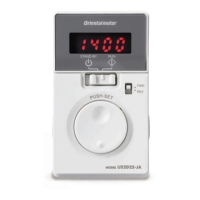
Overview of the operation panel
: Switches the operation mode.
Moves to the upper level.
: Determines the data.
Moves to the lower level.
: Changes the setting value.
Lock: Press and hold for 5 seconds
The operation panel can be locked so that the data cannot be changed.
Perform the following action on the top screen.
Reset: Press and hold for 5 seconds


 To Next Page
 Loading...