5 OPERATING INSTRUCTIONS
inc All rights reserved
74
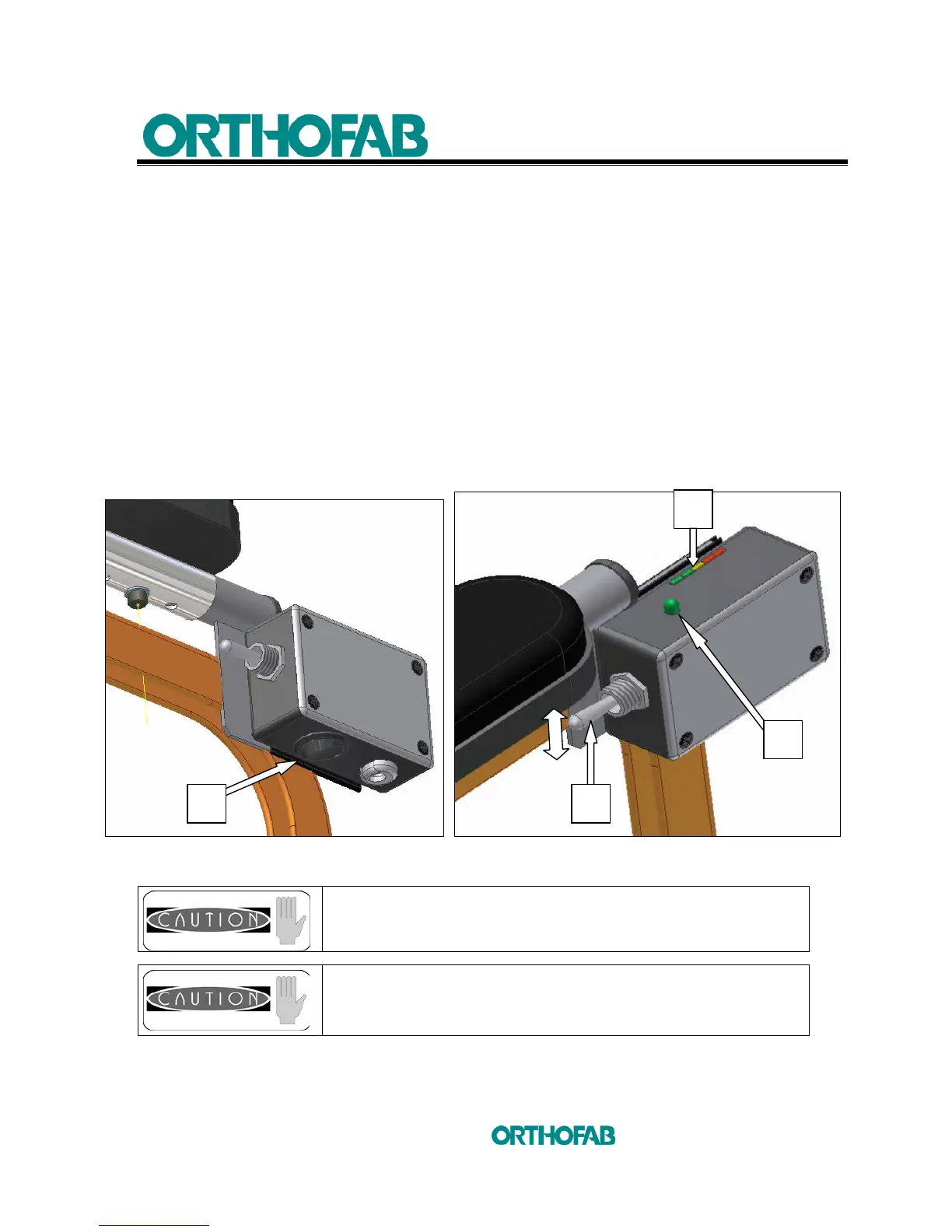
5.5.3 TILT WITH THE MOTORIZED TILT MECHANISM
1- Put the control box ON/OFF switch (A) to the ON position
(see; figure 45-A).
2- The (B) light indicator panel will show you the batteries charge level
(see; figure 45-B).
3- To tilt the seat forward, push the (C) toggle switch downward.
4- To tilt the seat backward, pull the (C) toggle switch upward.
5- The limitation of the tilt movement forward or backward will depend of the
electromagnetic cursors adjustment under the seat.
6- The GREEN light (D) gives you the information that you reach the
predetermine comfort zone.
Figure 45-A : Control box ON/OFF. Figure 45-B : Control box toggle switch.
It is recommended to recharge the batteries once the red
lights on the (B) light indicator panel (figure 45-B) light up.
Never tilt the seat if the wheelchair is already on a slope
surface.
B
A C
D



 To Next Page