19
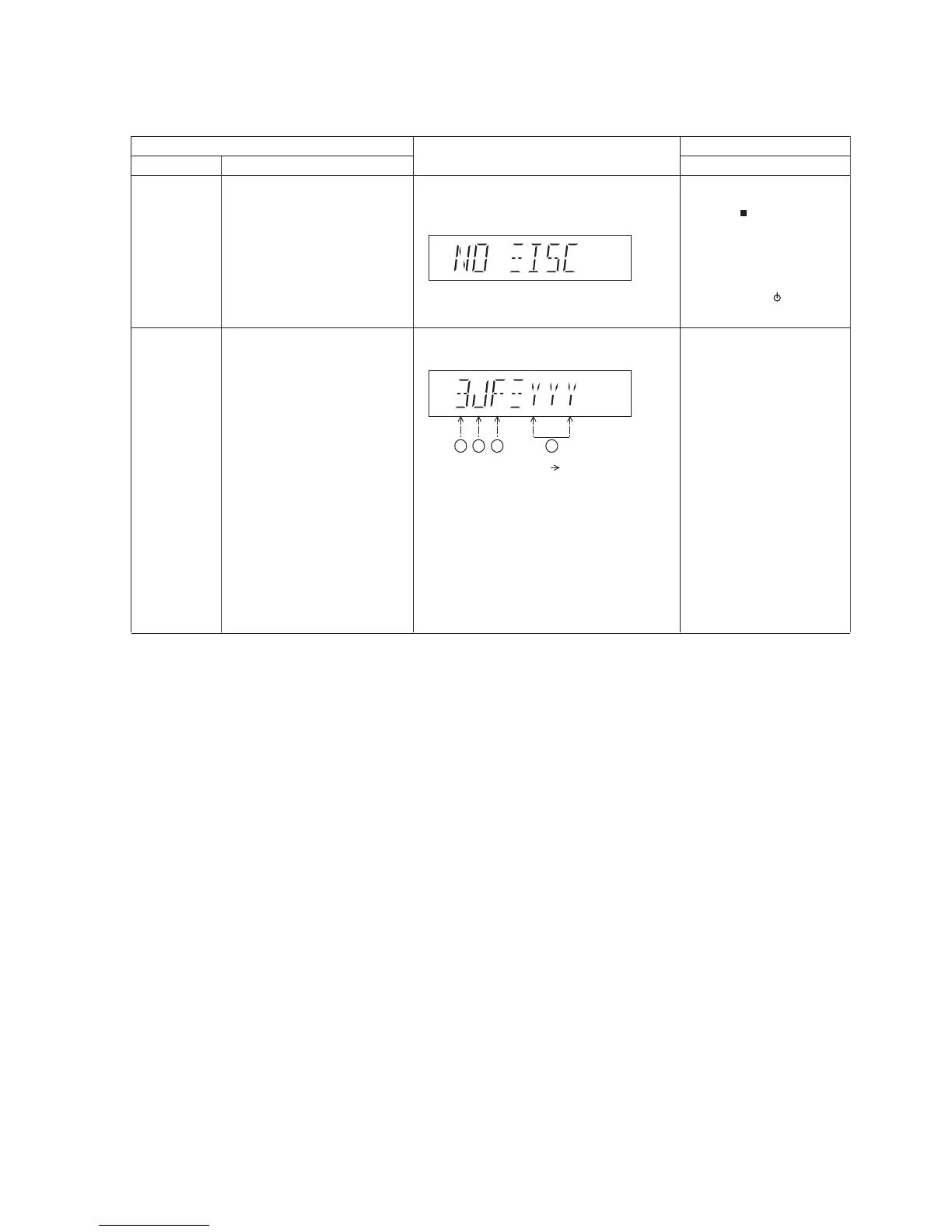
8.2. Doctor Mode Table
8.2.1. Doctor Mode Table 1
FL Display
Key Operation
Front Key
Item
DescriptionMode Name
Doctor Mode
EEPROM
checksum
check
To enter into Doctor Mode In CD Mode:
1. Press [ ] button on
main unit follow by [4]
and [7] on remote control.
In CD mode:
1. Enter into Doctor Mode
2. To exit, press [DELETE]
button on remote control or,
press [POWER, /I] button on
Main Unit
Displaying of
1. Year Develop.
2. Model Type.
3. ROM Type.
4. Firmware Version.
(Display 1)
Version No. (001 ~ 999) specific for each
firmware
(Decimal)1 2 3 4







 To Next Page