34
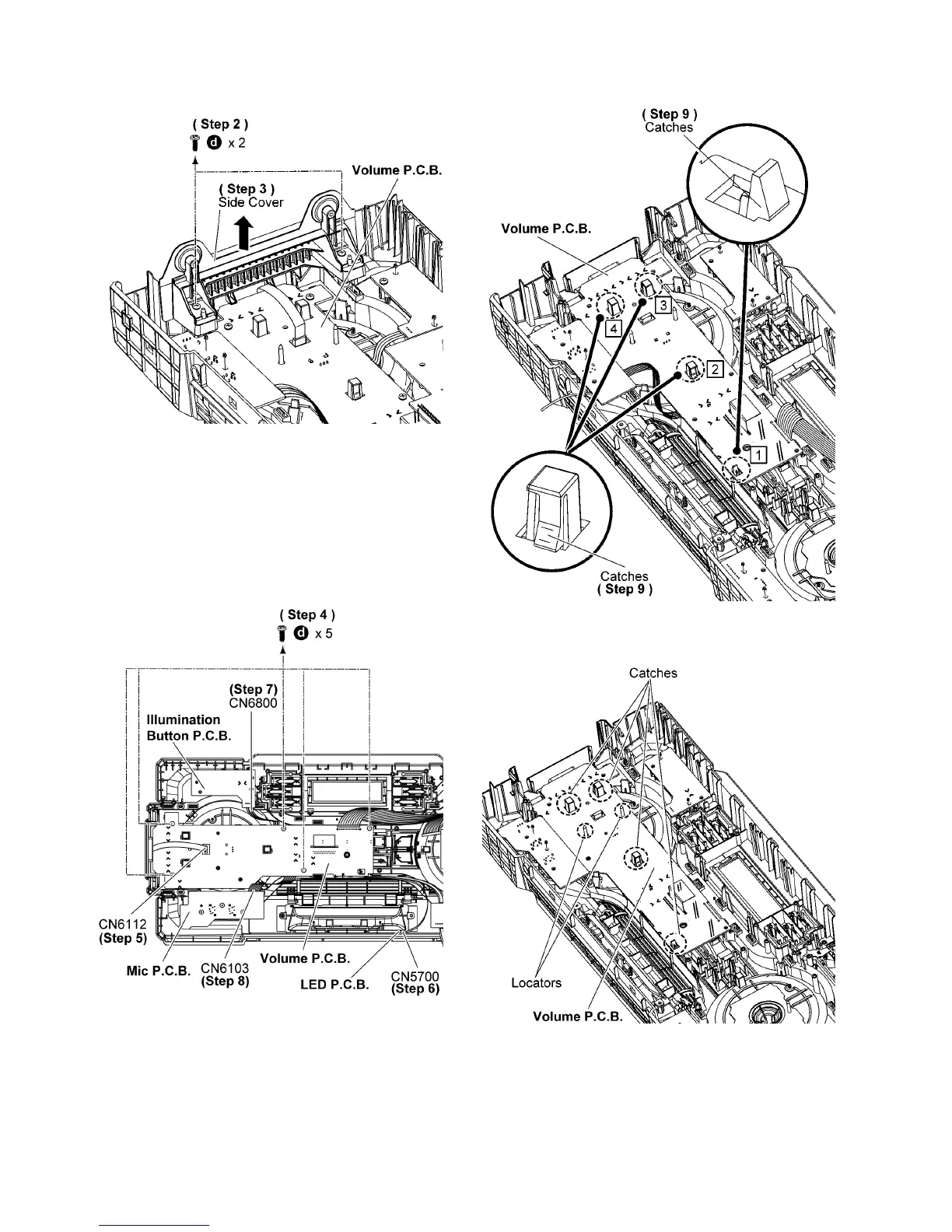
Step 2 Remove 2 screws.
Step 3 Remove the Side Cover.
Step 4 Remove 5 screws.
Step 5 Detach 6P FFC at a connector (CN6112) on the Volume
Jog LED P.C.B..
Step 6 Detach 4P Cable at a connector (CN5700) on the LED
P. C.B . .
Step 7 Detach 2P Cable at a connector (CN6800) on the Illumi-
nation Button P.C.B..
Step 8 Detach 8P Cable at a connector (CN6103) on the Mic
P. C.B . .
Step 9 Release catches in the sequences of 1 to 4.
Caution: During assembling, ensure that the Volume P.C.B.
is properly located and fully catched onto the Front Panel
Unit.




 To Next Page