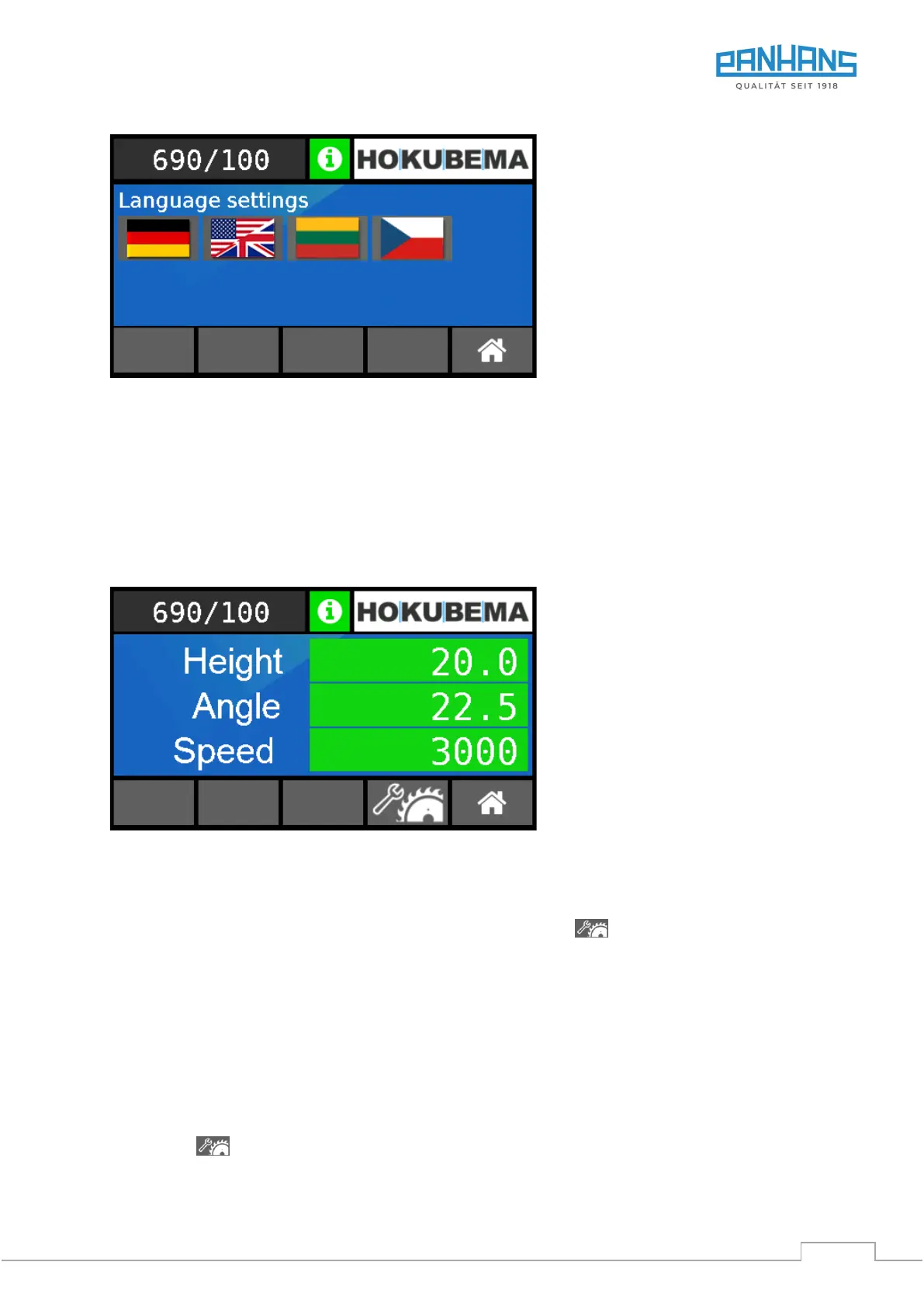
13.3 Language Settings
Figure 34: Language settings
• After selecting the flag symbol, the screen shown above appears.
• To change the language, simply select the desired flag symbol.
• The new language is saved automatically (no confirmation required).
• Press the “Home” button to return to the main menu).
13.4 Machine Overview
After pressing the “Machine” button, the following mask appears:
Figure 35: Machine overview - current positions and speed
All current positions of the saw blade and the selected speed are displayed here.
• To adjust the speed, follow the instructions in chapter 14.
• To calibrate the height and angle of the saw blade, press the button
and follow the instructions in the next section 13.5.
13.5 Saw Blade Calibration
When the machine is delivered, the touch display is already fully calibrated for a Ø 350 mm saw blade.
In the following cases, the axes for height and/or angle must be recalibrated:
a) If the cut length or the cut angle is no longer correct.
b) If the saw blade has been replaced or resharpened.
c) If a saw blade with another diameter is used.
Press button to open the calibration menu.


 To Next Page