16.1.5 Length Measurement Switching
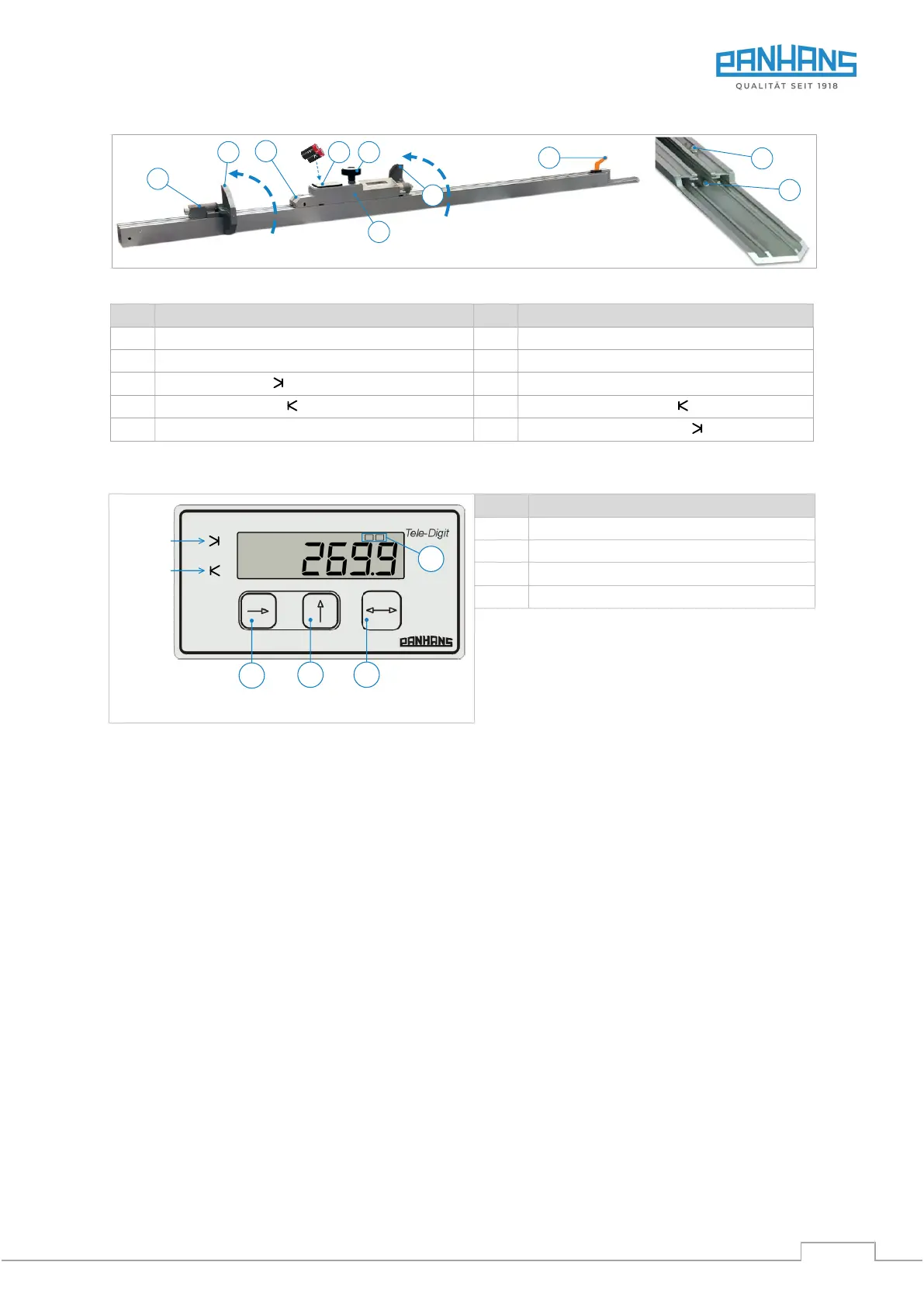
Switching between the two length measurements 1 (slider) and 2 (pull-out) is done with button A.
→ The currently active length measurement is shown in the top line of the LCD display.
16.1.6 Calibrate Tele-Digit
• Move the pull-out (3) all the way to the right against the end stop screw (10) and clamp it with lever (6).
• Move slider (1) all the way to the right against end stop screw (9) and clamp with clamping screw (5).
• Open battery compartment (7) and remove one of the batteries (power supply off).
• Now reinsert the battery (power supply back on).
→ The system now automatically calibrates itself and the stored reference dimensions appear again.
• The calibration procedure is completed.
For checking purposes, you can now perform test cuts for both flip stops at any position and check the cut
dimensions for consistency. If there are any dimensional deviations, the reference values for the flip stop posi-
tions must be redefined (procedure see chapter 16.1.8).


 To Next Page