BA_PH_690-100_EN_10-22.docx
• Important: Set the saw blade tilt to an angle of exactly 0.0° using
the positioning keys.
• Switch off and secure the main switch on the control cabinet.
• Then turn the stationary saw blade by hand so that one saw tooth is
exactly at the top in the centre of the axis. Its cutting surface must
be at an angle of 90° to the machine table.
• Switch on the main switch again.
• Set the saw blade height to 50.0 mm using the positioning keys and
a suitable measuring device (e.g. depth caliper gauge).
→ If the saw blade is incorrectly set, a value deviating from 50.0 mm
(e.g. 50.5 mm) appears in the overview “Machine >> Height”
(see Figure 38) .
Figure 36: Saw blade height 50 mm
Danger of cutting!
Wear protective
gloves when turning
the saw blade man-
ually.
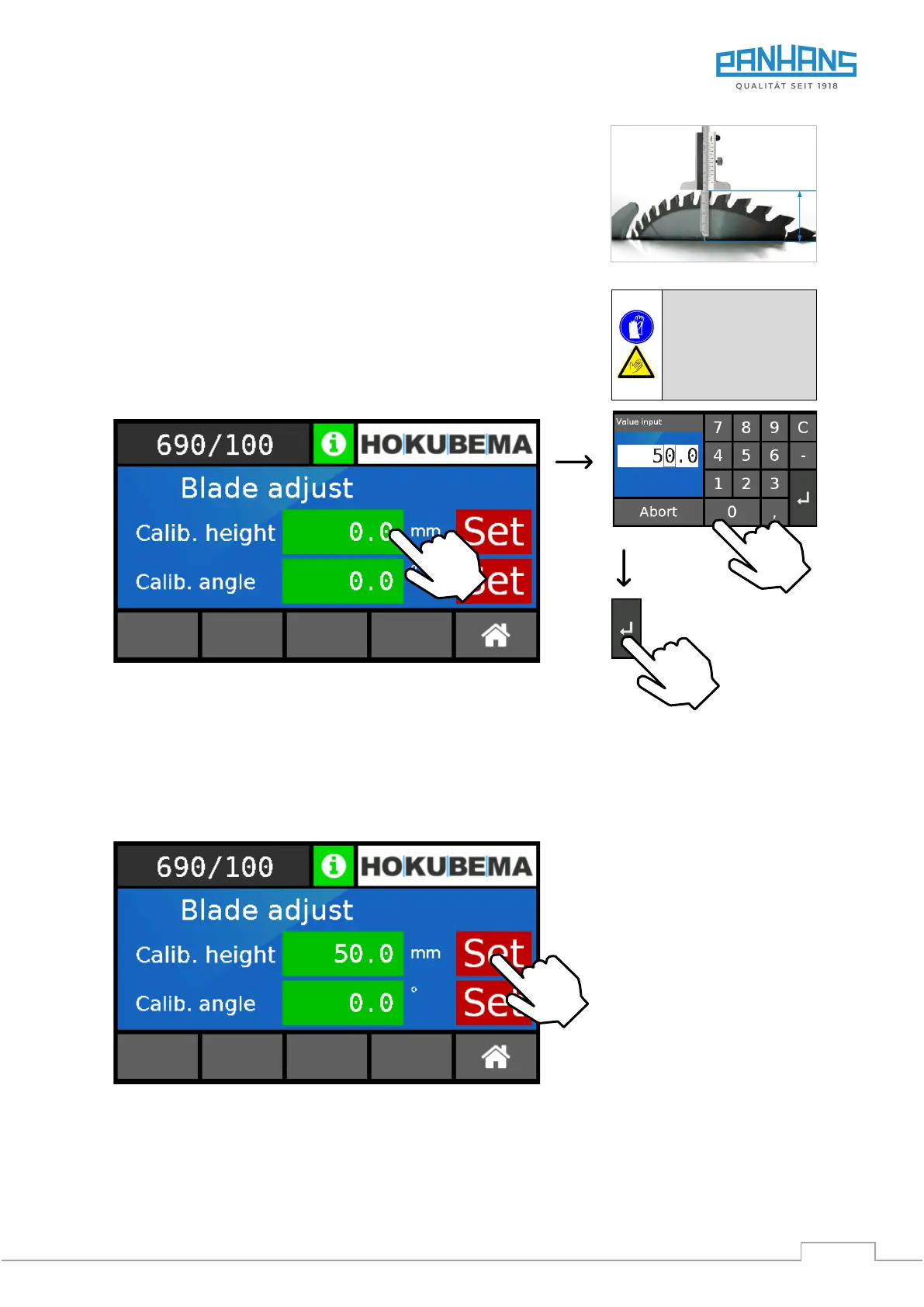
Figure 37: Calibrate height
1. Touch the value field “Calib. Height”
→ The keyboard (see figure above right) appears.
2. Enter here the reference value of 50.0 mm positioned by means of the measuring device.
3. Confirm with “ENTER”
→ The entered value is adopted into the field “Calib. Height”:
Figure 38: Adopt calibration value for height
4. Press the “Set” button to reference the value in the “Calib. Height” field.
→ As confirmation, the screen jumps back to the overview (see Figure 35).
→ The calibration procedure for the saw blade height is completed.


 To Next Page