BA_PH_690-100_EN_10-22.docx
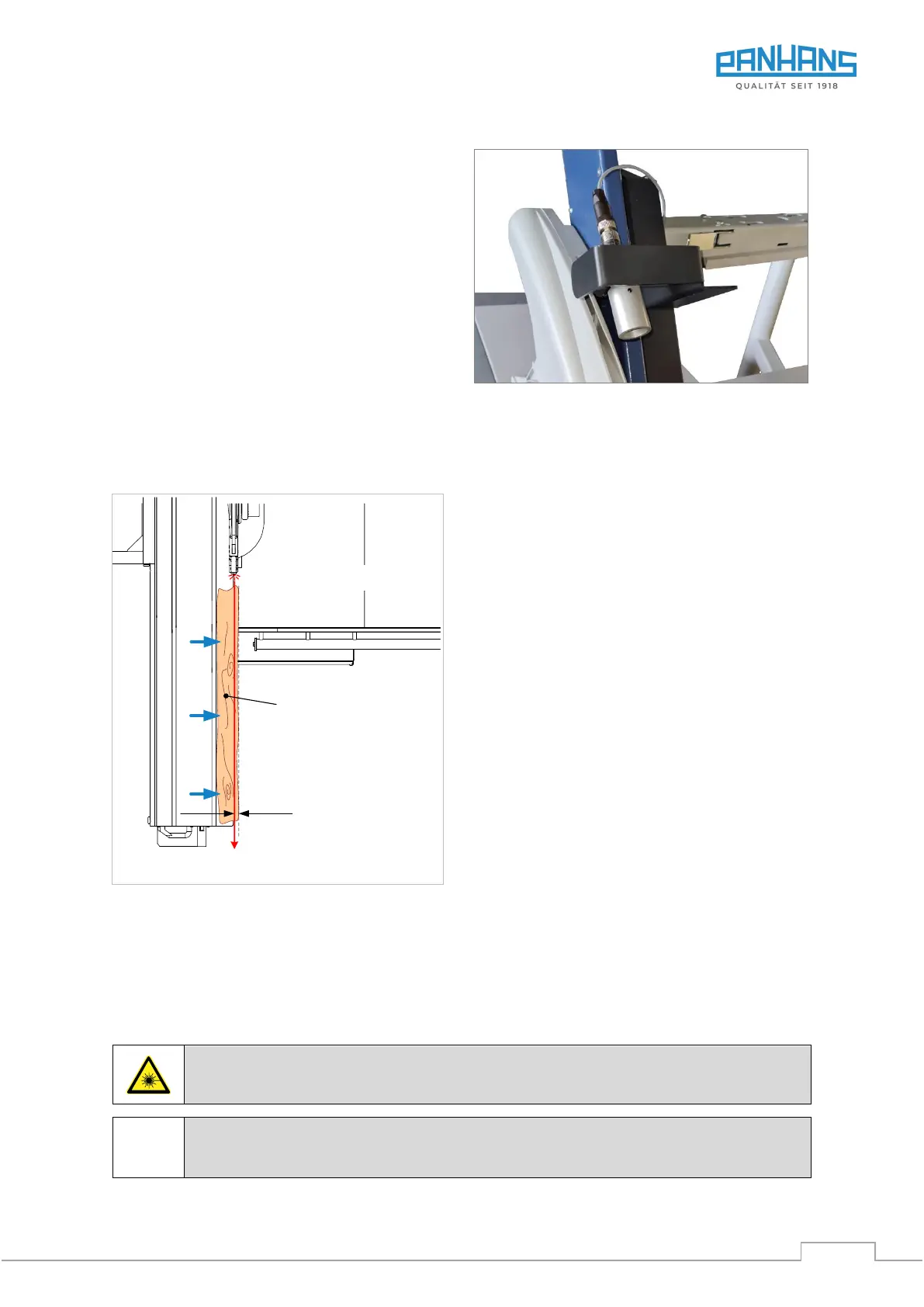
16.13 Laser Cut-Position Indicator
As an additional positioning aid for the workpiece, the
sliding table saw can be equipped with a laser cut-
position indicator (Art. No. 4322).
This is particularly useful for visually indicating the kerf
on tear-off or trim cuts, e.g. for board material with a
forest edge.
The laser is mounted on the guard of the machine (see
figure on the right) and is activated by means of a
switch on the control panel.
The laser class is 2.
Figure 76: Laser cut-position indicator
16.14 Trimming with Laser Beam
To trim the workpiece as loss-free as possible, simply push it to the right until the edge to be trimmed is com-
pletely behind the laser beam. Then release the cut.
Figure 77: Trimming with laser beam
16.15 Special Requirements for Use
The laser device must be adjusted in such a way that it is not possible to look directly into the laser beam. t
should also be noted that the laser beam can be reflected from reflective surfaces (e.g. the machine table or
other blank parts).
Warning: Looking directly into the laser beam causes serious eye injuries!
The operating instructions of the laser manufacturer must be observed.
Laser beam
Workpiece
Trimming
Laser device


 To Next Page