BA_PH_690-100_EN_10-22.docx
13.6 Date and Time (from software version 1.9)
From software version 1.9, the touch display also has a date and time function.
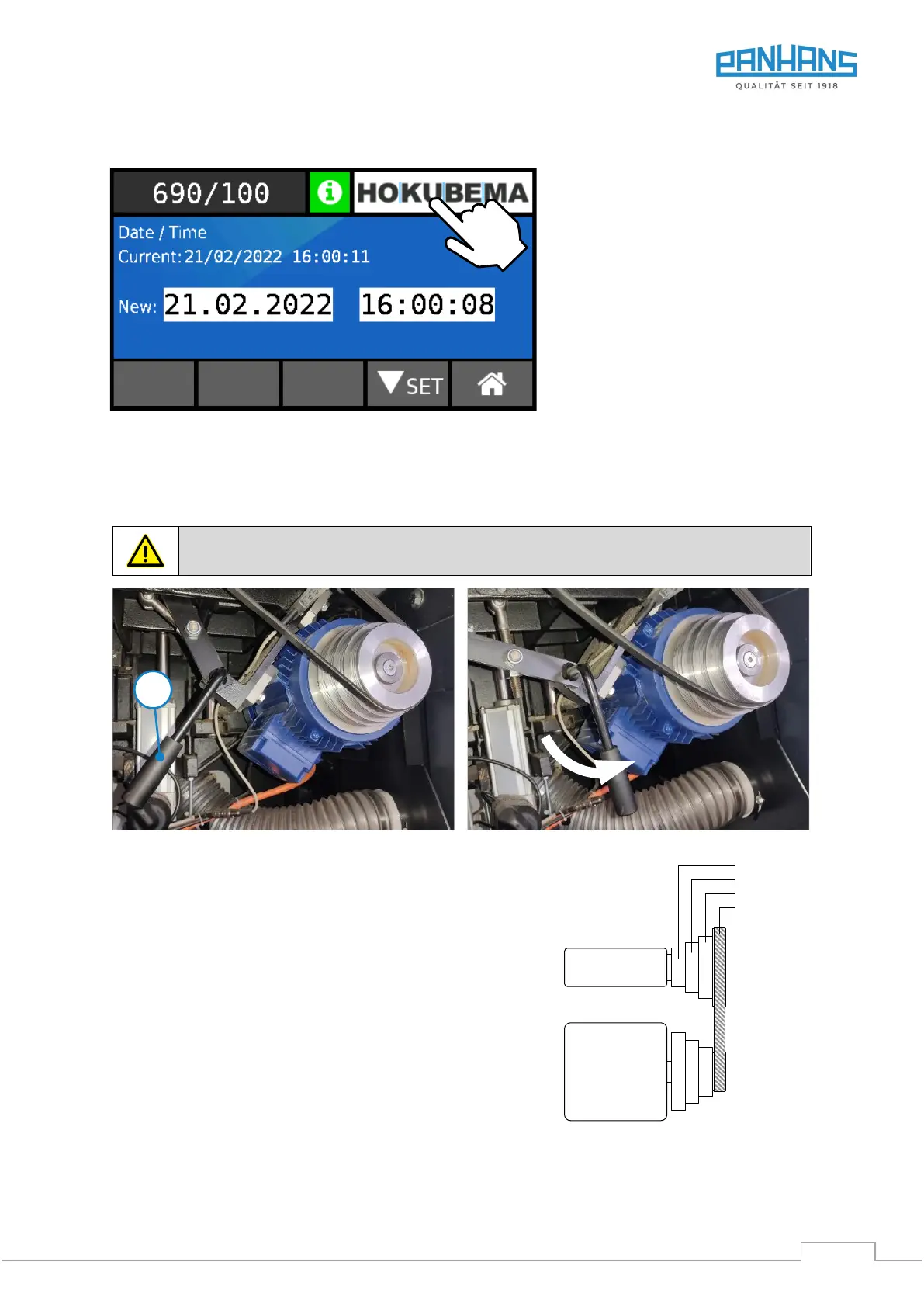
Figure 42: Set date and time
Show date and time:
• Tap on the HOKUBEMA logo
→ The current time is displayed
• Tap on the time displayed
→ The current date is displayed
• Tap on the date displayed to return
to the logo
Set date and time:
• Tap the logo for at least 3 seconds
→ The setting menu opens.
• Set the date and time via the
keyboard and confirm with “Set”.
14 Speed Setting
The speed is adjusted by manually shifting the V-belt.
Switch off the machine before setting the speed (belt change) and secure the main switch
with a padlock against unauthorised start-up during the setting process!
Figure 43: Speed setting - loosen V-belt
• Tilt the sawing unit to 15 degrees position.
• Turn the main switch to position “0”.
• Open the rear maintenance door.
• Swivel the adjusting lever (H) to the right
→ The V-belt is loosened.
• Now shift the V-belt to the desired speed according
to Figure 44. Rule of thumb: Always change from
“large” to “small” first.
• When shifting, always ensure that the V-belt is again correctly
positioned between the speed fork. Otherwise no correct speed
indication can be given.
• Swivel the adjusting lever (H) to the left
→ The belt is tightened again.
The speed is sensed by means of a fork light barrier!
Motor
5000 rpm
6000 rpm
3000 rpm
4000 rpm
Sawing unit


 To Next Page