146
Using the Flash
5
Setting the Channel for the External Flash on the Camera
First set the channel for the external flash unit on the camera.
1 Set the channel for the external flash unit.
2 Attach the external flash to the camera hot shoe.
3 Turn on the camera and the external flash, and press the shutter
release button halfway.
The built-in flash is set to the same channel as the external flash unit.
Using the Built-in Flash Wirelessly
Set the camera to wireless flash mode when using an external flash in
combination with the built-in flash.
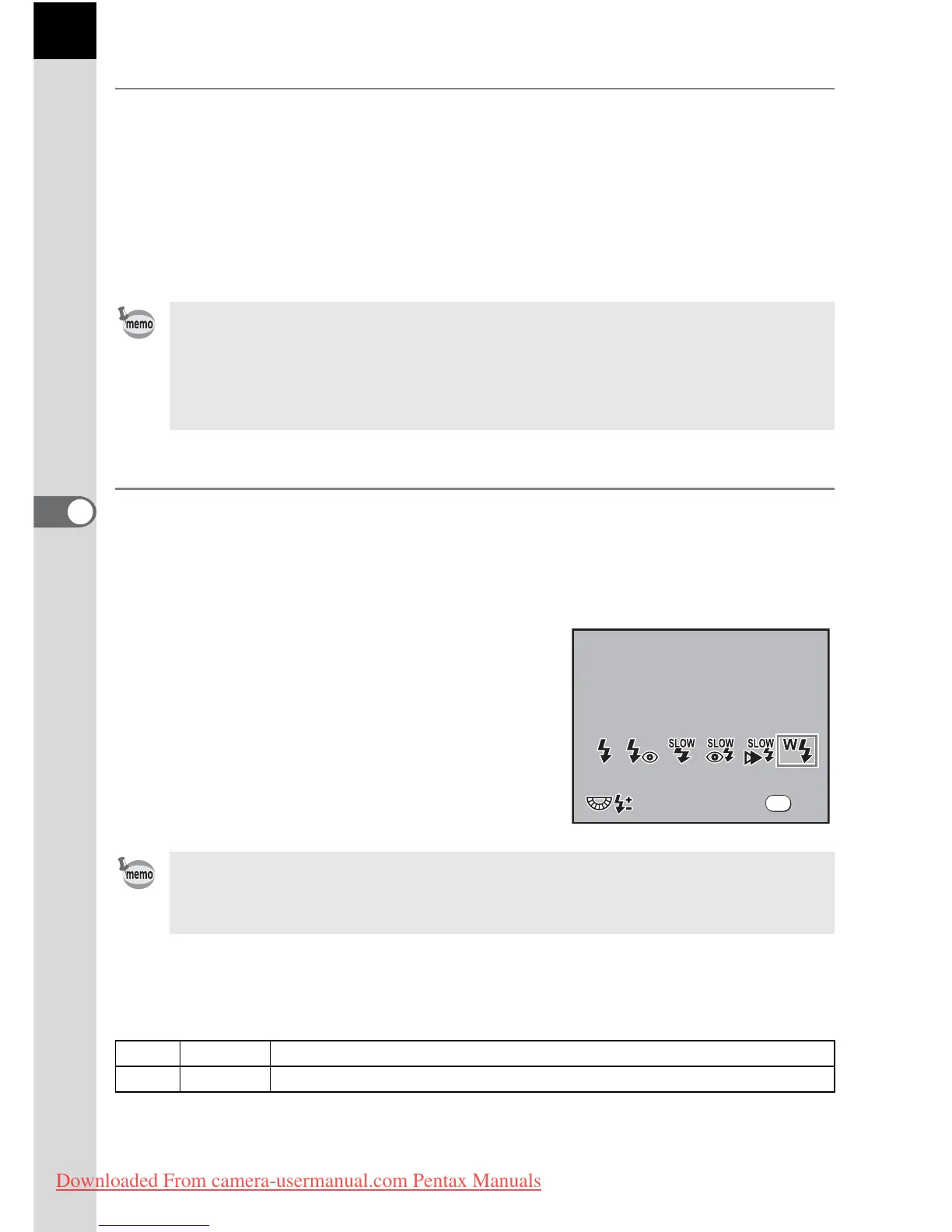
1 Press the { button and press the four-way controller (3).
The Flash options screen appears.
2 Use the four-way controller (45) to
select r mode.
Press the 4 button to return to Capture
mode.
Changing the Built-in Flash Discharge Method
You can change the built-in flash discharge method in wireless mode.
Set in [29. Flash in Wireless Mode] in the [A Custom Setting] menu.
• When set to r mode, the channel currently set for the built-in flash is
displayed on the LCD panel for 10 seconds.
• Be sure to set all the flashes to the same channel. Refer to the AF540FGZ or
AF360FGZ operating manual for details on how to set the channel on the
external flash.
• r cannot be set in B mode.
• When Drive Mode is set to i or the lens aperture is not set to s, r appears
gray and cannot be selected.
1 On Discharges the built-in flash.
2 Off Discharges the built-in flash as a test flash.
Flash Mode



 To Next Page