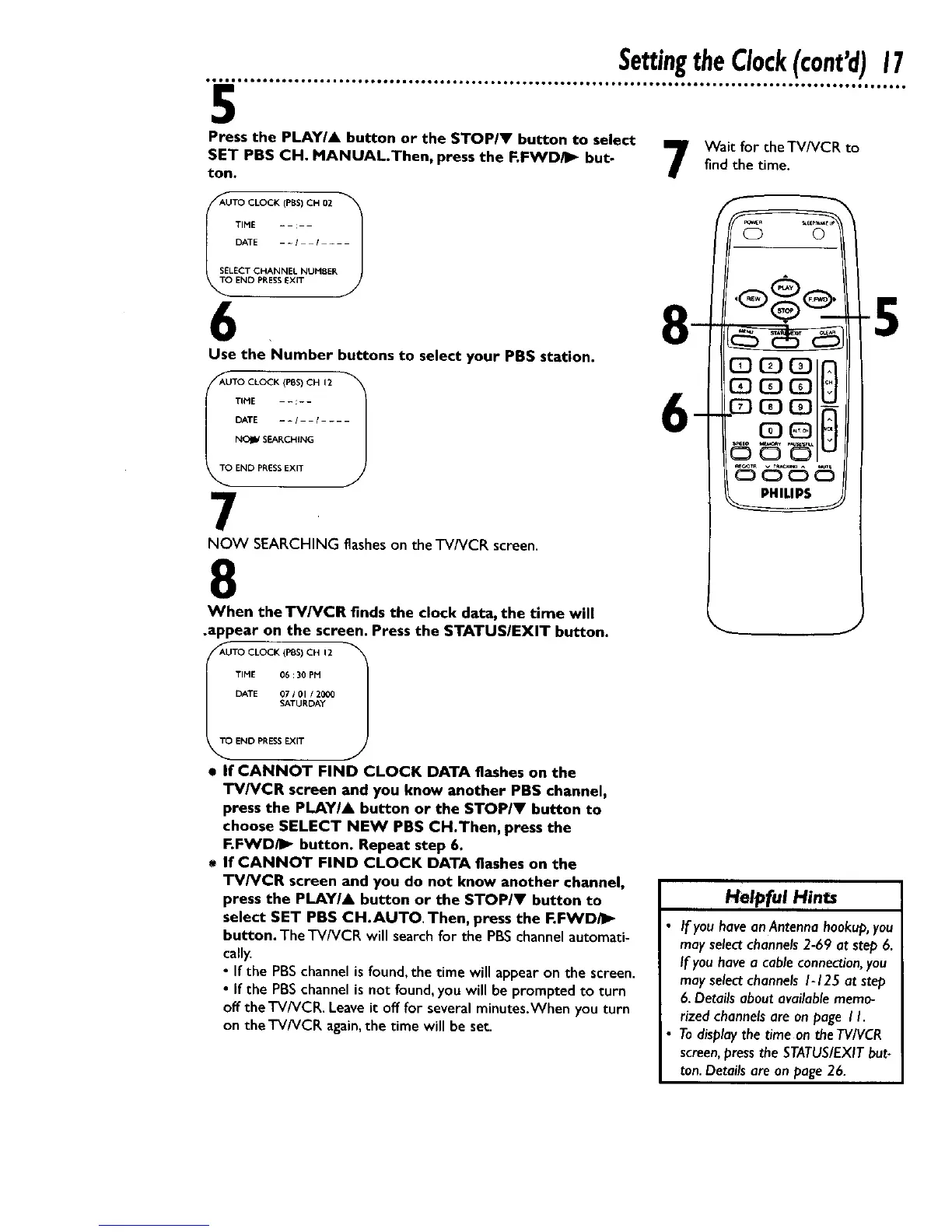
Press the PLAYIA button or the STOPIV button to select _ Wait for the TV/VCR to
SET PBS CH. MANUALThen, press the F.FWDi_ but- / findthe time.
ton.
_AUTO CLOCK (PBS) CH 02
TIME - : /
DATE - - I / - - -
SELECT CHANNEL NUMBER
_END PRESS EXIT
6
Use the Number buttons to select your PBS station.
_AUTO CLOCK (PIBS)CH 12
TINE - : - - l
DATE - - I I - - -
NOIS/SEARCHING
OEND PRESSEXIT
7
NOW SEARCHING flasheson the TV/VCR screen.
8
When the TV/VCR finds the clock data, the time will
.appear on the screen. Press the STATUS/EXIT button.
_AUTO CLOCK (1=85)CH 12 _'_
J
TIME 06 :30 PM
DATE 07 / 01 / 2000
SATURDAY
TO END PRESSEXIT
• If CANNOT FIND CLOCK DATA flashes on the
TV/VCR screen and you know another PBS channel,
press the PLAYIA button or the STOP/Y button to
choose SELECT NEW PBS CH.Then, press the
F.FWDiI_ button. Repeat step 6.
If CANNOT FIND CLOCK DATA flashes on the
TV/VCR screen and you do not know another channel,
press the PLAY/& button or the STOP/Y button to
select SET PBS CH.AUTO. Then, press the F.FWD/_
button. TheTV/VCR will searchfor the PBSchannelautomati-
cally.
• If the PBSchannel isfound, the time will appearon the screen.
• If the PBSchannel is not found,you will be promptedto turn
offthe TV/VCR. Leaveit off for several minutes.Whenyou turn
on the TV/VCR again,the time will be set.
J
Helpful Hints
If you have an Antenna hookup, you
may selectchannels 2-69 at step 6.
If you have a cable connection, you
may select channels 1-125 at step
6. Details about available memo-
rized channels are on page I h
To display the time on the TV/VCR
screen, press the STATUSIEXIT but-
ton. Details are on page 26.










 To Next Page