4
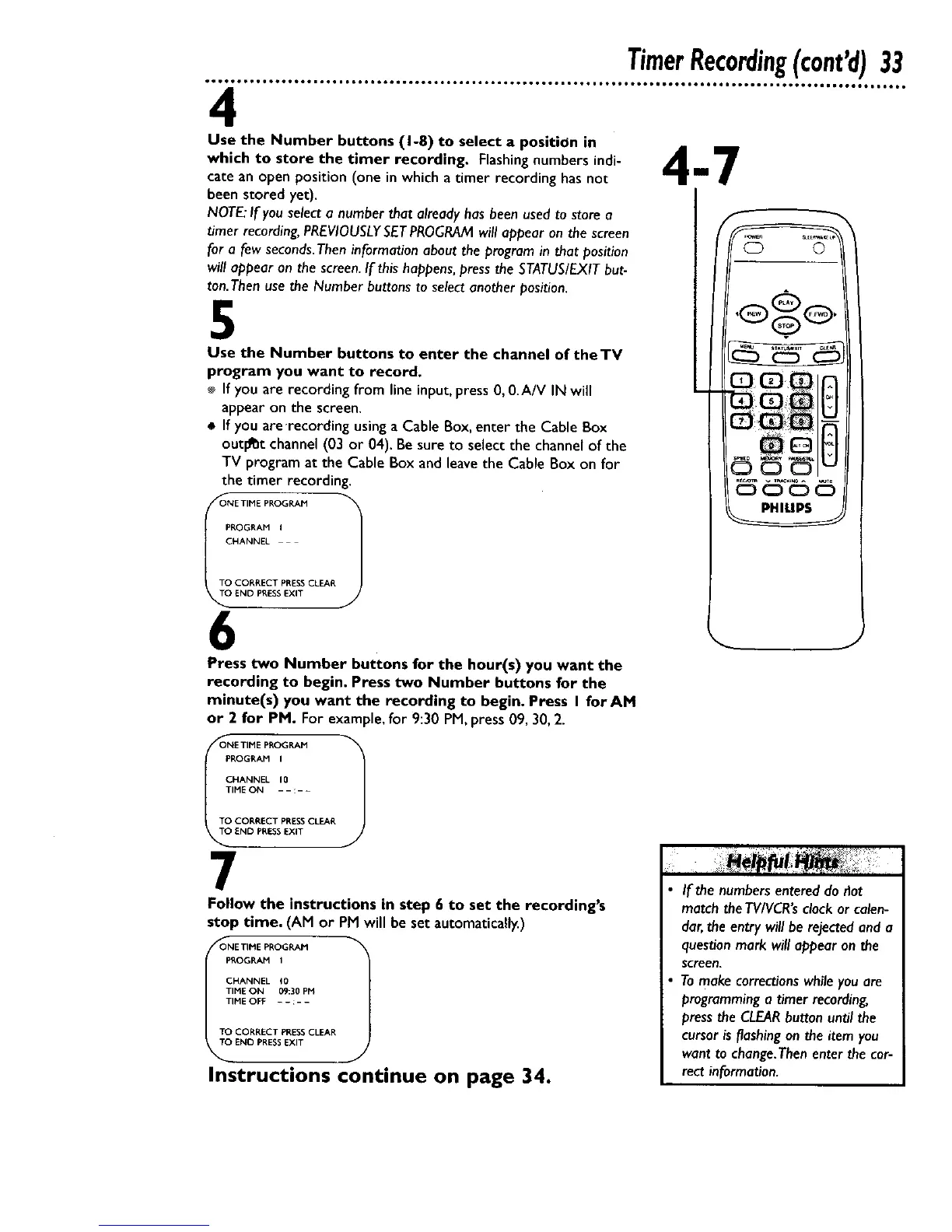
Use the Number buttons (I-8) to select a position in
which to store the timer recording. Flashing numbers indi-
cate an open position (one in which a timer recording has not
been stored yet).
NOTF_"If you select a number that already has been used to store a
timer recording, PREVIOUSLYSETPROGRAM will appear on the screen
for a few seconds.Then information about the program in that position
will appear on the screen. If this happens, press the STATUS/EXIT but-
ton.Then use the Number buttons to select another position.
5
Use the Number buttons to enter the channel of the TV
program you want to record.
If you are recording from line input, press 0, 0.A/V IN will
appear on the screen.
If you are'recording using a Cable Box, enter the Cable Box
outlet channel (03 or 04). Be sure to select the channel of the
TV program at the Cable Box and leave the Cable Box on for
the timer recording.
PROGRAM I
CHANNEL
TO CORRECT PRESS CLEAR
END PRESSEXIT
6
Press two Number buttons for the hour(s) you want the
recording to begin. Press two Number buttons for the
minute(s) you want the recording to begin, Press I forAM
or 2 for PM. For example, for 9:30 PM,press 09, 30,2.
OI!_ETIME PROGRAM 1
PROGRAM I
CHANNEL 10
TIME ON - - :- -
TO CORRECT PRESS CLEAR
END PRESS EXIT
7
Follow the instructions in step 6 to set the recording's
stop time, (AM or PM will be set automatically.)
_ONE TIME PROGRAM
PROGRAH I
CHANNEL _0
TIME ON 09:30 PM
TIHE OFF - - :- -
TO CORRECT PRESS CLEAR
TO END PRESS EXIT
Instructions continue on page 34.
PHILIPS
If the numbersentereddo riot
match theTVIVCR'sclock or calen-
dar,the entry will be rejectedand a
questionmark will appear on the
screen.
Tomake correctionswhile you are
programminga timer recording,
pressthe CLEARbutton until the
cursor is flashingon the item you
want to change.Thenenter thecor-
rect information.










 To Next Page