4.2
Section 4
Pinnacle PcX OPeratiOn
Pinnacle Operators Manual
Pickering Laboratories Inc.
Any machine that drives the relay output shall provide a relay contact pair that is electrically isolated from all
other electrical devices. The relay signal must have:
Relay detection voltage 24 ±2V
Relay detection current Approximately 1 mA
Status Window
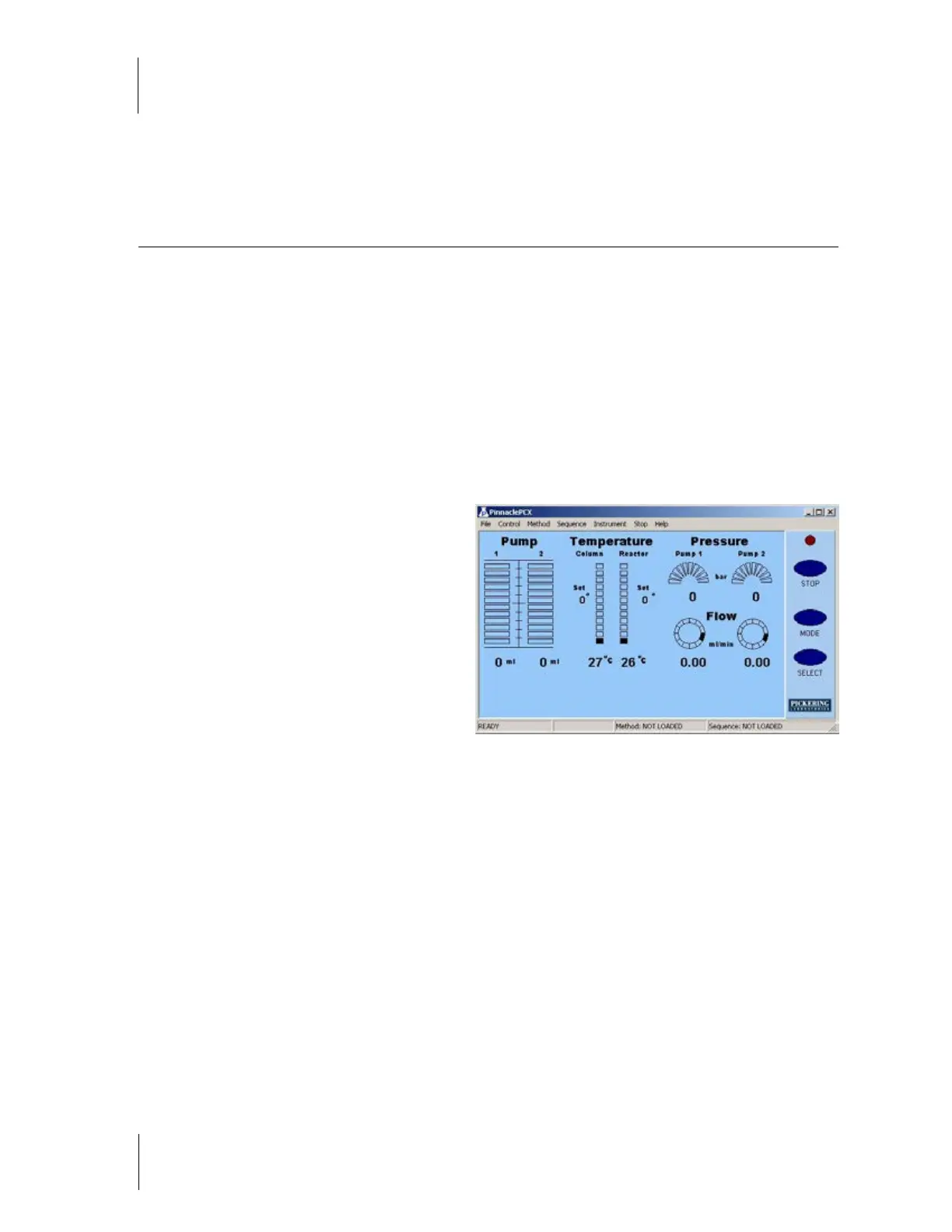
The Status window is the main screen of the Pinnacle PCX software (Figure 4-1). The Status window can be
moved, or minimized into an icon at the bottom of the PC screen. It has a menu bar on the top, status bar at the
bottom and icons for the Pinnacle PCX components.
ICONS
Pump 1:
Displays the actual volume in ml
of liquid in the syringe. The status bars will
increase/decrease with volume. The actual
volume is displayed at the bottom of the icon.
Pump 2: Displays the actual volume in ml
of liquid in the syringe. The status bars will
increase/decrease with volume. The actual
volume is displayed at the bottom of the icon.
Column oven temperature: Displays the
Set and actual temperature in ºC. The actual
temperature is displayed at the bottom of the icon. The status bars on the column oven icon will fill in and
increase as the column heats. The reverse is true when the column cools. The icon shows the temperature of
the column oven to the nearest degree. The recommended maximum temperature for the column heater is
75°C. A thermal safety switch limits the heater at ca. 80°C.
Reactor temperature: Displays the Set and actual temperature in ºC. The actual temperature is displayed
at the bottom of the icon. The reactor temperature is measured to the nearest degree. The status bars on the
reactor oven icon will fill in and increase as the reactor heats. The reverse is true when the reactor cools. The
recommended maximum temperature for the heated reactor is 130°C. Above this temperature the reaction coil
begins to lose strength. A thermal safety switch limits the heater at ca. 150°C.
Pressure: Displays the actual pressure in bar or psi. Pump 1 pressure corresponds to the actual pressure on
Pump 1, and through post-column system beginning at the first mixing tee. Pump 2 pressure corresponds to
the actual pressure on Pump 2, and through the post-column system beginning at the second mixing tee.
Flow: Displays the actual flow rate in ml/min of the reagent pumps. When the pump is dispensing at the
analytical flow rate, the black square in the icon will move slowly in a clockwise direction. When the pump is
refilling, the icon changes to an alternating segments that rotate in a counter-clockwise direction.
Figure 4.1



 To Next Page