4.6
Section 4
Pinnacle PcX OPeratiOn
Pinnacle Operators Manual
Pickering Laboratories Inc.
Configuring your Pinnacle PCX
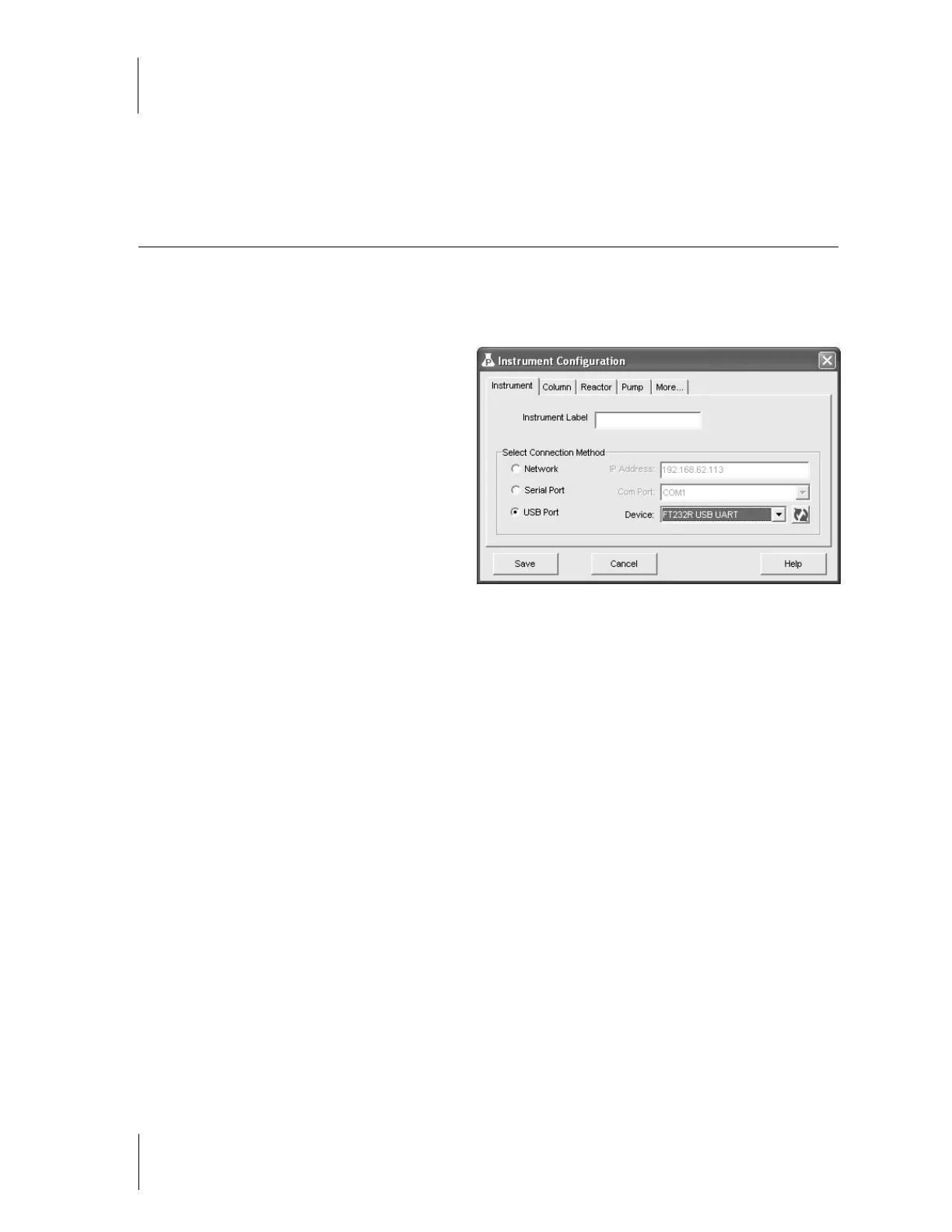
Select Instrument then Configuration to open configuration window (figure 4-2)
The tabs open corresponding windows that allow you to configure the Pinnacle PCX.
Instrument Tab:
Network:
Select this option if the Pinnacle
PCX will be connected to the computer
through a company’s network. Enter
the network IP address in the spaces
provided.
USB Port: Select this option if the
Pinnacle PCX will be connected directly to
the computer via a USB cable.
Column Tab:
Temperature Range:
This window
displays the current minimum and maximum column temperature range for the Pinnacle PCX.
Reactor Tab:
Volume, ml:
This window displays the current minimum and maximum reactor temperature range for the
Pinnacle PCX. The temperature range depends on the volume of the reactor. Enter the volume of the reactor
that you are using.
Pump Tab:
Max Volume:
70 ml: This is the volume of the syringe installed on the Reagent pumps(s).
Flow Rate: 0.05 – 1.5 ml/min: This is the flow rate range for the installed Reagent pump(s).
Pressure in: Bar or psi: Select bar if you would like to see the pressure displayed in bars, or psi if you
would like to see the pressure displayed in pounds per square inch.
More Tab:
HPLC type: Select the brand of HPLC that you will be using with Pinnacle PCX. This will determine the type
of synchronization between Pinnacle PCX and HPLC system.
For HPLC systems other then Agilent 1100 and Agilent 1200 the HPLC software and system must be capable
of sending a relay signal to an external piece of equipment to achieve synchronization. Agilent Chemstation
version 9.0 or higher is needed for Agilent 1100 or Agilent 1200. Pinnacle PCX software will read injection
signal from Chemstation directly – no relay connection is needed. If any other software program is used to
control Agilent 1100 or Agilent 1200, relays board should be installed on the Agilent pump.
If your HPLC does not have Relay capabilities, select “No connection to HPLC”.
If you need to connect two Pinnacle PCX to the same PC you need to select multiple instruments during the
software installation. For each instrument a separate icon will created on the desktop that will open a main
Pinnacle software window. Configure each instrument before starting operation.
Figure 4.2



 To Next Page