5.6
Section 5
Maintenance
Pinnacle Operators Manual
Pickering Laboratories Inc.
Select Refill Pump(s) from Control menu of the Pinnacle PCX software. This will flush the reagent lines from
the bottles from the remaining reagent.
Select in the Pinnacle PCX software Instrument – Maintenance – Prepare for Storage/Shipping. Follow
directions on the screen to complete the procedure.
Pump the storage eluant through the analytical column (see Application section for proper eluant), and remove
the column and guard.
Cap both column and guard tightly.
Replace any buffers with water and flush the HPLC lines for 5 minutes.
Replace the water with 80/20 Water/Methanol and flush the lines.
Place a restrictor or union in the column oven in
place of the column.
Pump 80/20 Water/Methanol through the system.
Basic Maintenance Procedures
The following section will describe the procedure
for cleaning/replacing/rebuilding key elements of
the Pinnacle PCX instrument.
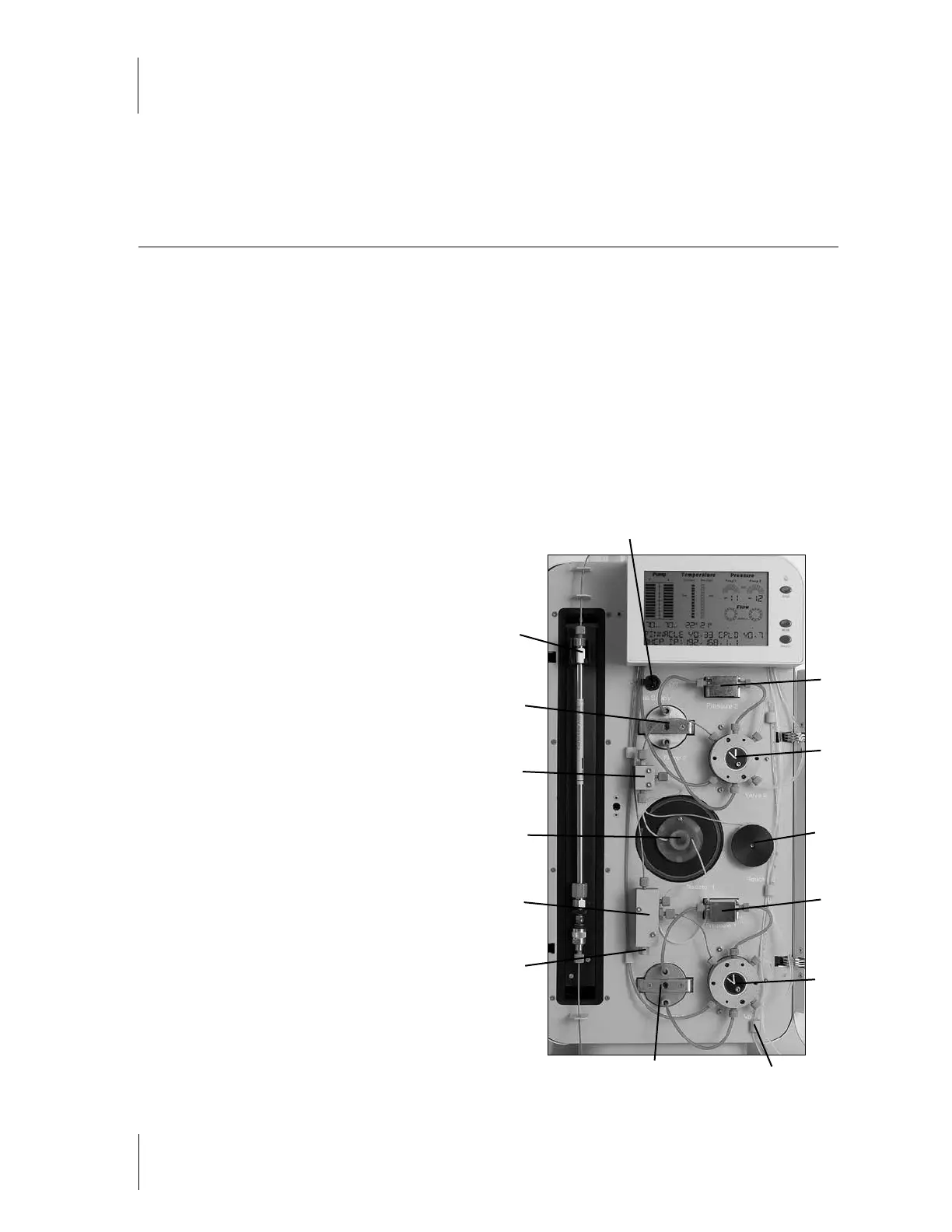
For the following procedures, refer to Figure 5-1
below, which calls out the various parts of the
Pinnacle PCX.
Starting at the valves, the parts of the Fluidics
Panel are numbered counter-clockwise.
1. Valve 2 (on dual systems only)
2. Pressure Transducer 2 (on dual systems only)
3. Gas is controlled by the toggle valve. Lever ON
pressurizes the manifold.
4. Pump 2 (on dual systems only)
5. Column Outlet
6. Mixing Manifold 2 (with integrated reagent
filter) (on dual systems only)
7. Heated Reactor
8. Mixing Manifold 1 (with integrated reagent
filter and over-pressure relief valve)
1
2
13
11
14
12
10
9
8
7
6
4
5
3
Figure 5-1



 To Next Page