4.10
Section 4
Pinnacle PcX OPeratiOn
Pinnacle Operators Manual
Pickering Laboratories Inc.
Even if isocratic method is used and no equilibration time is required for HPLC pump Pinnacle PCX still needs
at least 5 min of Equilibration time to refill reagent pumps and stabilize the baseline signal before the next
injection.
If equilibration for HPLC pump is set up as PostRun or PreRun match Equilibration time in the Pinnacle PCX
method to respectively PostRun or PreRun time of your HPLC method. The run time of your HPLC method
(the actual time of the analysis) should be the same as Pinnacle PCX Run time. Pinnacle PCX delivers
reagents only during the Run time set up in the Pinnacle PCX method.
If returning to initial conditions is set as part of the HPLC pump gradient table (at the end or as a negative time
step in the beginning) consider how long the actual analysis and equilibration steps are. Match analysis time to
Run time of the Pinnacle PCX and match time of the equilibration step to Equilibration time of the Pinnacle PCX.
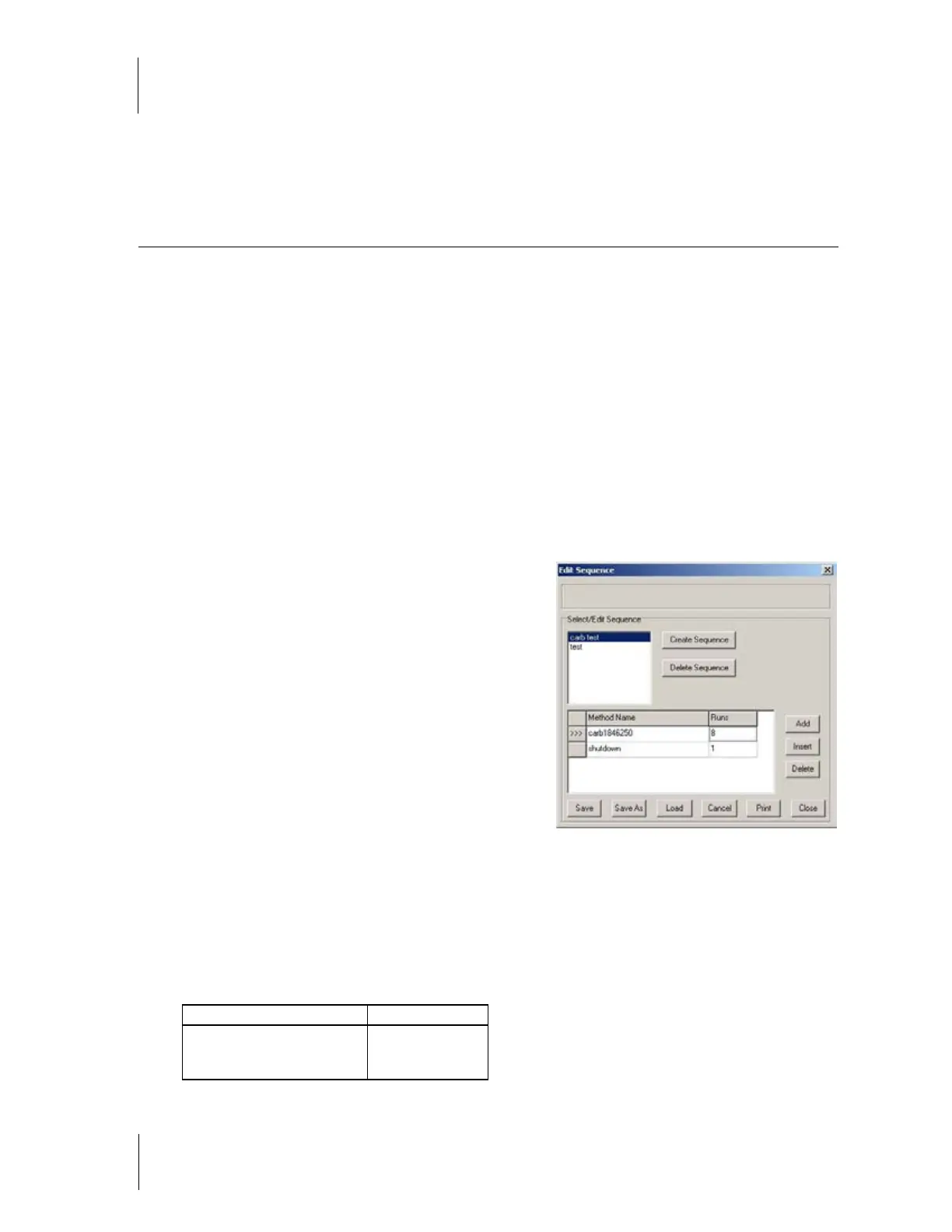
Creating and Editing Sequences
To create or edit a post-column sequence select
Sequence then Edit/Delete. This will open Sequence
editing screen (figure 4-5).
Status Bar This area is located at the top of the
Sequence Edit screen. It displays messages regarding the
saving, creative and deleting of sequences. For example,
when a sequence called Test 1 is saved, this area will
display Sequence “Test 1” saved.
Select/Edit Sequence Box This area displays all of
the sequences currently in memory of the Pinnacle PCX
software. Here you can Edit an existing sequence, Delete
a sequence, or Add a new sequence. To perform an
action on an existing sequence, click on the sequence
name.
Create Click here to add a new sequence
Delete To delete a sequence, click once on the sequence name, then click Delete.
SEQUENCE TABLE WINDOW
Method name Number of runs
Select the method name from
the drop down menu
1-...
Figure 4.5



 To Next Page