4.7
Section 4
Pinnacle PcX OPeratiOn
Pinnacle Operators Manual
Pickering Laboratories Inc.
Log Files
Pinnacle PCX records detailed information about the instrument parameters in the Log files. Pump(s) flow
rates and pressures, reagent volume, column and reactor temperature, s and flags from HPLC are all stored
for 3 days before being overwritten. Log files are necessary to troubleshoot Pinnacle PCX system and software
and should always be collected after a problem is detected. To collect Log files go to Help, select Send Log to
Support and select file from the day the problem happened. Save the file with the date stamp and e-mail it to
support@pickeringlabs.com. If you are not sure about the time collect all 3 log files.
Creating and Editing Methods
To run post-column analysis using Pinnacle PCX a post-column method must be created and executed in the
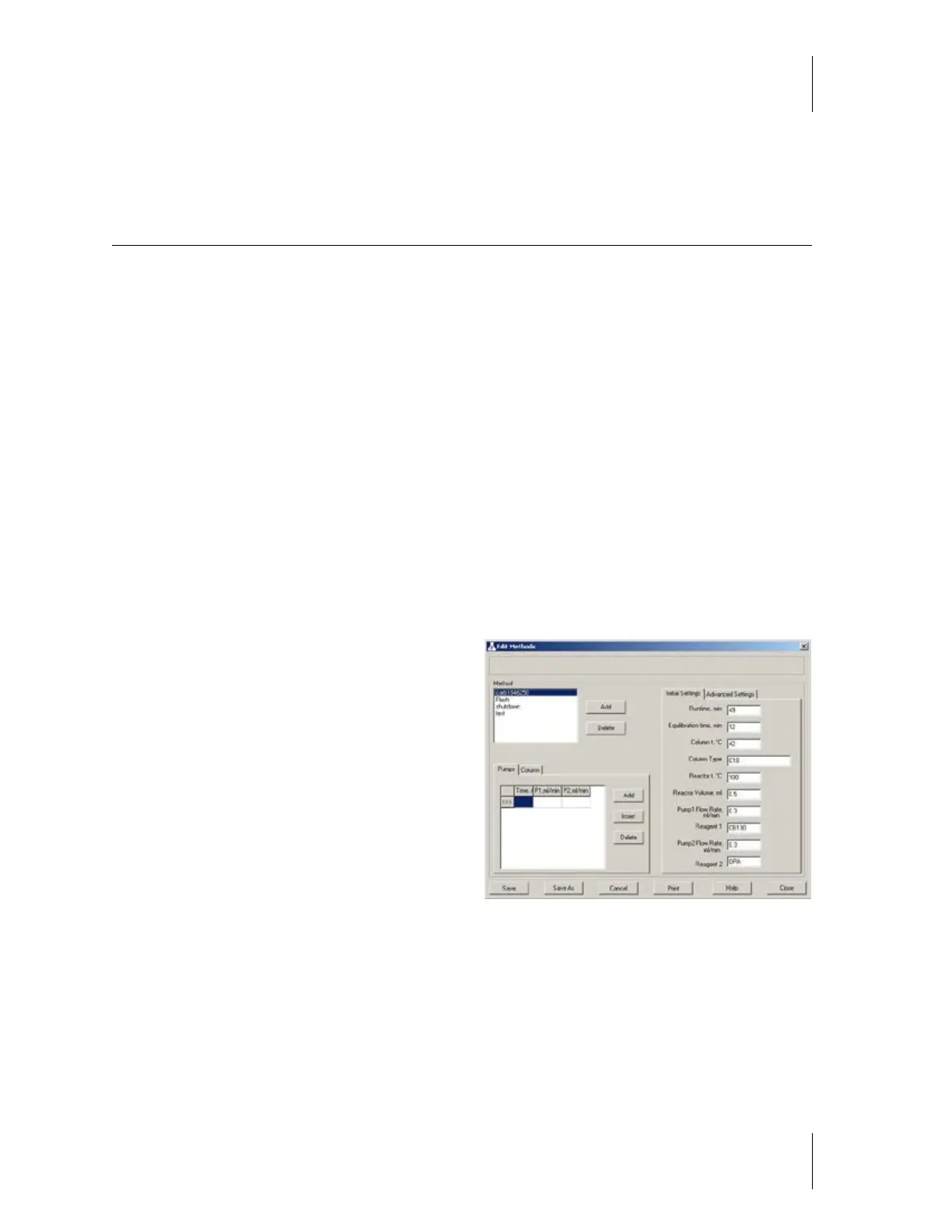
Pinnacle PCX software. To create or edit a post-column method select Method then Edit/Delete. This will open
Methods editing screen (figure 4-3). To execute methods (even as a single run) they should be part of the
sequence.
Methods can be edited when they are currently running. Once edited the method should be saved and the
sequence reloaded. New methods and methods not currently running can be added/edited/deleted at any time.
Status Bar This area is located at the top of the
Method Edit screen. It displays messages regarding
the saving, loading and deleting of methods. For
example, when a method called Test 1 is saved, this
area will display Method “Test 1” saved.
Method Box This area displays all of the methods
currently in memory of the Pinnacle PCX software.
Here you can Edit an existing method, Delete a
method, or Add a new method. To perform an
action on an existing method, click on the method
name.
Add Click here to add a new method. The status
bar will display Method “name” added.
Delete To delete a method, click once on the
method name, then click Delete. The Status bar will display Method “name” deleted.
PUMPS TAB Timetable for both pumps (one table for both). Pump 2 flow rate column is grayed out for
1-pump systems. If timetables are empty the initial conditions are the conditions for the whole run.
Time, min: Enter the time in minutes to the nearest tenth, but not greater than the Runtime. (For example,
0.5 minutes)
P1, ml/min Enter the desired flow rate for Pump1, between 0.05 and 1.5 ml/min. (For example, 1.3 ml/min.
This means that Pump 1 will begin pumping 1.3 ml/min at 0.5 minutes)
Figure 4.3



 To Next Page