5.9
Section 5
Maintenance
Pinnacle Operators Manual
Pickering Laboratories Inc.
Valve Maintenance
Flushing the Valves is recommended before valves replacement or resealing to remove reagents from lines and
pumps. To flush the valve follow the steps below:
Remove the reagents and replace them with a solution of 80/20 Water/Methanol.
Select Refill Pump(s) from Control menu of the Pinnacle PCX software. This will flush the reagent lines from the
bottles from the remaining reagent. Select empty pump(s) to dispense liquid from pump.
Select Flush Pump(s) from Control menu of the Pinnacle PCX software.
Now Valves are ready for maintenance.
VALVE FACE REMOVAL PROCEDURE
Replace the post-column reagents with 80/20 water/methanol.
Flush the pump connected to the valve that requires maintenance (in the software, go to Control, then Flush
Pump).
When the flush is complete, pull the Flush tubing out of the liquid to prevent siphoning of the liquid back into
the flush line.
Power down the Pinnacle PCX and turn the power back on again. This will move the valve to the blocked
position. This is important for alignment of the new or repaired valve face.
Place some paper towels under the Pinnacle PCX to
absorb any excess liquid that is in the Flush line.
Disconnect the Waste line (position 6) from the
Valve face. Hold the end of the tubing upright for a
moment to allow any liquid to drain into the waste
container.
Disconnect the remaining fittings from the valve
face.
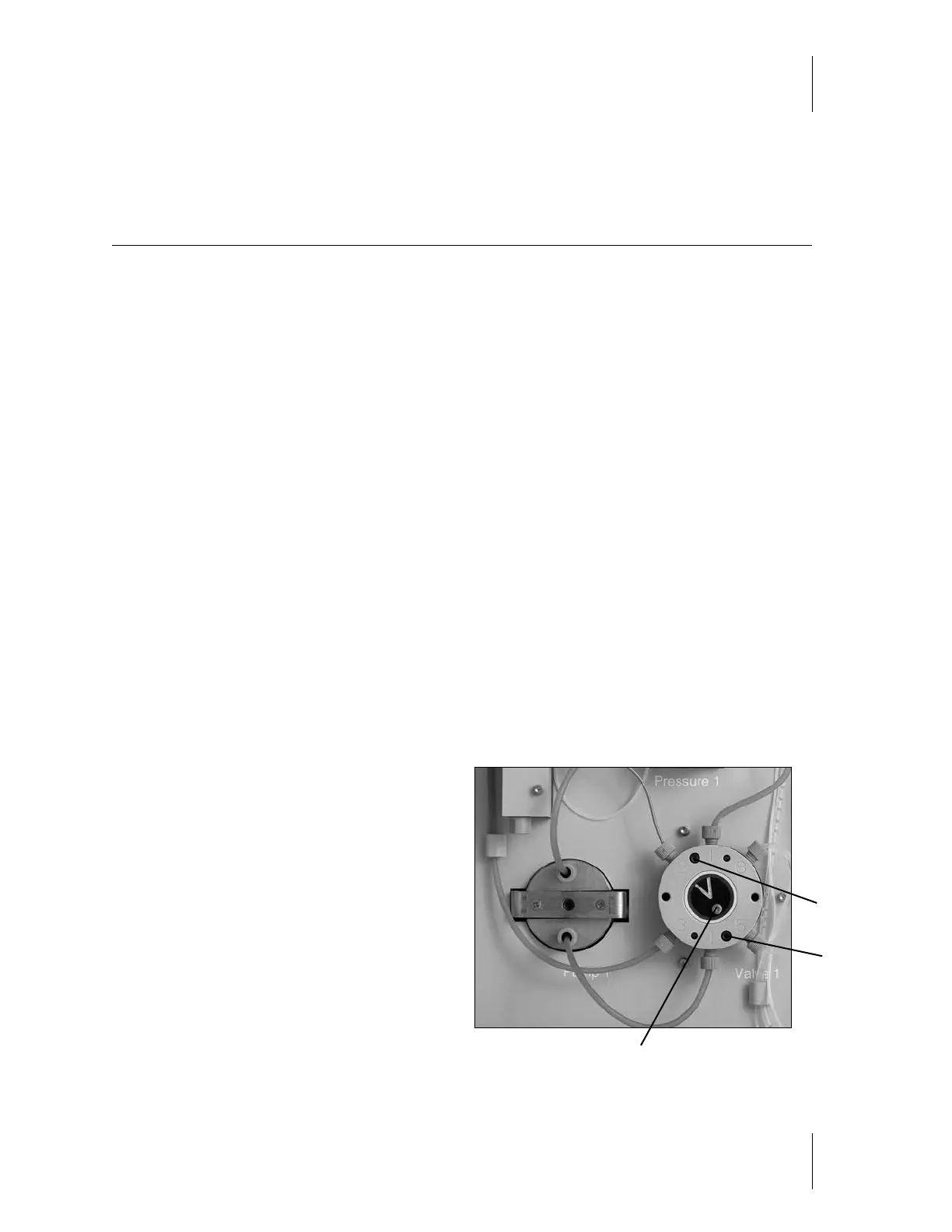
Using an Alan wrench and a flat-head screwdriver,
loosen the cap screw that holds the valve indicator
plate in the center of the valve, and the 2 flat-head
screws located between ports 1-2 and 4-5.
Flat-head screw
Cap screw
Figure 5-5
2
1
6
5
3
4
Flat-head screw



 To Next Page