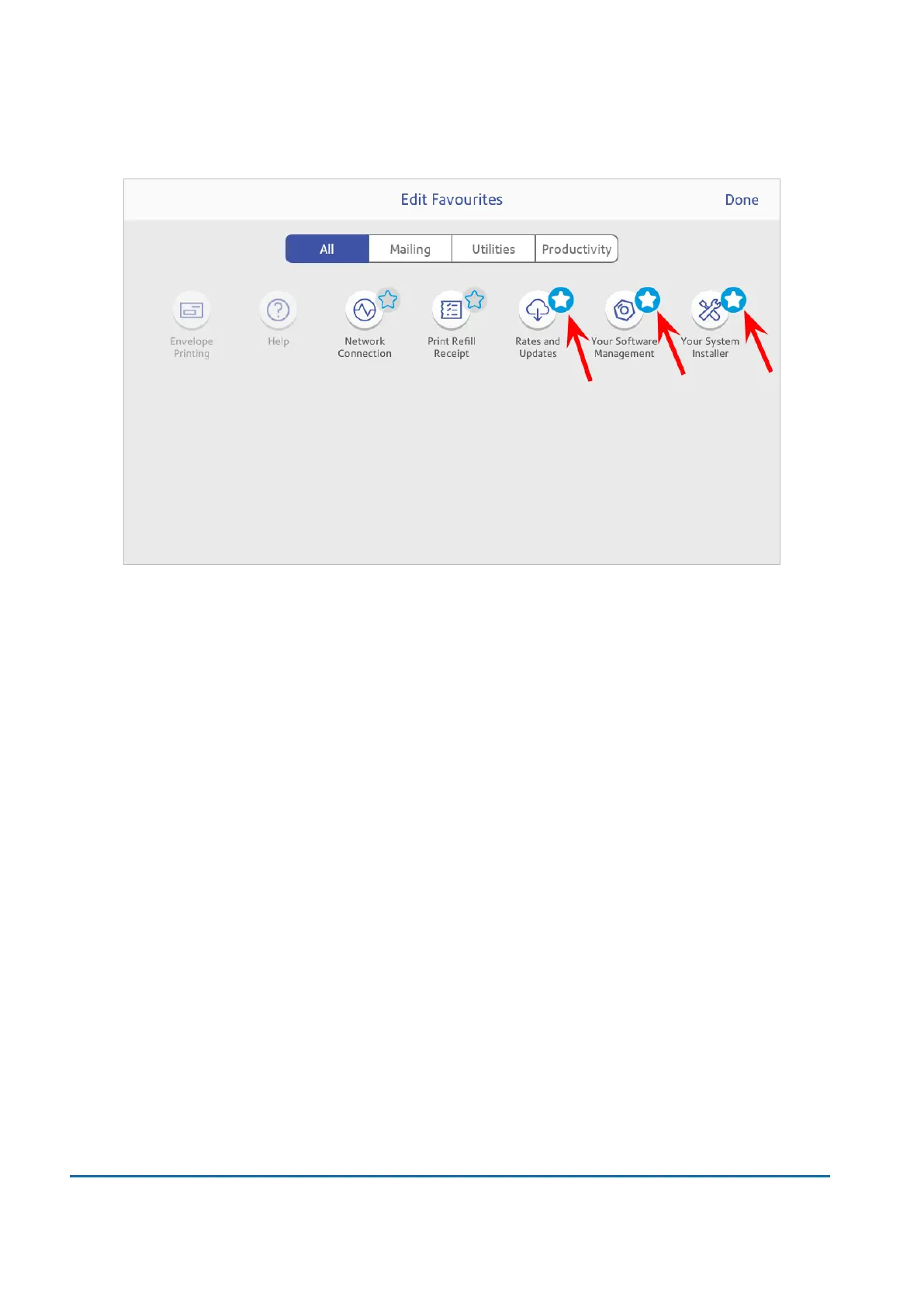
3. Tap the star next to an app to make it a favourite.
4. Tap Done when complete.
Using the SendPro Care app
Tap Ask SendPro Care on the Home screen to get information and help for your device. This
includes:
l
Viewing alerts.
l
Get information about your device- your account number, serial number and model number.
l
Any error messages on your device, like "Cover open" or "Low Funds".
l
A list of the most popular searches.
l
Access to PDF operator guides.
Using the Toolbar
The toolbar is located at the top of every screen.
Use the toolbar to:
l
View and change settings and default values for your device.
l
View online help.
12 • Settings
Pitney Bowes User Guide June 2022 90













 To Next Page